
Vandaag of morgen in huis

Kwaliteit gegarandeerd

Welkomstaanbiedingen ontgrendelen: GRATIS bezorging | Tot 80% korting | Gratis 30 dagen JoyPlus-proefperiode
Download de app
A computer desk needs to do more than simply hold a screen. Whether you work from home, study or game, you’ll quickly notice whether the desktop is large enough, the legs remain stable and cables can be kept tidy. Yet many buyers focus mainly on colour and price. This can lead to predictable problems: a desk that turns out to be too small, wobbles on an uneven floor or leaves no room for your monitor, keyboard and accessories.
In this guide, we look at the key points to consider and compare several computer desks based on verifiable product specifications.
A desk measuring 80 x 50 cm fits easily into a bedroom or small study. This is often enough for a laptop and notebook. However, adding a separate monitor, speakers or printer can quickly limit the available space.
So don’t just measure the area where the desk will stand; map out the equipment you want to use as well. Allow room for cables and sufficient legroom. A 160 x 70 cm desk provides considerably more workspace for a home office, while an 80 x 50 cm desk is mainly suitable for a compact workstation.
A high stated load capacity does not automatically mean that a desk will not wobble. Also check the frame material, joints, adjustable feet and the type of load to which the stated figure applies.
Pay attention to the difference between static load capacity and dynamic load. A static figure refers to a stationary load. A monitor arm that moves or a desk that rises electrically places different demands on the construction. Place heavy equipment over the frame wherever possible and do not exceed the stated capacity.
A USB-C connection, memory function or electric system can be useful, but only if you actually use these features. With an electric sit-stand desk, you should also consider cable space, the distance from the wall and protection against liquids.
According to the product information provided by the brands concerned, some models include a sensor, overheating protection or a lock function. Treat these as product specifications, not as a guarantee of a particular working experience. Always read the manual and check the assembly and safety instructions.
The dimensions determine how much equipment you can fit on the desk and how freely you can sit. A depth of 50 cm saves space, but leaves less room to position a monitor at the correct viewing distance. With a depth of 60 to 80 cm, you have more space for a keyboard, mouse and documents.
For a home-working desk or home-office desk, these combinations are practical:
The fixed height of many desks is around 75 cm. This will not suit every user equally well. A height-adjustable desk allows you to adapt the working height. When choosing one, check the adjustment range and whether your chair, monitor and cables will remain properly aligned.
Many computer desks combine a chipboard top with a steel frame. Chipboard is practical and relatively lightweight, but the edges and fixing points require attention. Use coasters for damp drinks and carefully tighten the fixings after assembly.
A steel frame can provide additional stability, but the construction itself remains decisive. Look at the thickness of the legs, crossbars and adjustable feet. With a desk on a wooden or older floor, adjustable legs can help compensate for small differences in height.
With an electric sit-stand desk, the motor, controls and cable management are important considerations. A desk with a memory function can store multiple heights, so you do not have to set it again each time. A desk with a USB-C connection may also be suitable for charging compatible devices, but check the stated charging capacity.
Keep electrical components dry. Do not place an electric desk tightly against the wall while adjusting it, and watch out for obstacles above and below the desktop. For the Ochama and JOYFURNOS models in this selection, the product information states that overheating protection activates after prolonged, continuous adjustment. The stated waiting time is 18 minutes. This makes these models less suitable for repeatedly moving up and down without taking breaks.

Why it suits this profile: This compact desk fits into a smaller bedroom, student room or home office and is suitable for laptop use, studying or light gaming.
The product information states the dimensions, materials and a maximum static load of 50 kg. Adjustable feet help compensate for minor unevenness in the floor.
80 x 50 cm, steel frame, black chipboard top and adjustable legs. According to the product description, the parts are labelled for assembly.

Why it suits this profile: For a spacious home office with multiple screens, this electrically adjustable desk provides extra desktop space and features for alternating between sitting and standing.
The product specifications state a range of approximately 72 to 120 cm, memory controls, cable ports and a maximum static load of 70 kg.
160 x 70 cm, USB-C port, memory function, steel frame, adjustable feet and a lock function on the control panel.

Why it suits this profile: This large fixed desk is designed for users who need a wide desktop for multiple monitors, a printer, writing or a gaming setup.
The product information states that it has a steel frame, two additional supports, a triangular connection and adjustable feet. The stated static capacity is 400 kg; distribute the load evenly and check the assembly.
160 x 80 cm desktop, metal frame, adjustable legs and a weight of 26 kg according to the product description.
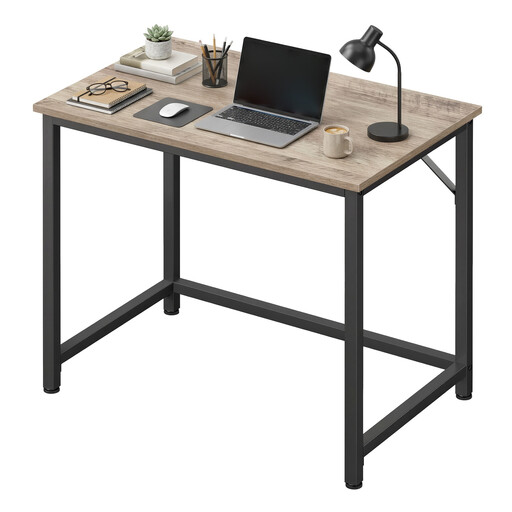
Why it suits this profile: The greige-and-black finish complements a neutral, modern interior and takes up little space beside a bed, wardrobe or bookcase.
The fixed dimensions remove any uncertainty about the floor space required. Adjustable feet and a reinforced frame are mentioned in the product information.
Chipboard with a steel frame, a maximum static load of 50 kg and a design for work, study or gaming.
We’ve put together a complete, up-to-date list of products that fully meet these strict selection criteria and the applicable European safety regulations.
For a laptop alone, 80 x 50 cm may be sufficient. For a monitor and keyboard, a width of 120 to 140 cm is more practical. If you use multiple screens, a printer or need plenty of writing space, it is better to consider 160 x 70 or 160 x 80 cm.
Power consumption depends on the motor power, how frequently the desk is adjusted and its standby mode. The motor uses most energy while the desk is moving. A model with an energy-saving mode may reduce consumption at other times, but check the technical details for the specific product.
The lifespan depends on the load, assembly, moisture and everyday use. A stable frame, correct positioning and staying within the stated static capacity can help reduce wear. With an electric model, careful use of the motor and cables is also important.
