
Vandaag of morgen in huis

Kwaliteit gegarandeerd

Welkomstaanbiedingen ontgrendelen: GRATIS bezorging | Tot 80% korting | Gratis 30 dagen JoyPlus-proefperiode
Download de app
A new keyboard, a wireless mouse or a webcam might seem simple to pick. Yet many purchases go wrong because of small details: the wrong keyboard layout, a missing USB port, or a product claim that doesn't match how you actually use it. With this practical guide, you can compare computer accessories on compatibility, connectivity, layout and usage scenario.
A keyboard can look identical in the product photo, yet the layout can be very different. A QWERTY keyboard is common in the UK, but some models use a US International, UK or Belgian AZERTY layout. So check:
A Belgian AZERTY version, like the Dell KM555, is not automatically suitable for someone who works daily with a UK QWERTY layout.
A wireless keyboard or wireless mouse can connect via 2.4 GHz with a USB receiver, Bluetooth or both. A USB receiver takes up a port and can get lost. Bluetooth is practical for laptops and tablets, but not every device supports the same Bluetooth version or pairing method.
Also check whether batteries are included, how long they last according to the product information, and whether charging via USB-C is possible. With a keyboard and mouse set, one receiver sometimes works for both devices, saving USB ports.
A “mechanical feel” does not automatically mean a keyboard has mechanical switches. The MageGee TS91 is described in the product description as a membrane keyboard with a mechanical feel. The Acer GP.KBD11.00S is called mechanical in the general description, while the specification table lists the type as membrane. So always look at the technical table, not just the title.
The same applies to claims about quietness, battery life and tracking. According to Logitech’s own product information, the M330 has up to 90% quieter clicks and a battery life of up to 24 months. These are product specifications and brand claims; the actual experience depends on factors such as usage, surface and batteries.
A full-size keyboard typically offers a numeric keypad and is handy for administration, spreadsheets and office work. A 60% model, such as the MageGee TS91, leaves out the numeric keypad and often the function keys too. This saves desk space, but requires key combinations for certain functions.
A 75% mechanical keyboard usually keeps the arrow keys and function row, while still being more compact. Also check whether you need a QWERTY, US International, UK or AZERTY keyboard.
Pay attention to your computer’s connection:
The Acer USB Wired Keyboard models are plug-and-play via USB. The Dell KM555 supports both RF via USB and Bluetooth 5.1 according to the product data. For a gaming keyboard, also check support for Windows, macOS or games consoles.
A 4K webcam can deliver more image information than a 2K webcam, but the final quality also depends on lighting, lens, software and internet connection. For video calls, good positioning and even lighting are often at least as important as the resolution.
Look for autofocus, microphones, monitor mounting and a physical privacy shutter. The Philips 4000 Series is offered as a 4K UHD webcam with autofocus, dual built-in microphones and a privacy shutter. The Philips SPL6308S/00 is a 2K QHD webcam with a noise-cancelling microphone according to the product listing. These features make it easier to compare purposefully without relying solely on resolution.
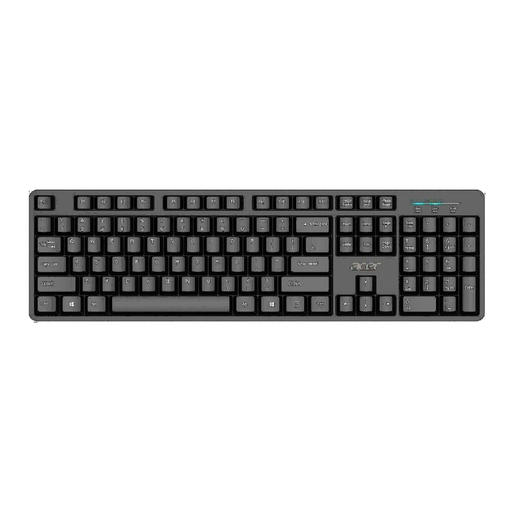
Why this fits the profile: A wired full-size keyboard is simple to connect and suitable for home use, study and basic work.
The product data clearly states QWERTY US International, USB 2.0 and a full-size layout with numeric keypad.
USB connection, 1.45-metre cable and spill-resistant design according to the product description.
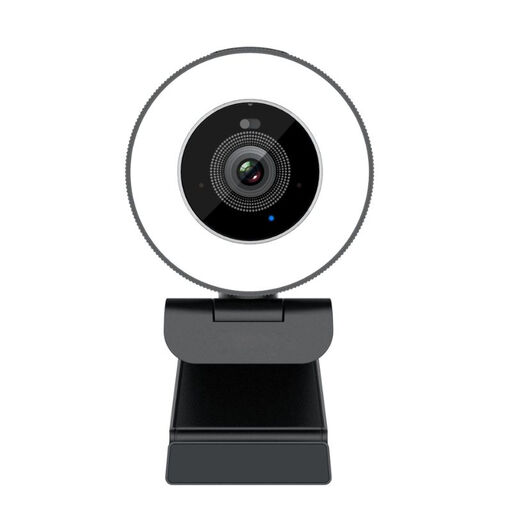
Why this fits the profile: Suitable for home workers and businesses that place extra importance on image quality, autofocus and privacy.
The stated privacy shutter prevents the lens from being left uncovered when the webcam is not in use.
4K UHD, autofocus, dual microphones and a desktop mount according to the product title.
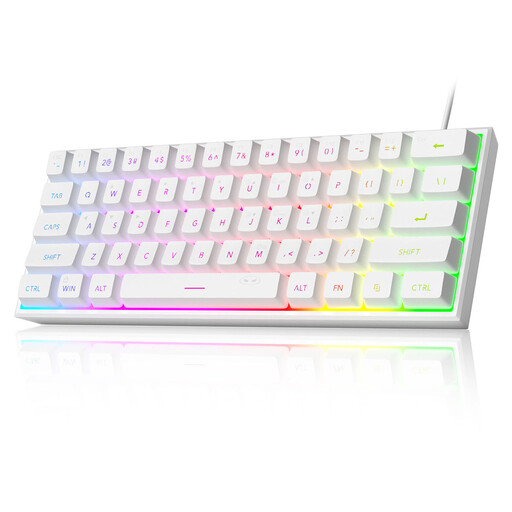
Why this fits the profile: A compact choice for gamers and users with limited desk space who want RGB lighting and a gaming style.
The 60% layout makes it clear that a numeric keypad is missing. The IPX4 rating applies to the circuit board, not the USB connection.
61 keys, wired USB connection and adjustable RGB modes according to the product information.
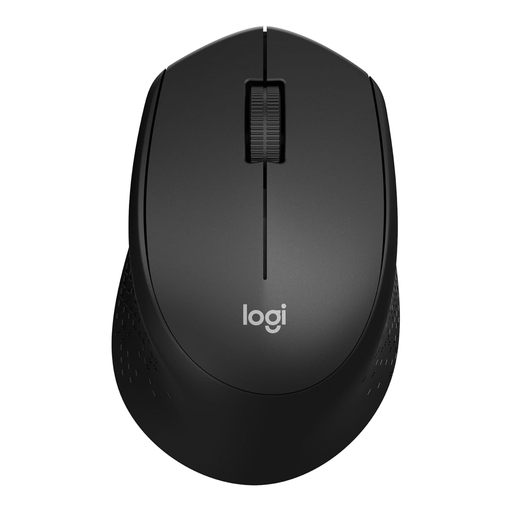
Why this fits the profile: Handy for shared offices, libraries and home workspaces where clicking noise needs to be kept to a minimum.
The product data mentions a silent click function, optical tracking and a nano receiver; check beforehand that you have a free USB port.
Wireless connection up to 10 metres according to the product information and a 1,000 dpi optical sensor.
We’ve put together a full, up-to-date list of products that fully meet these strict selection criteria and comply with current European safety regulations.
Not all computer accessories are intended for direct operation. For office printers, holders and mounting systems can be part of a broader authentication solution. The EPSON Authentication Device Table P2 - C12C939531 is, according to the product data, a holder for card readers, authentication scanners or keypads. The accessory is intended for WorkForce Pro EM-C800, EP-C800, EM-C7100 and EP-C7000 series.
When checking a printer accessory, always look at:
An Epson authentication stand is therefore not a universal printer holder. Only choose a model for which your multifunction printer is explicitly listed.
That depends on your workspace. Wireless gives you more freedom of movement and keeps the desk tidy. Wired works directly via USB and doesn’t need batteries or pairing. For fixed office setups, wired is often practical; for laptops and flexible workspaces, wireless can be more convenient.
The lifespan depends on click frequency, usage conditions, battery management and wear on the buttons or scroll wheel. A silent mouse with sleep mode can limit battery consumption. Store a wireless mouse in a dry place, keep the sensor clean and use a suitable surface.
Not necessarily. A 2K webcam can be sufficient for daily home working and online lessons. A 4K webcam is especially interesting when image resolution, cropping or presentation quality matter. Alongside resolution, also check autofocus, microphone, privacy shutter, mounting and the speed of your internet connection.
