
Vandaag of morgen in huis

Kwaliteit gegarandeerd

Welkomstaanbiedingen ontgrendelen: GRATIS bezorging | Tot 80% korting | Gratis 30 dagen JoyPlus-proefperiode
Download de app
Buying computer accessories seems straightforward until you discover that a keyboard has a US layout, a wireless mouse only works with one device, or a networking product isn’t compatible with your existing router. Marketing terms such as “mechanical feel”, “4K” and “Wi-Fi 6” don’t always tell you enough about whether a product is right for you.
This buying guide helps you compare computer accessories using verifiable specifications. Find the right combination for working from home, gaming, video calls, studying or a small office.
A US QWERTY layout isn’t the same as a Dutch ISO layout. The position of keys such as Enter, as well as symbols and punctuation, can vary. Always check the layout before ordering a gaming keyboard or office keyboard.
Consider the size, too. A 60% keyboard usually has no numeric keypad and may not have dedicated arrow keys. This saves space, but can be inconvenient for bookkeeping, spreadsheets or keyboard shortcuts.
Some products use terms such as “mechanical feeling”. This may refer to a membrane keyboard with a mechanical-style feel, rather than one with genuine mechanical switches. If you’re looking for a mechanical keyboard, check that the product specifically mentions mechanical switches, hot-swappable support or a particular switch type.
RGB lighting is mainly a matter of style and personal preference. It doesn’t automatically make an RGB keyboard better for typing or gaming.
A wireless keyboard and mouse may connect via a USB receiver, Bluetooth or both. Check:
The layout matters with wireless computer accessories, too. A Belgian AZERTY set, for example, isn’t the same as QWERTY. Also check whether an accessory is compatible with Windows, macOS, Chrome OS, Android or a specific games console.
A compact model can be practical if you have limited desk space. The MageGee TS91 has a 60% layout with 61 keys, RGB lighting and a USB connection. According to the product specifications, it’s compatible with Windows, macOS, PS4 and Xbox One, among other devices. Its circuit board has an IPX4 rating, but the USB connection isn’t water-resistant. Treat this as protection against limited splashing, not permission to submerge the keyboard.
For a wireless model, also check battery life, charging method and connection type. A 75% model can be a good middle ground: more compact than a full-size keyboard, but with arrow keys and a function row.
An ergonomic mouse should suit your hand size and working position. A vertical mouse such as the Logitech Lift has a 57-degree angle and, according to the product specifications, is designed for right-handed users with small to medium-sized hands. That’s a specific design feature, but it doesn’t guarantee the same experience for everyone.
If you work in a shared space, consider a quiet mouse. The Logitech MX Master 4 for Business features Quiet Click technology and offers Bluetooth, a Logi Bolt receiver, eight buttons and adjustable resolution of up to 8,000 dpi. A lower dpi is often enough for everyday office work; a high dpi is simply an adjustment range, not a measure of quality in itself.
When choosing a 4K webcam, check more than just the resolution. Look at autofocus, microphones, privacy cover, connection and compatibility with your video-calling software. The Philips 4000 Series is sold as a 4K UHD webcam with autofocus, two built-in microphones and a privacy cover. Before buying, also check that your computer has the required USB connection and enough capacity to handle higher video quality.
For network expansion, a Wi-Fi 6 access point will only make a difference if your router, cabling and connected devices are compatible. The TP-Link Omada EAP653 supports 2.4 and 5 GHz, PoE+ and VLAN functionality. Its stated total speed is a combined theoretical figure; actual speeds depend on distance, channel congestion, walls and your internet package.
A simple Ethernet switch can give you extra wired connections. The TP-Link LS1005 has five RJ45 ports with 10/100 Mbps and works as an unmanaged switch. That means plug-and-play operation, but it also means the device doesn’t support gigabit speeds. For a fibre broadband connection or a fast NAS, a gigabit model makes more sense.
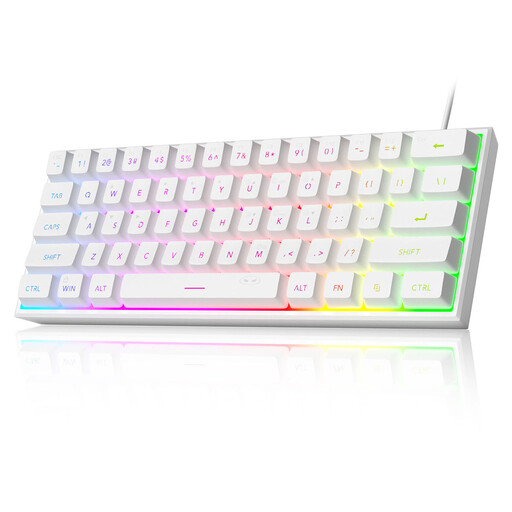
Why it suits this user: A compact USB option for gamers, students and anyone with a small desk who doesn’t need a numeric keypad.
The product page clearly states the 60% layout, US QWERTY layout and wired connection. Don’t mistake the IPX4 rating for complete waterproofing.
61 keys, adjustable RGB modes and plug-and-play USB connection.

Why it suits this user: Designed for office professionals who use several devices and spend a lot of time scrolling, selecting and switching between windows.
The connection options and number of buttons are clearly specified. The model is designed for right-handed use, so it may be less suitable for left-handed users.
Bluetooth and Logi Bolt, eight programmable buttons, horizontal scrolling and USB-C charging.
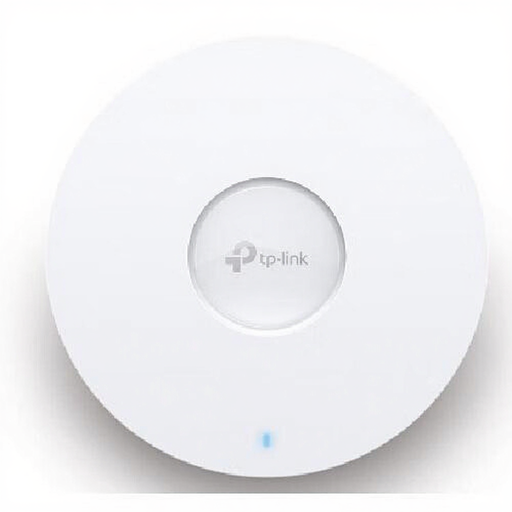
Why it suits this user: For small businesses and home offices looking to extend their Wi-Fi coverage with management features and PoE+.
The product details explicitly state Wi-Fi 6, 2.4 and 5 GHz bands, VLAN support and one gigabit RJ45 port. The theoretical combined speed isn’t a guaranteed internet speed.
Supports PoE+, WPA3, VLAN and web management; suitable for ceiling or wall mounting.
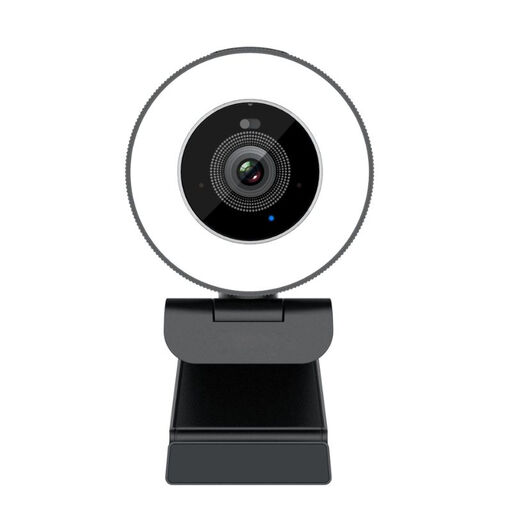
Why it suits this user: A desktop webcam for anyone who values autofocus, built-in microphones and a privacy cover for video calls.
The product name and description specify 4K UHD, autofocus, dual microphones and a privacy cover. Check software and USB compatibility in advance.
4K UHD resolution, autofocus, two built-in microphones and a physical privacy cover.
We’ve put together a complete, up-to-date list of products that meet these strict selection criteria and current European safety regulations.
A keyboard and mouse that suit your hands and working position are the essentials. Add a webcam with a privacy cover if you make video calls regularly. An Ethernet switch can be useful if you have several wired devices. For each product, check the connection, compatibility and the space available on your desk.
It depends on how you use them. Wireless sets keep your desk tidy and are practical with laptops. Wired models don’t need batteries and are ready to use as soon as you plug them in. A wired connection may be preferable for gaming, while flexibility and going cable-free often matter more for office work.
Lifespan depends on usage, materials, battery type and maintenance. Keep liquids away from electronics, clean them with a dry or slightly damp cloth, and unplug USB devices before cleaning them. With wireless models, batteries or charging components may limit how long they remain practical to use. So check more than just the purchase price: consider whether parts can be replaced, the warranty and the connection options.
