Start with the space available, your viewing distance and the view from both seats. Then decide between OLED, LCD and Mini LED. OLED is worth considering if a wide viewing angle and deep blacks matter to you, while an LCD model is worth comparing for a bright room. Consumentenbond generally describes LCD viewing angles as narrower than those of OLED. For each TV, check how many HDMI ports will be left for your games console, media player and any soundbar. A high stated refresh rate alone does not prove that a puzzle game will play better.
Who is this buying guide for?
Two players in a small room
You want a screen that fits and is easy to see from both seats. Measure the available space and viewing distance before choosing a screen size; Consumentenbond offers a rule of thumb for viewing distance as a starting point.
Players sharing a media set-up
You may use a media player or soundbar alongside your games console, so you want to have enough suitable ports available. Consumentenbond describes HDMI-ARC and HDMI-eARC as connections for a compatible sound system.
Fans of a calm, clear picture
You compare viewing angle, contrast and brightness with the lighting and seating in your room, rather than focusing only on the number of hertz. Consumentenbond points out that LCD viewing angles are generally narrower than those of OLED.
What should you look for when choosing?
First measure the space, then check the picture and connections from the seats where you play. This helps you compare screen size and technology against the set-up you’ll actually use.
| What to consider |
What to look for |
Who is this important for? |
| Screen size and placement |
Measure the available width, viewing distance and stand of the exact model. Consumentenbond suggests around 2.4 times the screen diagonal as a comfortable viewing distance; use this as a starting point and check your own set-up. |
If space is limited, I want the TV to fit and remain easy to see from our viewing distance. Around 29% of consumers give placement their top priority. |
| View from both seats |
Check the picture from the left and right seats, and take daylight into account. Compare the viewing angle of the exact model. |
When we’re not sitting directly in front of the screen, I want us both to be able to follow the picture clearly. Around 23% of consumers prioritise the view from both seats. |
| Suitable gaming picture |
Check which resolution, refresh rate and gaming features the TV and your games console or PC support together. |
If gaming features matter to me, I want to know which ones my own source and games will actually use. Around 18% of consumers make this their top priority when choosing. |
| Connections |
Count the HDMI inputs you need and check which port supports HDMI-ARC or HDMI-eARC for a compatible soundbar. |
I want to connect my games console, media player and possibly a soundbar without having to keep swapping cables. Around 18% of consumers put convenient connections first. |
| Running costs and lifespan |
Compare the energy labels of specific models and check that the apps you use are available. Consumentenbond notes that apps can disappear over time. |
If I want to rely less on built-in apps and avoid unexpected running costs, I compare these things in advance. Around 12% of consumers give these considerations top priority. |
Common buying mistakes
-
Making the highest refresh rate the deciding factor
A maximum refresh rate alone does not tell you what a specific games console or puzzle game will actually deliver.
First compare the screen size, the view from both seats and the features supported by your own gaming source.
-
Forgetting to count the HDMI-ARC or eARC port
A soundbar may use the HDMI port you had also set aside for a games console or media player.
Before buying, map out which devices you want to connect and which ports each one needs.
If you don’t have enough spare connections, you may need extra equipment or have to swap cables more often.
-
Choosing based only on the panel name
Your seating, light levels and how long static game images stay on screen also matter. An older OLED test does not establish the risk for a particular current model.
Compare your actual seating and lighting, and check the specifications of the exact model.
-
Confusing an extended warranty with your statutory rights
A paid-for extra cover plan and your statutory rights are not the same thing. According to the Dutch government, the retailer remains your point of contact if a product is faulty.
Read the extra terms offered by an additional cover plan before deciding whether it adds anything for your situation.
Brands to compare
LG
The OLED42C68LA is a specific 42-inch OLED option for a compact set-up.
- LG lists 4K and gaming features up to 165 Hz for this model. These are manufacturer specifications, not a measured improvement for puzzle games.
- Consumentenbond describes image retention during prolonged display of static images in a test of older OLED TVs; that test does not establish the risk for this specific model.
Samsung
The QE43QN90FATXXN is a 43-inch Mini LED TV to compare for a compact set-up in a bright room.
- Samsung identifies this exact model as a 43-inch 4K Mini LED TV.
- Assess the viewing angle and input lag separately for the exact model; the panel name alone doesn’t make these features clear.
Philips
The 43PUS9010/12 and 43PUS8000/12 are two separate 43-inch Ambilight ranges to compare at model level.
- Philips lists a 4K QLED screen, Ambilight and VRR up to 144 Hz for the 43PUS9010/12.
- Ambilight and the maximum refresh rate stated by Philips are no substitute for checking the viewing angle, HDMI layout and compatibility with your gaming source.
Joybuy products
These Joybuy options range from 42 to 85 inches, so not every model is compact. Compare the screen size and connections with your available space and devices.
 No image available
LG OLED42C68LA 42-inch 4K OLED Smart TV
The 42-inch diagonal may suit a smaller media set-up; measure the available space and viewing distance.
The product name specifies a 4K OLED Smart TV with HDMI 2.1.
Image retention may be a consideration during extended gaming with static images. The Consumentenbond test covered older OLED TVs and does not establish the risk for this specific model.
View at Joybuy
 No image available
TCL 50Q6C 50-inch QD-Mini LED TV
This 50-inch TV is an option if you’re deliberately considering a larger screen; check that the diagonal suits your room and viewing distance.
The product name specifies QD-Mini LED, 4K and Motion Clarity Pro 144 Hz.
It is larger than the 42- and 43-inch examples in this compact TV comparison.
View at Joybuy
 No image available
METZ 55MNE8000Z 55-inch QD-Mini LED Google TV
This 55-inch TV is for anyone considering a larger screen; measure the available space and viewing distance first.
The product name specifies QD-Mini LED, 4K and 144 Hz.
The 55-inch size is larger than the 42- and 43-inch examples in this compact TV comparison.
View at Joybuy
 No image available
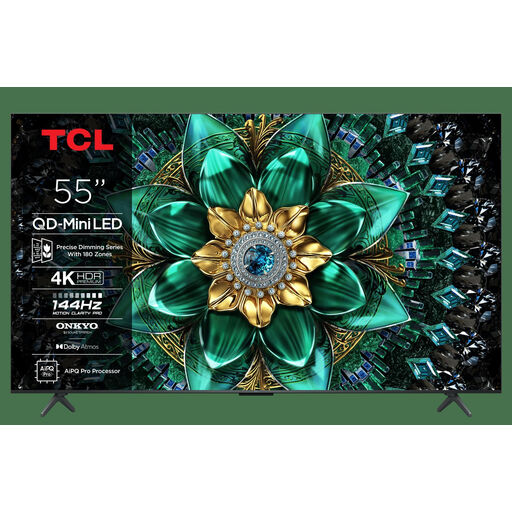
TCL 55Q6C 55-inch QLED Mini LED TV
This 55-inch TV may suit you if you’re looking for a larger screen; check that it fits your available space and viewing distance.
The product name specifies 4K, 144 Hz Motion Clarity Pro, HDMI 2.1 and AirPlay 2.
It is larger than the 42- and 43-inch examples in this compact TV comparison.
View at Joybuy
 No image available
TCL T8D 85-inch 4K QD-Mini LED Smart TV
This 85-inch TV is only suitable for a set-up with space specifically for a very large screen; measure the space and viewing distance carefully.
The product name specifies 4K, 144 Hz, VRR and HDMI 2.1.
The stated diagonal is less suited to a compact media set-up than the 42- and 43-inch examples.
View at Joybuy
Frequently asked questions
How do you choose the right TV size for playing together?
First measure the viewing distance and the available space. Consumentenbond suggests around 2.4 times the screen diagonal as a comfortable viewing distance; use this as a general rule of thumb and check from both seats whether text in your games is easy to read.
How do you connect a games console and soundbar?
You’ll usually connect a games console via HDMI. For a compatible soundbar, use the designated HDMI-ARC or eARC port and check in advance how many inputs will then be left free.
Do you need to use an OLED TV differently during long puzzle sessions?
Where practical, avoid leaving the same static image on screen for longer than necessary. Consumentenbond observed temporary image retention during prolonged display of static images in a test of older OLED TVs; that test does not establish a safe time limit or the risk for a specific current model.
Will built-in streaming apps permanently replace a separate media player?
Not necessarily: according to Consumentenbond, apps can disappear over time. A separate media player can be an alternative, but it will usually use an HDMI input.
What warranty do you get when buying a TV in the Netherlands?
According to the Dutch government, there is no fixed statutory warranty period in the Netherlands. Your statutory rights for a faulty product still apply, and you should contact the retailer; a manufacturer’s warranty does not replace those rights.


