
Viewer with a narrow TV shelf
You want to know first whether the TV and its stand will fit in the available space. So measure the full external dimensions, not just the screen diagonal.


Measure the shelf’s width and depth, including the TV stand, then compare your viewing distance with the screen size. A 32-inch Full HD TV is a compact option; a 43-inch TV needs more space and will only fit if both the available space and viewing distance allow for it. Also assess dark scenes in films, the apps you want and how clearly dialogue can be heard. A size or technology label alone is no guarantee of good film viewing.
You want to know first whether the TV and its stand will fit in the available space. So measure the full external dimensions, not just the screen diagonal.
You want to assess dark scenes and follow dialogue in a compact set-up, without assuming that a specification guarantees good film quality.
Check that you can access your preferred film apps and that there are connections for your other devices. App support can vary between TVs and may change over time.
Measure the space first, then decide what viewing distance and features matter for your film sessions. Treat screen size as one factor in your decision, not the only one.
| What to consider | What should you check? | Who is this most important for? |
|---|---|---|
| Fit and viewing distance | Measure the shelf’s width and depth and compare them with the TV’s external dimensions, including the stand. Also consider the distance to the screen. | If there’s little room on the shelf, I want to know in advance whether the TV will fit with its stand. Around 33% of consumers say fit is their top buying priority. |
| Film picture quality | Compare information about the specific model and look at both bright and dark scenes; HDR or QLED alone tells you nothing about picture quality. | For short films, I want to assess dark scenes without relying on a single label. Around 27% of consumers prioritise picture quality for films. |
| Apps and connections | Check that the apps you want are available on the specific platform, and count how many HDMI inputs you need for your devices. | If I want to stream films directly from my own services, the apps and connections need to suit how I use the TV. Around 20% of consumers put access to these first. |
| Clear dialogue | Assess speech at your usual listening volume. Check for a suitable audio output if you’re considering an external speaker. | For films with lots of dialogue, I want to follow the conversation without extra equipment taking up space. Around 13% of consumers make clear dialogue their top priority. |
| Power consumption | Compare the energy label and stated consumption of the specific models using the same measurement basis. | If I use the TV often, I want to factor its power consumption into my choice. Around 7% of consumers start with power consumption. |
The diagonal doesn’t tell you how wide or deep the TV is with its stand. The Consumentenbond lists external widths of 72 and 73 cm with the stand for the 32-inch models it tested; the figure for the Sony 43-inch model it tested is 96 cm.
Before buying, compare the full dimensions of the exact model with both the width and depth of your shelf.
If the TV doesn’t fit, you may need to find another place for it or a suitable mounting solution.
A technology or format label isn’t an independent assessment of contrast or how dark scenes are displayed.
Compare information about the specific model and see how it displays a familiar scene with both light and dark areas.
The TCL 32S5K tested has Full HD; the TCL 32V4C is a different model and is described as HD ready.
Check the full model number and resolution before comparing specifications between TVs.
The 32PFS6900/12 tested is a compact Full HD LCD TV with three-sided Ambilight.
The UE32F6000F tested is a 32-inch Full HD smart TV for anyone looking for a compact screen.
The 32S5K tested is a 32-inch Full HD LCD TV that TCL describes as QLED, with Android TV.
The K-43S25M2 tested offers a 43-inch 4K option for anyone with more space to spare.
These product picks focus on 32-inch TVs for compact viewing spaces. Compare the full dimensions, stated resolution and features you need for films and streaming.
 No image available
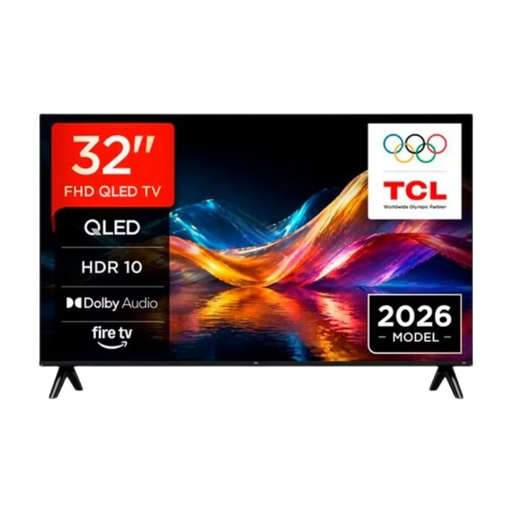
The 32-inch size suits a compact viewing space. The product name lists Full HD, QLED, Tizen OS and Dolby Audio; check the dimensions of the specific model against your shelf.
 No image available
The 32-inch size suits a compact TV set-up. The product name lists QLED and Google TV; before buying, check the resolution and whether your preferred apps are available.
 No image available
The 32-inch size suits a space with limited room for a TV. The product name lists QLED and Smart TV, but gives the resolution as “HD-FHD”; check which resolution applies to this variant.
 No image available
The 32-inch size suits a compact TV set-up. The product name lists HD, not Full HD; bear this resolution in mind if you’re choosing the TV for films.
 No image available
The 32-inch size is designed for a compact viewing space. The product name lists HD, not Full HD, and mentions Google TV; also check that the apps you want are available.
No. First measure the full set-up, including the stand, and consider your viewing distance. The Consumentenbond suggests around 2.4 times the screen diagonal as a comfortable starting point; it isn’t a hard-and-fast rule.
Use a familiar scene with both light and dark areas to assess the picture settings. Also listen to dialogue at your usual volume; consider a soundbar only if the sound falls short and you have room for one.
App support isn’t guaranteed to last. Before buying, check that the apps you want are available; a separate media player could be a solution later if there’s a suitable connection.
No. According to the Dutch government, the Netherlands has no fixed statutory guarantee period. You’re entitled to a product that works properly for a period that depends on what you can reasonably expect. If there’s a fault, contact the retailer; a manufacturer’s guarantee is separate.
TVs sold in the EU must meet ecodesign and energy labelling requirements; compare the label for the specific model. According to the Dutch government, you can return an old TV to the shop or online retailer where you buy a new, similar appliance, or take it to your local council recycling centre.