Who is this TV guide for?

Presenting to a small group

You want people to be able to see historical photos and captions from where they’re sitting. So consider viewing distance, screen size, viewing angle and reflections. The Consumentenbond highlights viewing distance as something to consider when choosing a TV.

Presenting from a laptop

You already have the slideshow on a computer and want to move through the images yourself as you talk. The Consumentenbond describes HDMI as a way to connect a laptop or computer to a TV.

Setting up in a small space

You need to place the screen on a small table or mount it on a suitable wall. As well as visibility, consider the stand, cables and the space needed around the TV.

What should you look for?

Laptop via HDMI

Best if: you want to control your existing presentation from your laptop.

Bear in mind: the laptop and cable will remain part of your setup. Check the connections on both devices.

Photos from USB

Best if: you want to present without a laptop and the manual confirms that your files and the controls you need are supported.

Bear in mind: a USB port alone doesn’t confirm that photo formats, playback order or captions are supported.

Wireless playback

Best if: you don’t want to use a video cable and both the TV and source device support your chosen method.

Bear in mind: screen mirroring isn’t the same as playing from an app. The Consumentenbond notes that smart TV apps can change.

What to consider What to check before buying Who is this important for?
Visibility for the group Measure the distance to the furthest seat and assess sample photos with real captions. A viewing-distance guide for watching TV doesn’t prove that small presentation text will be readable. If I want everyone to see the photos and captions clearly, I test them from the furthest seat. Around 30% of consumers prioritise visibility for the group.
Connecting and controlling the TV Check your laptop’s video output and the HDMI inputs on the exact TV model. For USB, consult the manual and test the files you plan to show. I want to control the order myself as I talk, rather than having to rely on an uncertain connection. Around 30% of consumers prioritise a reliable connection and easy control.
Fitting into your setup Measure the available width and depth, then compare them with the TV’s dimensions, including the stand. Check the wall-mounting requirements for the exact model, if applicable. With limited table or wall space, I make sure the screen, stand and cables will all fit. Around 20% of consumers prioritise the space available for their setup.
Overall cost and use Compare the EU energy label for the exact model and only factor in accessories you actually need. Warranty terms don’t replace your statutory rights. I want to consider not just the purchase price, but also energy use and any extra equipment I might need. Around 20% of consumers prioritise overall cost and long-term practicality.

Common buying pitfalls

  • Assuming a USB port will play the whole presentation

    A connection doesn’t confirm that the TV model supports your photo formats, slideshow order or controls.

    Check the manual for the exact model and test a copy of the presentation, including the captions, before your event.

    If USB doesn’t work the way you need it to, you may still need a laptop, adapter or another playback solution.

  • Choosing based on 32 inches or Full HD alone

    A larger audience, viewers sitting to the side and small captions all have different requirements from everyday TV viewing.

    Check sample images from the furthest seats and the seats at the sharpest angle. If needed, choose a larger screen that still fits the available space.

  • Assuming an app or wireless feature will always be available

    The Consumentenbond warns that smart TV apps can change, and that locally stored media may not play as easily with every casting method.

    Test your chosen method in advance. Keep HDMI as a backup if it’s available.

    If an app or wireless method turns out to be unsuitable, you may need a separate playback solution later.

  • Assuming an old photo is automatically free to use

    A photo’s age or historical subject matter doesn’t, by itself, mean it can be shown outside the home.

    Before showing photos publicly, check who owns the rights to each one and what permission, licence or terms of use apply. The Dutch government explains that you generally need permission to use photos belonging to others that are protected by copyright.

Brands and models to compare

Philips

The Philips 32PFS6000/12 is a compact option to consider if you’re comparing Full HD TVs with Titan OS and a 32-inch screen.

  • Philips lists Full HD and Titan OS for the 32PFS6000/12.
  • If you plan to use it without a laptop, check which files and controls the exact model supports. A USB connection alone doesn’t confirm that it can play a slideshow.

Samsung

The Samsung UE32F6000FUXXN is a 32-inch Full HD smart TV. Its full model code helps you identify this particular version.

  • Samsung lists Tizen as the platform for this model.
  • Check the specifications or manual for the connections and playback method you need before assuming that a USB slideshow will work.

LG

The LG 32LQ63006LA is a 32-inch Full HD model with webOS that you can compare with other compact smart TVs.

  • LG lists Full HD and webOS for the 32LQ63006LA.
  • Check whether your presentation files play directly on the exact model before deciding to leave the laptop at home.

Joybuy products

This Joybuy selection includes compact TVs for presentation setups, with a range of screen sizes and wired or wireless display features mentioned in the product names. Check that each model supports your files and source device.

KOORUI K32Q1FFQ-T8 32-inch Full HD QLED TV

KOORUI K32Q1FFQ-T8 32-inch Full HD QLED TV

The 32-inch screen suits a compact setup. Check from the furthest seat whether the captions are still easy to read.

The product name lists Full HD, QLED and Tizen OS.

View product

CHiQ L32QM10E 32-inch QLED Smart Google TV

CHiQ L32QM10E 32-inch QLED Smart Google TV

The 32-inch screen may suit a compact presentation space. Test whether captions are easy to read from your intended viewing distance.

The product name lists QLED and Google TV. Check which connections and playback features this model offers.

View product
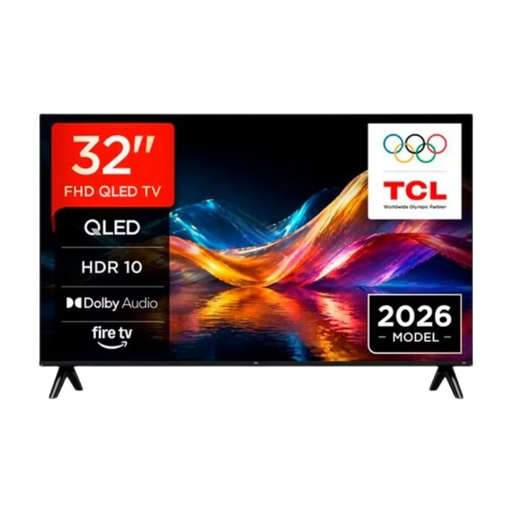
TCL 32V5D QLED Smart TV, HD-FHD

TCL 32V5D QLED Smart TV, HD-FHD

The product name mentions Apple AirPlay. Check that the TV and source device support the wireless display method you want to use.

The product name lists 32 inches and QLED. Before use, check that your presentation plays the way you want it to.

View product
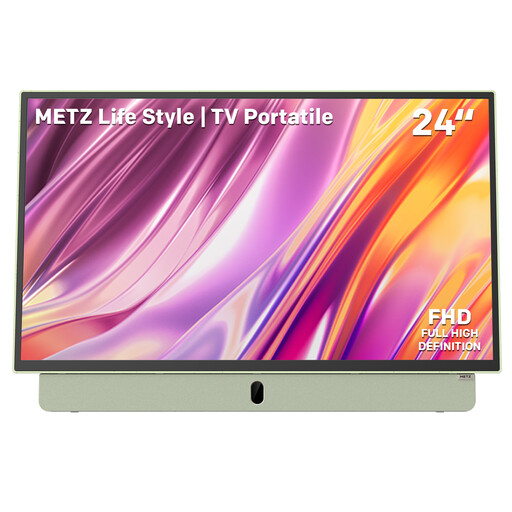
Metz MPE7200Z portable TV, 24 inches

Metz MPE7200Z portable TV, 24 inches

The portable 24-inch screen may suit spaces where room for a setup is limited. Check that captions are visible from the seats.

The product name lists a built-in battery, 12V car charger, power bank, anti-glare screen, Full HD, HDMI, USB, Bluetooth and Wi-Fi 5.

View product
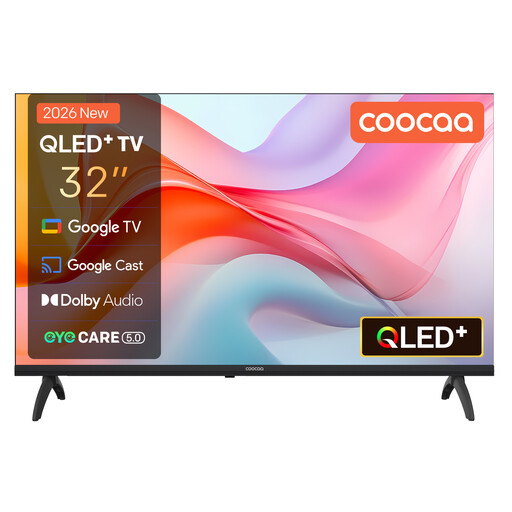
Coocaa 32CGQG41Z 32-inch QLED TV, 2026 model

Coocaa 32CGQG41Z 32-inch QLED TV (2026)

The product name mentions Google Cast. Check in advance that your source device supports the display method you want to use.

The product name lists Google TV, HDR10, Dolby Audio, Bluetooth 5.1, Google Cast, a triple tuner DVB-T2/C/S2 and CI+.

View product

Frequently asked questions

Can you show an existing slideshow from your laptop?

Yes, if you can connect the laptop and TV using a suitable HDMI connection. Check the connections and test the entire presentation, including captions, in advance. The Consumentenbond describes HDMI as a way to connect a computer to a TV.

Is a USB connection enough to present without a laptop?

No, a USB connection alone doesn’t confirm that your presentation will work. Check the manual for the exact model to see which photo formats and playback features it supports, then test the files you plan to show.

How do you choose a screen size when people are sitting at different distances?

Measure the distance to the furthest seat and test a representative slide with captions from there. The Consumentenbond highlights viewing distance as something to consider when choosing a TV, but that guidance doesn’t prove that small historical captions will be readable for your group.

Which running costs and warranty rights should you consider?

The EU energy label provides a basis for comparing the stated energy consumption of TVs, although actual consumption also depends on how you use the TV. In the Netherlands, statutory guarantees are separate from a manufacturer’s warranty. According to ACM ConsuWijzer, the retailer is responsible for offering a suitable solution if a product breaks too soon during normal use.

Can you show historical photos at an event?

Not automatically. According to the Dutch government, you generally need the creator’s permission to use other people’s photos that are protected by copyright. Before showing photos outside the home, establish who owns the rights to each one and what permission, licence or terms of use apply.
