Start by checking whether everyone can see the screen clearly from their seat. Then work out how you’ll play your holiday film: using a connected device, a supported USB file or an available wireless feature. A compact 32-inch Full HD TV is a useful option to compare, but your viewing position, available space and compatibility with your film file may matter more than resolution or smart features alone.
Who is a compact TV for a holiday film suitable for?
Film night in a small space
You want everyone to be able to follow the picture from their seat. Measure the viewing distance, and consider viewing angles and reflections too. The Consumers' Association recommends using viewing distance as a starting point when choosing screen size.
Watching a film file you already have
You want to know whether your holiday film will play from a device you already own or directly from storage. Check the connections and the video and audio formats supported by the exact model.
Limited space for your setup
You need a screen that fits, while allowing room for the stand, cables and any external playback equipment. Energielabel.nl recommends comparing energy use per 1,000 hours.
What should you look for when choosing?
Playing through a connected device
A good fit if: you can already play the film on a laptop, media player or another device.
Bear in mind: you’ll need space for the extra device and cable. Check that the connections are compatible.
Playing directly from USB
A good fit if: the exact TV model supports your file’s video and audio formats.
Bear in mind: a USB port alone doesn’t guarantee that your file will play, so test it first.
A smart TV for mixed use
A good fit if: you want to use apps as well as watch your own film, and can confirm the required connection and features are available.
Bear in mind: services may vary by country, and some require a separate subscription.
Measure your viewing space and check how your film source works before comparing screen features.
| What to consider |
What should you check? |
Who is this important to? |
| Screen size and visibility |
Measure the viewing distance and available width. Check the picture from the seats at either end, and look out for reflections. |
If I’m watching with several people, I want everyone to be able to see the screen clearly; around 33% of consumers prioritise visibility from different seats. |
| Playing your film |
Work out where the file is stored, then check the connections and the video and audio formats supported by the exact model. |
If I’m bringing my own film file, I want to know in advance that both picture and sound will work; around 33% of consumers put confidence in playback first. |
| Space for your setup |
Measure the available space and check the dimensions with the stand, as well as room for cables and any playback device. |
If space is limited, I want the TV and any source device to fit without getting in the way of seating; around 25% of consumers prioritise a good physical fit. |
| Energy use |
Compare the energy use in kWh per 1,000 hours on the energy label, and separately check that the power supply is suitable for your location. |
If I give energy use more weight than the other selection criteria, I want to compare labels on the same basis; around 9% of consumers put energy use first. |
Common buying mistakes
-
Assuming a USB port means your film will play
Video and audio support depends on the formats the exact TV model can handle.
Check the model’s manual and test your own file before film night. If it isn’t supported, you may need a separate playback device or to convert the file.
A separate playback device may need extra space and a cable.
-
Choosing based on screen size alone
Screen size alone doesn’t tell you whether everyone can see the picture clearly from their seats, whether the stand will fit on your furniture or whether reflections will be distracting.
Measure your viewing and setup space, and assess the screen from the seats at either end.
-
Treating resolution, smart features and playback method as one thing
Screen resolution doesn’t tell you whether your file will play or which apps are available. METZ’s official EU product information sheet identifies the 32MQF7000Z as a 32-inch TV; its energy label lists 1366 horizontal pixels, which is a lower resolution than Full HD.
Compare resolution, source connection and the apps you want separately for the exact model.
Brands to compare
Philips
According to Philips Netherlands, the Philips 32PFS6900/12 is a compact 32-inch Full HD TV with Ambilight. It may be worth comparing if that’s the combination you’re looking for.
- Philips lists Full HD and Ambilight as features of this model.
- Check the connections and supported file formats for your film separately. This model information doesn’t prove that it plays films better than other TVs.
LG
LG describes the 32LQ63006LA as a 32-inch Full HD smart TV with webOS.
- This model is worth comparing if you’re considering smart features as well as playing your own film file.
- LG says services may vary by country or region, and some require a separate subscription. This doesn’t confirm that your own film file will play.
Samsung
Samsung identifies the UE32F6000FUXXN as a 32-inch Full HD smart TV with Tizen.
- You can compare this model based on screen size and how you want to connect your film source.
- The picture and sound benefits listed are manufacturer claims, not an independent comparison with other models.
METZ
The official EU product information sheet confirms that the METZ 32MQF7000Z is a 32-inch TV. You can compare it with the Full HD options.
- The official energy label lists a resolution of 1366 horizontal pixels and 26 kWh per 1,000 hours for standard use.
- Its resolution is lower than Full HD. The energy label doesn’t tell you whether your film file will play or how clearly the picture can be seen from different viewing angles.
Joybuy TVs for a compact setup
These Joybuy products are compact TV options to compare for watching a holiday film, with screen size, source and setup in mind.
 No image available
KOORUI K32Q1FFQ-T8 32-inch Full HD QLED Smart TV
A 32-inch option to compare for a compact viewing space and mixed use.
Full HD, QLED and Tizen OS are listed for this model.
Joybuy
 No image available
CHiQ L32QM10E 32-inch QLED Smart Google TV
A 32-inch model to compare if you’re looking for a compact TV with smart features.
The product name lists QLED and Google TV. For your own film, check the source connection you need and the exact model’s file compatibility.
Joybuy
 No image available
METZ Lifestyle Portable TV 32MQE7100Z 32-inch HD Smart TV
A 32-inch portable option to compare if being able to move the TV around your setup is important.
The product name lists HD, QLED+ and USB-C power. A 60 W power bank is listed as an option; a standard adapter is also mentioned as a power option.
Joybuy
 No image available
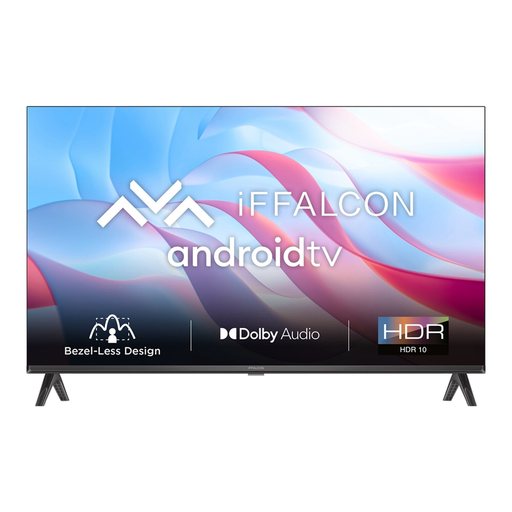
iFFALCON 32S53 32-inch LED Smart TV
A compact smart TV to compare if you plan to use an external film source.
The product name lists LED and 60 Hz. Check the exact model’s connections and your source device before choosing.
Joybuy
 No image available
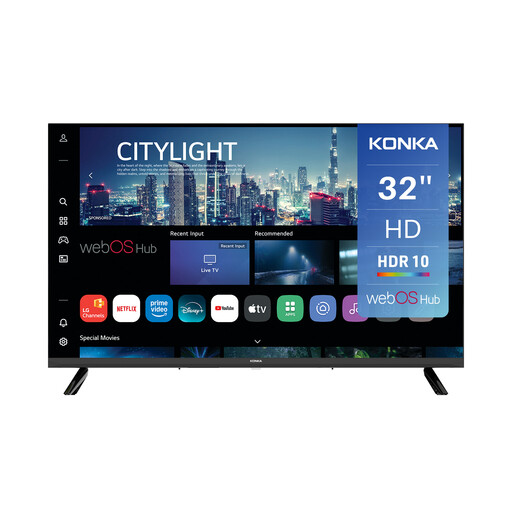
Konka DLED 32-inch 720p HD Smart TV KDG32YR682ANTS
A 32-inch HD option to compare with Full HD models for a compact setup.
The product name lists 720p HD, webOS Hub and HDMI eARC. Check that the connections and playback features suit your film source.
Joybuy
Frequently asked questions
Is 32 inches automatically big enough for watching with a group?
No. It also depends on the viewing distance and seating. The Consumers' Association recommends using viewing distance as a starting point when choosing screen size. You should also check viewing angles and reflections from the seats people will use.
Can any TV with a USB port play my holiday video?
No. Check the manual for the exact model to see which video and audio formats it supports, and test your file first. An unsupported format may prevent playback.
How do I compare energy use between compact TVs?
Compare the energy labels in kWh per 1,000 hours, and check the information for the usage scenario that suits you. The cost in pounds will also depend on how many hours you watch and your electricity tariff.
What should I check when setting up the TV?
Check the dimensions of the exact model with its stand, allow space for cables, and follow the installation and ventilation instructions. Follow the model-specific manual when cleaning it.
What are my rights when buying a TV online in the Netherlands?
For a standard online purchase of a new TV, ACM ConsuWijzer says you will generally have a statutory 14-day cooling-off period from delivery. This is separate from your statutory rights if a product, when used normally, doesn’t do what you could reasonably expect. It doesn’t mean every TV comes with a fixed warranty period.


