
Players with limited space for a TV
You want to play together, but first you need to check that both the screen and its stand will fit on your furniture and be easy to see from where you sit.


Start by checking the space available on your furniture, your viewing distance and where you’ll sit. Then compare the connections and gaming mode with the console you use. For local co-op, a basic compact LCD TV may be enough. An OLED TV or a model with extra gaming features is mainly worth considering if you’ll use those features for other games or media too. A high stated refresh rate is not an advantage in itself if your console or game doesn’t use it.
You want to play together, but first you need to check that both the screen and its stand will fit on your furniture and be easy to see from where you sit.
Several players follow the same game information on one screen. So, consider how easy it is to read from different seats and whether you can control the TV through your connected console.
You also use your compact TV for other games and video. In that case, connections, viewing angle and extra picture features may matter more.
Choose this if: the TV is mainly for local co-op and everyday media, and your console doesn’t need a higher refresh rate.
The trade-off: check the viewing angle and the dimensions including the stand. Don’t assume it has extra gaming features unless they’re listed for the exact model.
Choose this if: you want to use the listed features, such as VRR or a higher refresh rate, with a compatible source.
The trade-off: these features won’t necessarily make every cooking game feel different. Ambilight also works best when the TV is positioned to suit it.
Choose this if: a 42-inch screen will fit, and wide viewing positions, contrast and extra features matter for other uses too.
The trade-off: the maximum refresh rate is a model specification, not a guarantee of what your game or console will output. Image retention is also possible.
| What to consider | What should you check? | Who should give this more weight? |
|---|---|---|
| Will the TV fit your setup? | Measure the width and depth of your furniture, the viewing distance, and the TV including its stand. Sony lists the K-43S3 as approximately 96,4 × 62,9 × 26,6 cm including the stand. | If my furniture has limited space, I want to know in advance whether the screen and stand will fit. Around 36% of consumers give space the highest priority when choosing. |
| Will everyone be able to follow the screen? | Check the text and game information from every seat, taking the viewing angle and distance into account. The Consumentenbond generally describes OLED as a screen technology with a wider viewing angle. | If several of us play from different seats, I want everyone to be able to read the game information. Around 29% of consumers prioritise being able to watch together. |
| Is the TV compatible with your console? | Check the exact model, available HDMI connections and the features supported by your console and game. Sony lists ALLM but not VRR for the K-43S3. | If I connect a console, I want the right connection and controls to be available without paying for extras I won’t use. Around 21% of consumers prioritise console controls and connectivity. |
| Are extra picture features relevant? | Compare screen technology and viewing conditions, and check the European energy label and product information for the exact models. | If I use the same TV for other games and media, I want to weigh up picture features against cost and energy use. Around 14% of consumers give combined media and gaming use the highest priority. |
Features vary between exact models and only work if the connected source supports them. For example, Sony lists the K-43S3 as having a 50 Hz screen and no VRR, while other models mentioned have additional refresh-rate features.
Check the stated screen refresh rate and the features you want for each model, then compare them with the console and game you use.
A stand that doesn’t fit can limit where you can put the TV, while game information may be difficult to follow from some seats.
The Dutch government states that the Netherlands has no fixed statutory warranty period and that the retailer is your point of contact if a product is faulty.
If you’re considering additional cover, check what extra protection the terms and conditions provide.
Additional cover could cost you unnecessarily if it doesn’t provide relevant extra protection.
The BRAVIA 3 K-43S3 is an example of a compact LCD TV with several connections for consoles.
The 43PUS9000/12 is a 43-inch QLED model with Ambilight and listed gaming features.
The OLED42C68LA is a 42-inch OLED model to consider if you’ll also use the TV for other viewing and gaming.
The QE43Q7F2AUXXN is a 43-inch QLED 4K model for use as a compact smart TV.
This selection ranges from very compact TVs to 42- and 43-inch models. Measure the space and viewing distance, then check which features suit your console and other uses for each model.
 No image available
An option if you want a compact OLED screen for other media and games too.
The product name lists 42 inch, 4K Ultra HD, OLED and HDMI 2.1.
 No image available
A compact screen size to consider if space is limited. Choose a screen size that suits your viewing distance and seating arrangements.
The product name lists 32 inch, Full HD, QLED and Tizen OS.
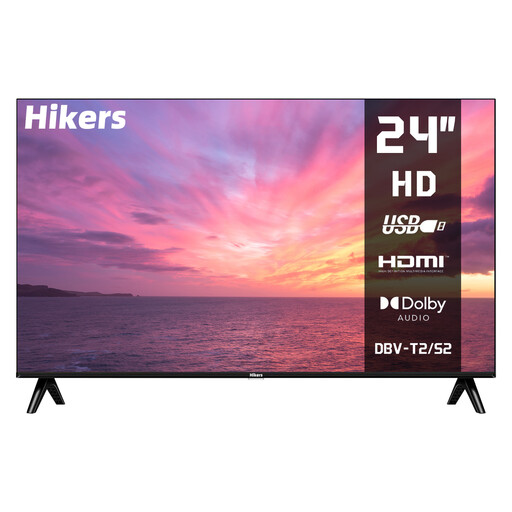 No image available
The 24-inch size may be worth considering if space is very limited. Check that the screen size suits your viewing distance.
The product name lists HD, HDMI and USB. According to the product name, this isn’t a smart TV, so you’ll need an external source to use streaming apps.
 No image available
A 43-inch option if you’re looking for a TV for both games and media. Check that the size suits your furniture and viewing distance.
The product name lists 4K UHD, 60 Hz, Dolby Vision, VIDAA and Game Mode Plus.
 No image available
An option to compare if you’ll also use the TV for other games. Check which features your console actually supports.
The product name lists a QLED gaming TV from the E7 PRO Series.
First, measure the viewing distance and the space available for the TV and stand, then check how easy it is to see the game information from every seat. The Consumentenbond cites around 2.4 times the screen diagonal as a general preferred viewing distance based on its own research. Use this as a starting point, not a fixed rule for every household.
You can connect a standard Nintendo Switch to a TV using the dock and an HDMI cable. Nintendo states that the Switch Lite doesn’t support TV mode. For Switch 2, Nintendo specifies its own dock, power supply and Ultra High Speed HDMI cable.
With Nintendo Switch, you can adjust the TV resolution and screen size while the system is in the dock. Also check that you’ve selected the correct HDMI input on the TV.
No. According to the Dutch government, the Netherlands has no fixed statutory warranty period. If a product is faulty, the retailer is your point of contact. If you have additional cover, check whether the terms provide relevant extra protection.
Compare the energy label and product information for the exact models. The European Commission states that the label also provides information about energy consumption during HDR playback.