
Viewer with a narrow shelf
Wants to check that the TV will fit with its stand first, then chooses a screen size to suit the viewing distance.


First, measure the space on your shelf, including room for the stand, then choose a screen size to suit your viewing distance. The Consumers' Association recommends using viewing distance as a starting point, rather than a fixed measurement. Next, choose a playback method that works with your holiday film. For USB playback, for example, the file extension and codecs must be supported, according to LG Electronics Netherlands. A larger screen will generally need more space, so weigh up your seating positions alongside the limited shelf space.
Wants to check that the TV will fit with its stand first, then chooses a screen size to suit the viewing distance.
Has their holiday film on a USB drive, phone or laptop and wants to check the preferred playback method in advance.
Wants people to be able to watch from different seats and weighs up screen size against the limited space available.
First, check that the TV will fit on your shelf. Then decide how you’ll play your film, and consider the screen size from the seats you plan to use.
| What to consider | What to look for when buying | Who is this important for? |
|---|---|---|
| Shelf space and viewing distance | Measure the available width, height and depth, then compare them with the full dimensions of the exact model, including its stand. The Consumers' Association recommends using viewing distance as a starting point for choosing screen size. | If my TV won’t fit on the shelf with its stand, that’s the end of the matter. So I compare the dimensions first, then the viewing distance. Around 36% of consumers rank shelf fit above their other buying concerns. |
| Playing your own film | For USB playback, check the file extension and video and audio codecs. LG Electronics Netherlands points out that unsupported codecs can prevent playback. If you’re using a phone or laptop, also check that it can connect to the TV. | I want to watch my own holiday film without any extra steps, so I check the source and playback method first. Around 29% of consumers prioritise playing their own film. |
| Watching together | Check the picture from the seats you actually use. The Consumers' Association highlights speech clarity as something to consider; screen size alone doesn’t tell you everything. | If people will be watching from different seats, I want to assess the TV from those positions. Around 21% of consumers rank watching together above their other buying concerns. |
| Total purchase cost | Only compare options that fit on the shelf and can play your film. Check which cables or adapters you already have, and consider additional cover separately from your statutory guarantee, as advised by ACM ConsuWijzer. | I want to know what components or connections my chosen playback method needs before comparing the total cost. Around 14% of consumers prioritise the total purchase cost once they’ve established that the TV meets their basic needs. |
The casing and stand take up space too. So a TV with your preferred screen size may still not fit on the shelf.
Measure the available space and compare it with the full dimensions of the exact model before ordering.
If the TV doesn’t fit, you may need to find somewhere else for it.
A USB port doesn’t guarantee that every video file will play. According to LG Electronics Netherlands, the file extension and codec, among other things, must be supported.
Check the file requirements for the exact TV model and compare them with your film.
If the file isn’t supported, you may need to use a different playback method.
ACM ConsuWijzer distinguishes between statutory guarantees and any commercial guarantees that may be offered.
Read what extra cover is included and keep its terms separate from your statutory rights.
Samsung Netherlands lists the UE32F6000FUXXN as a 32-inch Full HD smart TV, making it a model to consider when comparing compact TVs.
Philips describes the 32PFS6900/12 as a 32-inch Full HD smart TV with Ambilight.
LG lists the 32LQ63006LA as a 32-inch Full HD smart TV with webOS.
This selection includes 24- and 32-inch TVs, including models that list USB video playback or sharing from compatible devices. Compare the dimensions of the exact model with your shelf and check that it supports your film source.
 No image available
A 32-inch smart TV to compare if you’re looking for a compact screen.
Full HD QLED, Tizen TV and Dolby Audio are listed. Check the full dimensions, including the stand, and make sure your film source is supported.
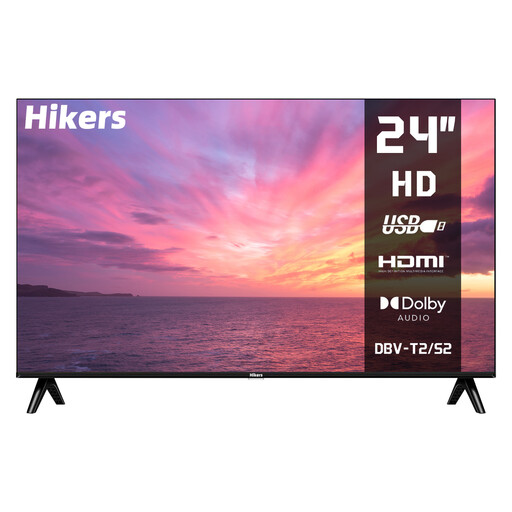 No image available
A 24-inch model to consider if you’re looking for a smaller screen and thinking about USB playback.
The listed resolution is 1366×768. USB video, HDMI and VESA 100×100 mm are listed; check that your specific file will play.
 No image available
Could suit a film on a compatible mobile device if the listed feature works with your source device.
Full HD, Google TV, HDMI and USB connections are listed. The description mentions wireless screen mirroring from iOS and Android devices; check that it’s compatible with your device.
 No image available
The portable design may be useful if you want to use the TV in different places; check that it will fit on your shelf.
QLED+, HDR10, Chromecast and Type-C power are listed. The description mentions power bank support; check that your film source is compatible with the sharing feature.
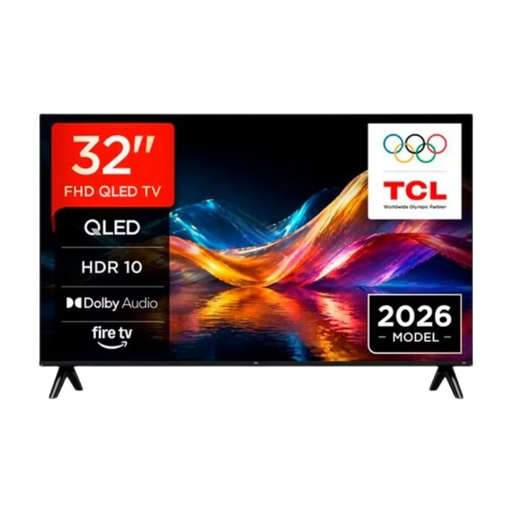 No image available
A 32-inch model to compare if you want to share a film from a compatible Apple device.
QLED and Apple AirPlay are listed. Check the dimensions of the exact model and make sure the connection works with your device.
No. The screen size doesn’t tell you whether the TV will fit on your shelf with its stand. Measure the available width, height and depth and compare them with the full dimensions of the exact model. Use viewing distance as a starting point when choosing screen size too.
A USB port doesn’t mean that every video file will play. According to LG Electronics Netherlands, the file extension and codec, among other things, must be supported. Check the playback requirements for the exact TV model and compare them with your file.
No, there isn’t one fixed guarantee period for every TV. ACM ConsuWijzer distinguishes between statutory guarantees and any guarantee offered by the retailer or manufacturer. If a product is faulty, the retailer is responsible for providing an appropriate solution free of charge.
For a standard online purchase of a new TV, ACM ConsuWijzer says you’ll generally have a statutory 14-day cooling-off period after delivery. Check the retailer’s returns information too, and measure your shelf beforehand. The cooling-off period doesn’t replace checking the dimensions.
According to the European Commission, the energy label scale for televisions runs from A to G. Compare the label for the exact model. It gives you information about that model, but doesn’t mean you have to choose a particular class.