
Commuters with limited bag space
Reads short pieces between stops and wants a device that’s easy to carry and hold.


A compact tablet could suit you if you want to use reading apps, web pages or documents as well as read short stories on the train. Consider its size and weight, as well as screen reflections. If you mainly read long stretches of text, an e-reader may better suit your preference for minimal reflections and long battery life. Before buying, check that your books and library service are compatible with it.
Reads short pieces between stops and wants a device that’s easy to carry and hold.
Reads by a bright train window and later in the day, and wants to take reflections and screen settings into account.
Wants to read borrowed stories or PDFs, so checks that books, apps and file formats are supported.
First decide how important portability and comfort in your hand are. Then check that your favourite stories are available on the device and can be opened offline.
| What to consider | What to look for when buying | Who is this important for? |
|---|---|---|
| Portability and comfort in your hand | Compare the screen size and stated weight of the exact model; remember to factor in a case if you plan to use one. | On short journeys, I want to be able to pick up my device quickly and hold it comfortably. Around 36% of consumers give portability top priority. |
| Readability in changing light | Assess reflections in similar lighting conditions, and try adjusting the brightness and dark mode on a tablet. | When I read by a window and later in the day, I want to follow the text comfortably without size or extra features taking priority. Around 29% of consumers put readability first. |
| Access to stories | Check that the title and reading app you want work on the device, and test before setting off that the story opens offline. | I want to carry on reading stories from my own service while travelling, even when the connection is poor. Around 21% of consumers choose a device mainly for access to stories. |
| PDFs and other features | Open a typical PDF on the screen size you have in mind, and consider whether you need other tablet apps as well as a reading app. | If I also read formatted documents, extra screen space may matter more than a compact size. Around 14% of consumers prioritise document use and versatility. |
A reading setting won’t automatically eliminate potential reflections on a tablet screen.
Compare the screen in lighting conditions similar to those on your train journey. Treat manufacturers’ claims about reading features as product descriptions, not independent evidence.
The Online Library lists which devices each e-book is available for, so the selection and access may vary from one title to another.
Check a few stories you actually want to read and review your library’s terms before choosing a device.
Extra space can be useful for PDFs, but a larger device is less handy on a train journey.
Try reading a regular story and a typical PDF on the size you’re considering, and pay attention to how you hold the device.
The iPad mini is a compact tablet option for anyone who wants to combine reading with other apps.
The Tab One is a compact Android option. Check the exact model, such as ZAF00255SE.
The Galaxy Tab A11 is a compact Android option with an 8.7-inch screen.
The NXTPAPER 10s is a larger tablet option for anyone who also wants to view formatted documents.
The Kobo Clara BW is an e-reader to consider if you mainly read long stretches of text, rather than needing a tablet.
This selection includes tablets for reading short stories on the go, from compact models to larger-screen options for documents.
 No image available
A tablet option for anyone who wants to read stories and use other tablet apps on short train journeys.
Model: X135. Storage: 64 GB.
 No image available
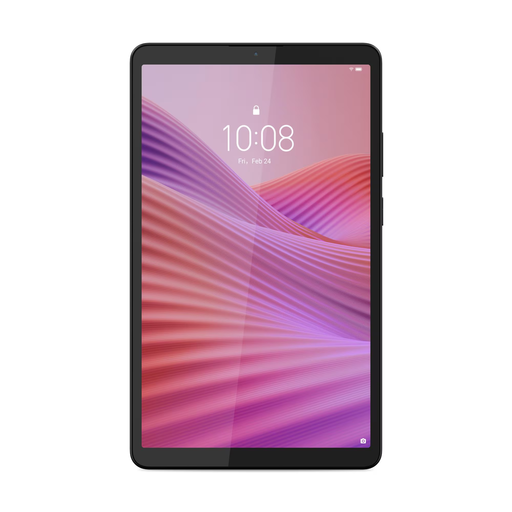
Its compact size could suit you if you’re looking for a tablet to carry and hold on a train journey.
Screen: 8.7 inches. Memory: 4 GB RAM. Storage: 128 GB. Clear Case included; power adapter not included.
 No image available
A tablet option for anyone who wants to read stories on a tablet and use other tablet apps too.
Storage: 128 GB.
 No image available
A larger screen may suit you if you want to view documents as well as short stories. On train journeys, though, consider the trade-off in portability.
Screen: 10.1-inch IPS. Resolution: 1920 × 1200. Memory: 4 GB. Storage: 128 GB. Wi-Fi 5. Android 14.
No image available
A larger tablet option for anyone who wants to view documents as well as stories; bear in mind its size when carrying and holding it.
Screen: 10.1-inch IPS. Resolution: 1920 × 1200. Memory: 4 GB. Storage: 128 GB. Wi-Fi 5 and 4G LTE. Android 14.
Not on every train: NS says that free Wi-Fi is available on almost all Intercity trains. Before setting off, check that the title is available in your reading service and test whether you can open it offline. This varies by service.
The Online Library describes font and background settings in its app, but these aren’t available for every book. Some heavily illustrated books don’t offer customisation options, so try them out on a title you’d like to read.
No, the terms vary depending on how you access it. The Online Library describes access with an existing library card and a separate digital membership. Check the current terms and any costs before relying on either option.
According to the Dutch Government, there’s no fixed statutory guarantee period in the Netherlands. If a product is faulty, contact the seller, who is responsible for supplying a product that meets legal requirements. Many ordinary online consumer purchases come with a 14-day cooling-off period, subject to statutory exceptions.