
Listener with a fixed seat
If you listen from a fixed spot and have room to position two speakers separately, you can compare the options for a stereo pair. The Edifier MR4 and KEF LSX II LT are examples of pairs that can be placed separately.


If you listen from a fixed spot, a stereo pair could be a good fit if you have room for two speakers and the connections suit your music source. A single compact Wi-Fi or Bluetooth speaker takes up less space, but check the setup requirements and whether you need any extra components for the connection you want. This is a choice based on features and setup, not a proven ranking of sound quality for folk music.
If you listen from a fixed spot and have room to position two speakers separately, you can compare the options for a stereo pair. The Edifier MR4 and KEF LSX II LT are examples of pairs that can be placed separately.
If you have little spare shelf or floor space, start by checking the dimensions and how many cabinets your chosen setup requires. Placement and your listening position affect what you hear; Genelec discusses this in the context of studio speaker placement.
If you want to play music from a phone or your home network, compare Wi-Fi, Bluetooth, app controls and any setup requirements. Sonos, for example, says the Era 100 must first be set up over Wi-Fi, even if you use Bluetooth afterwards.
| What to consider | What should you check? | Who is this important for? |
|---|---|---|
| Stereo setup | Check whether the offer includes one speaker or a pair, how the speakers connect to each other, and whether you can place them to the left and right of your seat. | I want to listen to folk music from my usual seat, with speakers positioned to the left and right. Around 36% of consumers give a stereo setup top priority. |
| Placement and size | Measure the available space and consider the number of separate cabinets and where you listen. | In a small living room, I want to know first whether the speaker will fit on the available shelf or in the space I have. Suitable placement comes first for around 29% of consumers. |
| Connections and controls | Make a note of the source you use and check the exact input, app required, Wi-Fi setup and whether you need an adapter. | I want to be able to play music from my phone or existing source and know what setup is required. Connections and controls matter most to around 21% of consumers. |
| Complete setup | Check what’s included in the box and whether your preferred setup requires a second speaker, adapter or stand. | I want to know in advance what I’ll need for my complete setup, including a second speaker or adapter. The overall setup is the main consideration for around 14% of consumers. |
A stereo label doesn’t tell you by itself whether you’re buying one device or two speakers that can be placed separately. Check what’s included in the offer and how any pair connects to each other.
Check whether you need a pair or a single speaker, and whether two identical units can work together. You may need a second speaker to achieve the separate left-and-right setup you want.
A second speaker may be an additional component in the complete setup.
The Sonos Era 100 must first be set up over Wi-Fi using the Sonos app before you can use it as a Bluetooth speaker.
Check the setup requirements for the exact model before buying, especially if you don’t want to use a compatible home network.
Having a connection doesn’t mean every audio cable will plug straight in. A separately sold line-in adapter is required to connect a wired source to the Sonos Era 100.
Compare your source’s output with the speaker’s inputs, and check whether you need an adapter.
To use a wired source with the Era 100, you’ll need to allow for the separately sold Sonos adapter.
The MR4 is an active, wired speaker pair for anyone with two spots to place them and a suitable audio source.
The LSX II LT is a stereo pair that can be placed separately, for anyone who also wants to connect wireless streaming or digital sources.
The Era 100 is a compact Wi-Fi and Bluetooth speaker for a fixed spot; according to the manual, two units can work together to create a wider stereo field.
The Authentics 200 is a standalone home speaker with Wi-Fi and Bluetooth, for anyone who wants to set up a single device.
These Joybuy product picks range from compact Bluetooth speakers to speakers designed for a stereo setup.
 No image available
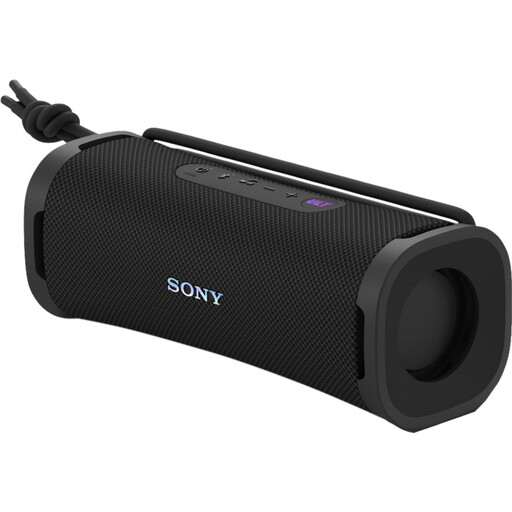
Ideal if you want to play music from a compatible phone and move the speaker around.
Bluetooth; up to 12 hours of battery life; IP67 rating; can be placed horizontally or vertically.
 No image available
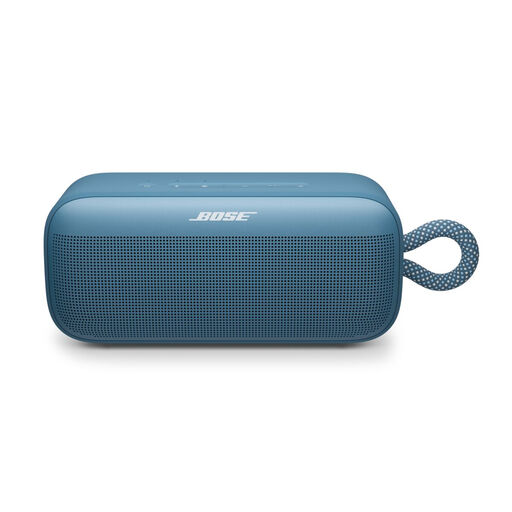
A good choice if you want a portable Bluetooth speaker for playing music in different places.
Bluetooth; up to 20 hours of battery life; carrying loop; app control for bass, mid-range and treble. According to the product description, two speakers can be paired in stereo mode.
 No image available
Ideal if you want to stream at home over Wi-Fi or Bluetooth, or connect a wired source.
60W; Wi-Fi and Bluetooth; AirPlay 2 and LDAC; AUX and USB inputs; up to 12 hours of battery life.
 No image available
An option if you want to play music from a computer or another compatible source.
Bluetooth 5.3; USB and 3.5 mm AUX connection.
 No image available
Ideal if you want to place a stereo pair in two separate spots and already have, or are happy to provide, a suitable amplifier.
Passive pair of bookshelf speakers; 6.5-inch woofer/midrange driver and 28-mm soft-dome tweeter. A separate amplifier is required.
If you listen from a fixed seat and have room for two suitable positions, you can place a left and a right speaker separately. If you don’t have the space, choose based on what will fit; two speakers aren’t essential for listening to music in a small living room.
No. According to Sonos’s setup instructions, you must first set up the Era 100 over Wi-Fi using the Sonos app before using Bluetooth.
Try adjusting the position of the speakers and your seat. Genelec explains that room reflections and speaker positioning affect what you hear; its guidance on studio geometry is not a universal requirement for living rooms.
Check whether the offer is for one speaker or a pair, and whether you need an adapter for the connection you want. According to the Dutch government, when you buy online from a business, you’re usually entitled to a 14-day cooling-off period. In the Netherlands, you’re also entitled to a product that meets legal standards; if there’s a problem with the legal guarantee, contact the seller.