
If you have little room to move your mouse
If there’s little space left after your keyboard and other items, compare the room a compact mouse needs to move with a trackball that stays in place.


A compact mouse is right for you if you want to keep the familiar mouse movement and have enough room to move the device around. A trackball stays in place, making it an option when you don’t have room to move a mouse. Also consider how you’ll navigate long or wide results, whether the controls suit your hand and which connection your computer supports. A different mouse is no substitute for a well set-up workstation or taking regular breaks during long periods of screen work.
If there’s little space left after your keyboard and other items, compare the room a compact mouse needs to move with a trackball that stays in place.
When you’re dealing with lots of rows or columns, it’s worth checking whether a scroll wheel, scroll ring or your software’s navigation options suit the way you work.
Consider how the controls work alongside your workstation set-up and the time you spend working at a screen. A particular mouse model cannot guarantee that it will prevent or resolve any problems.
| What to consider | What to look for | Who might find this more important? |
|---|---|---|
| Room to move | Measure the clear space next to your keyboard and consider whether you want to move a mouse around or prefer to control a ball. | If you have little room to move a regular mouse, a device that stays in place may be especially important; around 36% of consumers prioritise space for cursor control. |
| Navigating results | Check whether you mainly need to navigate vertically or horizontally too, and what options your software offers. Microsoft describes using keys, scroll bars and a mouse to navigate in Excel. | If you often browse long or wide spreadsheets, you’ll want the controls to work well with your software; around 29% of consumers give navigating results top priority. |
| Hand controls | Compare moving a regular mouse with using a thumb- or finger-operated trackball. Also consider whether left- or right-handed use matters to you. | If you want to find out which controls suit your hand, compare the movements and controls required by each type; around 21% of consumers prioritise hand controls. |
| Connection | Check for Bluetooth support, an available USB port and whether a receiver is included with the version you’ve chosen. | If you switch between computers or have few free ports, it’s worth checking in advance which connection will work best; around 14% of consumers prioritise connectivity and use across devices. |
A compact regular mouse still needs room to move across your desk; a trackball can stay in place.
Measure the usable space next to your keyboard and decide whether you’d rather move a mouse around or control a ball.
A scrolling feature doesn’t automatically solve the problem of moving around wide spreadsheets in your software.
Check your software’s navigation options, then see separately whether an additional mouse feature could help.
Logitech states that a Logi Bolt receiver is not included with the MX Anywhere 3S.
Check what’s in the box for the exact version you’re buying. Use Bluetooth only if your computer supports the required connection.
The MX Anywhere 3S and ERGO M575S show two different ways of using a pointing device: a compact mouse and a thumb-operated trackball.
The wired Orbit with Scroll Ring is a stationary trackball option with ambidextrous controls.
The Ozaa Compact is an example of a compact mouse with a choice of wireless connection options.
The Modern Mobile Mouse is an example of a compact Bluetooth mouse that doesn’t need a dongle.
These Joybuy products are for anyone looking for a compact mouse for a small workspace, navigating results or using with multiple devices.
 Image unavailable
Worth considering if you’re looking for a compact design and horizontal navigation is important to you.
 Image unavailable
Worth considering if you’re looking for a quiet mouse for a small workspace and want to switch between devices.
 Image unavailable
A compact, quiet mouse to consider if you want to choose between RF and Bluetooth connections.
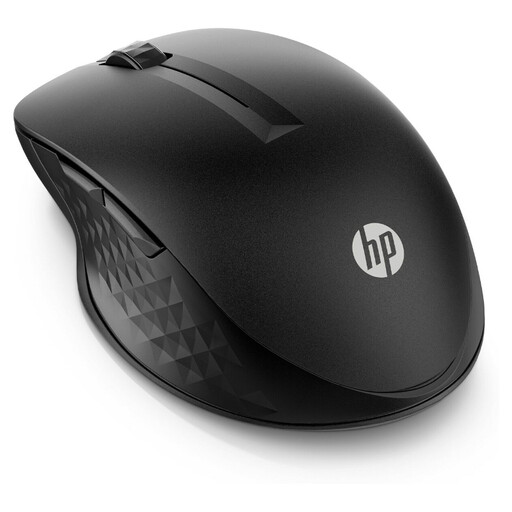 Image unavailable
A good fit if you’re looking for a wireless mouse for multiple devices and want the controls to suit the way you work.
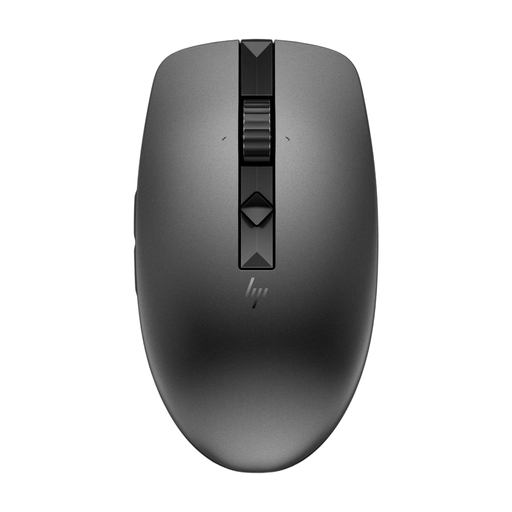 Image unavailable
Worth considering if you switch between devices and want quiet operation.
Not necessarily. Microsoft describes using keys, scroll bars and a mouse to navigate in Excel. First check how you move between columns in your own software, then decide whether an additional mouse feature would be useful.
Consider both the controls and your workstation set-up, and vary your posture and tasks. Arboportaal also recommends taking micro-breaks; a different type of mouse is no substitute for these measures.
Check whether your computer supports Bluetooth or has a suitable USB port, and see whether a receiver is included with the exact version. For example, Logitech states that the Logi Bolt receiver is not included with the MX Anywhere 3S.
For a consumer purchase in the Netherlands, the seller is responsible for the statutory guarantee. ACM ConsuWijzer explains that, depending on the circumstances, the solution may be a free repair, replacement or refund; a manufacturer’s guarantee does not replace your statutory rights.
Choose a compact mouse if you want to keep using the usual mouse movements and have room to do so. Consider a trackball if you’d rather not move the device around. Also think about how it works: with a trackball, you move the cursor using a ball instead of moving the mouse across the desk.