
Filter tester with limited desk space
You have little room beside your keyboard and want to decide whether a movable compact mouse or a stationary trackball would work better at your desk.


Choose a conventional compact mouse if you have enough room to move it and prefer familiar controls; a trackball could be a better fit if there’s no room to move a mouse. Also compare the scroll controls, buttons, hand fit and connection to your computer: a small model won’t solve an unsuitable grip or lack of Bluetooth support.
You have little room beside your keyboard and want to decide whether a movable compact mouse or a stationary trackball would work better at your desk.
You often switch between filter boxes and long lists of results, so pay particular attention to accessible buttons, click noise and scroll controls.
You’re looking for a shape that suits your hand, and you also consider your posture and the importance of taking breaks during extended use.
Choose this option: if you have enough room to move the mouse and want a familiar pointer.
Bear in mind: a compact model still needs room to move; also check how it fits your hand and how it connects.
Choose this option: if there’s barely enough room to move a mouse back and forth.
Bear in mind: you control the pointer with a ball. A wired model also needs room for its cable, and the ball housing may need cleaning.
Choose this option: if hand position matters and the shape suits your hand. Logitech recommends the Lift for small to medium-sized hands and offers separate left- and right-handed versions.
Bear in mind: check the taller shape and the desk space required separately; a comfort claim doesn’t guarantee that a mouse will prevent discomfort.
| Consideration | What should you check? | Who is this important for? |
|---|---|---|
| Room to move | Compare the clear space beside your keyboard with the space the mouse takes up; a trackball can stay in one place. | If I have little room to spare, I want to know whether I can still move the mouse comfortably. Around 31% of consumers give saving space their highest priority. |
| Pointing and scrolling | Try pointing at small filter options and moving through a long list of results; check which buttons and scroll controls the model has. | If I often click filter boxes and scroll through results, I want controls that suit these tasks. Around 25% of consumers prioritise clicking and scrolling. |
| Hand fit and posture | Compare the shape with your hand and check whether the model is designed for left- or right-handed use; try the grip if possible. | If I use the mouse for long periods, I want a shape that suits my hand and also consider taking breaks. Around 19% of consumers prioritise hand fit and posture. |
| Click noise | Check whether quiet buttons are specified for the exact model and, if possible, assess how the clicks feel. | If I click repeatedly in a shared workspace, I want to know how much noise the controls make. Around 13% of consumers make click noise their main priority when choosing. |
| Connection | Check Bluetooth support, available USB ports and which receiver is included with the exact version. | If I want to use the mouse with a specific test computer, the connection needs to be compatible. Around 12% of consumers prioritise this compatibility. |
A mouse might fit on your desk but still not have enough room to move freely.
Measure the clear space you have to move it around, too. If your workspace is cramped, compare a stationary trackball and see whether you get on with controlling the ball.
Logitech states that the MX Anywhere 3S is only compatible with a Logi Bolt receiver, which isn’t included.
Check whether Bluetooth works on your computer and which receiver comes with the version you’ve chosen.
If you need a compatible receiver, you may have to buy one separately.
Desk dimensions, hand fit and posture during extended use are separate considerations. A comfort claim doesn’t guarantee a pain-free experience.
Check the grip and handedness separately from the desk space available, and take breaks from extended screen work.
Kensington notes that dirt and dust in the housing can make the ball harder to move smoothly.
Check the ball and housing if the cursor starts behaving differently, and follow the cleaning instructions for your model.
Logitech offers a range of control styles, from flat mice to trackballs and vertical mice.
Kensington offers trackballs for those who want to control a pointer without moving the device itself.
The HP 240 Bluetooth Mouse is a conventional ambidextrous mouse for a computer with Bluetooth.
The Yvi+ Compact Multi-Device is designed for those looking for a small mouse with quiet buttons and multiple connection options.
The MW 9100 is a compact, rechargeable mouse that lets you choose between Bluetooth and a 2.4GHz receiver.
This selection at Joybuy includes mice to help you weigh up compactness, click noise and how easy it is to navigate results.
 No image available
An option if you have limited storage space and want a mouse that folds flat; the described controls support vertical and horizontal scrolling.
 No image available
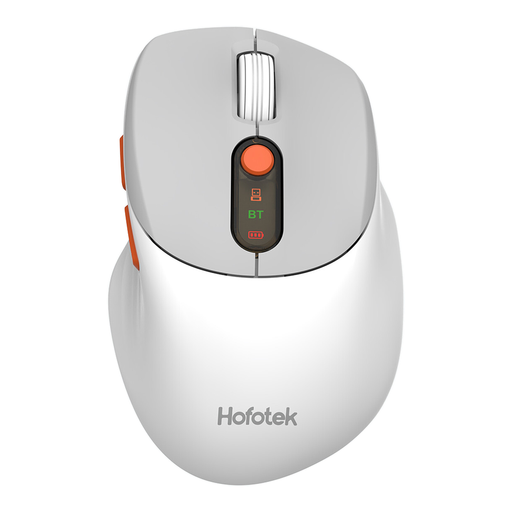
An option if quiet operation and switching between devices are important to you. The product name lists 2.4G+BT and adjustable DPI; a 1xAA battery is specified.
 No image available
An option if you’re looking for a compact mouse with quiet controls for use on a small desk.
 No image available
An option if you want quiet buttons and connectivity with multiple devices; this version is described as compact.
 No image available
A compact option with quiet buttons; the product name lists 1600 DPI. This version uses a 2.4GHz USB receiver and doesn’t support Bluetooth or multi-device pairing.
Not by itself. Focus on whether you can comfortably point at small controls and adjust the cursor speed. For example, CHERRY lists three adjustable DPI levels for the MW 9100; this doesn’t measure how well you perform when testing filters.
Choose a version with Bluetooth and check that your test computer supports it. HP lists Bluetooth 5.1 for the HP 240 3V0G9AA#ABB. According to Logitech, the MX Anywhere 3S can connect via Bluetooth; the compatible Logi Bolt receiver isn’t included.
Check the ball and housing for dirt. Kensington notes that accumulated dust and debris can cause stiff or jerky movement; follow the cleaning instructions for your model.
No, there’s no fixed statutory warranty period in the Netherlands. According to the Dutch government, what matters is what you can reasonably expect from the product; a manufacturer’s warranty is separate.
For a standard online purchase, there’s generally a legal 14-day cooling-off period from delivery, with some exceptions. ACM ConsuWijzer explains this cooling-off period; check the terms that apply to your purchase.