
Limited room to move a mouse
There’s barely any space beside your keyboard, and you want to move the cursor without moving the mouse. Compare the fixed footprint and thumb or finger controls of trackballs, as described by Logitech and Kensington.


If you have barely any room to move a mouse, a stationary trackball may be a better fit. If you want to keep the familiar movement of a mouse and have space to move it, consider a compact model. Then choose based on whether you prefer thumb or finger control, the connection you need and how it feels to point at small form fields. A trackball stays put on your desk, but still takes up a fixed amount of space.
There’s barely any space beside your keyboard, and you want to move the cursor without moving the mouse. Compare the fixed footprint and thumb or finger controls of trackballs, as described by Logitech and Kensington.
You regularly point to small fields, borders and buttons, and want to choose how the cursor moves. Try the controls for yourself: product specifications can’t prove that a model will be more accurate for everyone.
You switch between devices or workspaces and want to know in advance whether Bluetooth, a receiver or a cable will work with your computer. Check the connection options for the specific model.
| What to consider | What should you look for? | Who is this important to? |
|---|---|---|
| Room to move the cursor | Measure the space for the mouse itself as well as the room a standard mouse needs to move. | I have barely any room to move a mouse beside my keyboard, but still need to move the cursor. Around 36% of consumers rank room for cursor movement as their top buying priority. |
| Control over small elements | Check the adjustment options and, if possible, try pointing to and dragging small elements in your own software. | I want to point to small form fields and buttons with control. Around 29% of consumers give cursor control their highest priority. |
| Hand fit for longer sessions | Consider the grip, which hand you use and how long you work; think of your mouse as part of your overall workspace. | I work for long periods at a time and want the controls to suit my hand. Around 21% of consumers prioritise hand fit. |
| Connectivity and multiple devices | Check Bluetooth, the type of USB port and what’s included with the exact model. | I want to connect the mouse to my computer or multiple devices without an incompatible connection. Around 14% of consumers name connectivity as their top buying priority. |
A standard compact mouse still needs to move across your desk. A trackball stays in place, but its body takes up a fixed amount of space.
Before choosing a type of control, measure both the space for the device and the clear area needed to move a mouse.
Logitech says the compatible Logi Bolt receiver is not included with the standard MX Anywhere 3S; the Business version is a separate variant.
Check the full model name, your computer’s connections and what’s included in the box.
If you don’t have a suitable Bluetooth connection, you may need a compatible receiver.
Hand position and experience with thumb or finger control vary from person to person. A product description can’t tell you what will feel comfortable for your hand.
Assess the grip and controls for the tasks you do, and check that the rest of your workspace is set up well too.
In this comparison, Logitech offers both a compact standard mouse and a stationary thumb-operated trackball.
The Orbit with scroll ring, model K72337EU, is a wired, stationary trackball operated with your fingers.
The Ozaa Compact is a compact standard mouse that works with a receiver or via Bluetooth.
This selection of Joybuy products includes a stationary trackball and wireless mice. Bear in mind that standard mice need room to move.
 No image available
This stationary trackball may suit you if you have little room to move a mouse. Its body still takes up a fixed amount of desk space, and you control the cursor with your thumb.
 No image available
As a standard mouse, this model needs room to move across your desk. Check that you have enough space.
The title lists a 24,000 DPI PAW3311 sensor and three connection modes: Bluetooth, 2.4G and USB-C. The charging dock is also mentioned in the product name.
 No image available
This is a standard mouse, so bear in mind the space needed to move it around.
The title lists Bluetooth 5.0, 2.4G and USB-C, a 12,000 DPI sensor and seven programmable buttons.
 No image available
As a standard mouse, this model is mainly an option if you still have room to move it across your desk.
The title lists a 24,000 DPI PAW3311 sensor and three connection modes: Bluetooth, 2.4G and USB-C.
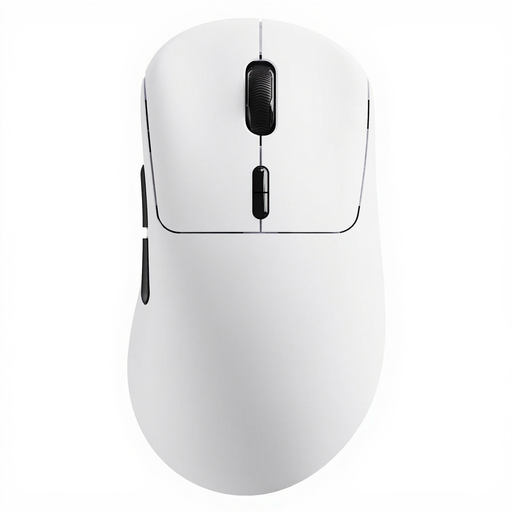 No image available
This standard mouse needs room to move; the listed buttons and polling rate alone don’t determine how easy it is to point to small form elements.
The product title lists a wireless polling rate of 8K and ten programmable buttons.
No. The trackballs mentioned stay in one place as you move the cursor, but their bodies take up a fixed amount of desk space. So compare both the space needed for the device and the room a standard mouse needs to move.
Kensington recommends cleaning the ball and its housing if dirt is affecting its movement. Follow the instructions for your specific model when removing and cleaning it.
Not if your computer supports the Bluetooth connection listed by Logitech. If you want to use the compatible Logi Bolt receiver, check what’s included in the box: Logitech says it isn’t included with the standard MX Anywhere 3S. The Business version is a separate variant.
According to ACM ConsuWijzer, when you buy a product online you generally have up to 14 days from delivery to change your mind; check whether an exception applies. You’re also entitled to a product that meets what you could reasonably expect from it. These statutory rights are separate from any voluntary returns policy offered by a retailer.
Radio equipment placed on the EU market is covered by the Radio Equipment Directive. This framework applies to market operators; it does not set out a separate registration requirement or licence for buyers using a computer mouse. If a listing is unclear, check the product information and conformity details.