What should you look for when buying?
First, choose a stable setup. Then check whether the lens or fixed angle of view frames the paper properly. Finally, test the white balance and check for flicker using the lights you actually work with.
| Key consideration |
What to look for |
Who it matters more to |
| Colour consistency |
Check whether you can set the white balance for video, and make a test recording under your own lights. |
If I want my pastel colours to remain recognisable, I need to be able to assess them under my own lighting. Around 31% of consumers give colour consistency top priority. |
| Flicker from lights |
Make a short test video and check it for banding and changes in brightness. The combination of light, shutter speed and frame rate is what matters. |
If I want a recording with no visible flicker, I test the camera with the lights in my workspace. Around 25% of consumers prioritise avoiding flicker. |
| Fitting the whole sheet in frame |
Measure the paper and the available camera height; check the angle of view and minimum focusing distance of the version you’re considering. |
If I want to show both the paper and my hand movements, I need to know in advance whether the frame will work from my fixed setup. Around 25% of consumers care most about framing the whole subject clearly and sharply. |
| Long recordings |
Check the recording time for your intended video settings, and plan power and storage for the session. |
If I want to capture a long drawing session in one recording, I check the conditions that apply to the stated recording time. Around 19% of consumers give uninterrupted recording top priority. |
Cameras at Joybuy
This selection includes compact cameras and a mirrorless camera kit for filming a drawing process. For each version, check that the lens, mount and included accessories suit your setup.
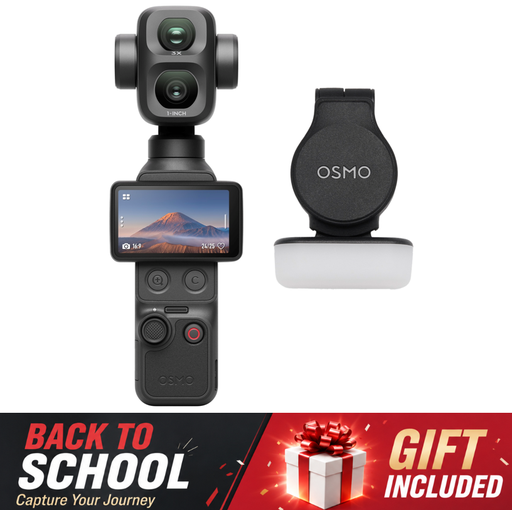 Image unavailable
Osmo Pocket 4P Standard Combo, Black
A camera option to consider for filming your drawing process; check that the intended angle of view and mount suit your workspace.
Version: Standard Combo, Black.
View at Joybuy
 Image unavailable
DJI Osmo Pocket 4 Standard Combo
A compact camera version to compare with the height and angle of view of your planned recording position.
According to the product title: 1″ CMOS, 4K/240fps video, 2× lossless zoom, 107GB built-in storage and a 2″ rotating screen.
View at Joybuy
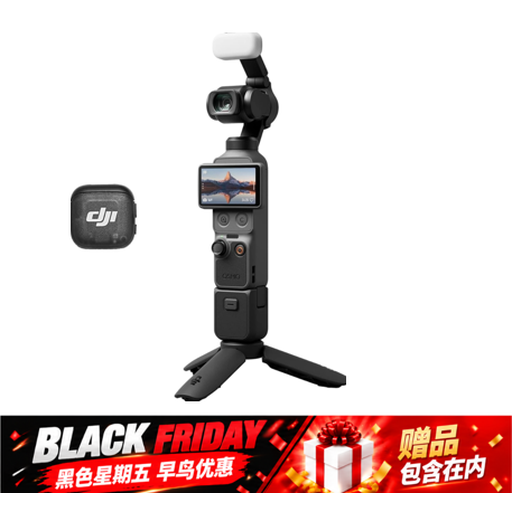 Image unavailable
Osmo Pocket 4 Creator Combo
This version is worth comparing if you’re looking for a camera to film your drawing process and need a mounting option.
According to the product title: 1″ CMOS, 4K/240fps video, 2× lossless zoom, 107GB built-in storage and a handle with a 1/4″ thread.
View at Joybuy
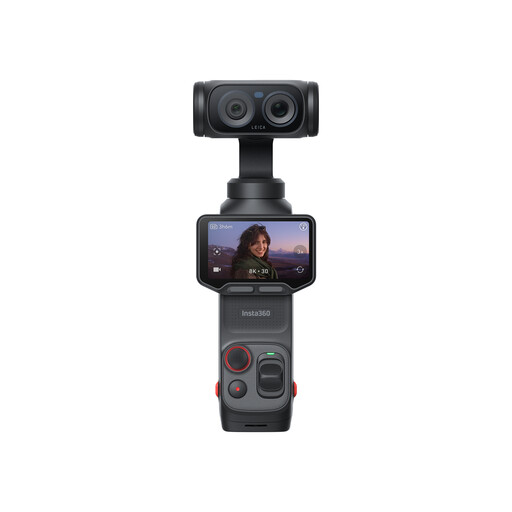 Image unavailable
Insta360 Luna Ultra Standard Bundle, Cosmic Black
Check that this version and its included accessories suit the fixed recording position you want to use for your drawing.
Version: Standard Bundle, Cosmic Black.
View at Joybuy
 Image unavailable
Sony ZV-E10 + 16-50mm Zoom, Black
A mirrorless camera kit to consider if you want to adjust the framing of the paper using the included lens.
Lens according to the product title: 16-50mm zoom.
View at Joybuy
Frequently asked questions
How do you get started with camera settings under artificial light?
First, make a short test recording using your own lights and pastel paper. Set the white balance to suit the light, then check the recording for a colour cast and banding. For areas with a 50 Hz mains frequency, Sony suggests 1/50 or 1/100 second as possible shutter speeds to reduce flicker; the result also depends on the light you use.
Do you absolutely need a gimbal for an overhead shot?
No, not if the camera stays still above your work. The main things to check are whether a suitable mount can hold the camera securely and whether the lens, distance and focus allow you to fit the whole sheet in frame. DJI lists a minimum focusing distance of 20 cm for the Osmo Pocket 3; that alone doesn’t tell you whether your entire sheet of paper will fit in the frame.
Which extra accessories should you check before buying?
Check whether you’re choosing a camera body or a kit with a suitable lens, and whether the version suits your planned setup. Also check which accessories are included and whether you’ll need a mount, memory card or extra power for your session.
What cooling-off period and rights apply to an online purchase?
Online consumer purchases are often covered by a statutory 14-day cooling-off period, although exceptions may apply. The Government of the Netherlands explains this cooling-off period; your statutory rights if a product is faulty are separate.
Can you publish the video if other people are recognisable in it?
Not without considering the specific circumstances. The Dutch Data Protection Authority says that recognisable people in a video are personal data and that the GDPR applies. Before publishing, consider which legal basis applies in your situation; this is not a general restriction on filming your own drawing.


