
On-the-go guide creator
You edit routes in different places and want to keep the space taken up on your desk and in your bag to a minimum. Alongside screen size, compare the weight, ports and conditions under which the battery life is quoted.


Choose a compact standard laptop if you’ll mainly edit text, maps and photos while out and about or at a small desk. Check that its screen, memory and storage meet the needs of your software. A 14-inch convertible makes sense if you want to sketch routes directly on screen: check whether the pen is included with the exact model and whether your programmes work on its operating system. A smaller screen takes up less space, but shows less of a page at once.
You edit routes in different places and want to keep the space taken up on your desk and in your bag to a minimum. Alongside screen size, compare the weight, ports and conditions under which the battery life is quoted.
You edit photos and bring text and maps together. Check the exact screen specification, the memory requirements of your programmes and the storage space available for your files. Consumentenbond considers 16 GB of memory a practical choice when running several programmes at once.
You want to annotate maps by hand or sketch ideas. Check whether the specific laptop has a touchscreen and whether a pen is included with that model. For example, Lenovo lists a Linear Pen with Yoga 7i model number 83JQ00A0MH.
First, decide how often you’ll take your laptop with you and whether you want to draw on screen. Then compare the screen and memory requirements of the programmes you’ll use to create your guide.
| What to consider | What to look for | Who should pay particular attention? |
|---|---|---|
| Compact and portable | Compare the screen and body dimensions, weight and ports of the exact model. Assess battery life only in the stated test conditions. | If you’re creating your guide at a small desk or updating routes in different places, a small footprint matters; around 36% of consumers rank portability as their top priority. |
| Screen for photos and maps | Check the resolution, screen finish and stated colour coverage of the specific variant. OLED technology or colour coverage alone does not guarantee that colours will match in print. | When reviewing photos, map details and pages, you’ll want to compare the screen features of the exact model; around 29% of consumers put visual quality first. |
| Memory and storage | Check the system requirements of your own programmes and the available SSD space. For InDesign 21.3 and later on Windows, Adobe lists 8 GB as the minimum and 16 GB as the recommended amount. | If you use text, photos and layout files at the same time, programme requirements and space for local files matter; around 21% of consumers make working smoothly with files their top priority. |
| Sketching with a pen | Check the model number to confirm whether it has a touchscreen and whether a pen is included. A convertible doesn’t automatically come with a pen. | If you want to annotate routes directly on screen, pen support and whether one is included will affect how you work; around 14% of consumers put drawing on screen first. |
Screen technology and stated colour coverage alone don’t determine how colours will look on paper.
Compare the exact screen specification and assess a proof print against the requirements of your printed materials.
Lenovo lists a Linear Pen with Yoga 7i model number 83JQ00A0MH, but says the pen is optional and sold separately with another Yoga 7 model we looked at.
Before buying, check the exact model number, pen support and what’s included in the box.
If a pen isn’t included, you’ll need to buy one separately to sketch with it.
ASUS states that the Zenbook retail model we looked at doesn’t include a 65 W power adapter. Apple’s specifications list two Thunderbolt 4 ports for the MacBook Air.
Check what power supply comes with each model and how you’ll connect your camera, card reader, printer or external display.
Depending on the model you choose, you may need a suitable power or port adapter.
The Dutch Government distinguishes between a manufacturer’s warranty and your statutory rights. If a product is faulty, the retailer is your point of contact.
Check what an optional paid warranty adds, and remember that your statutory rights still apply.
The 13.6-inch MacBook Air M5 is a compact macOS option for anyone who values portability.
The Zenbook 14 OLED with Core Ultra 7 255H that we looked at is a compact Windows option for reviewing photos and maps on screen.
The Yoga 7i 2-in-1 Gen 10 is worth considering if you’re looking for a 14-inch Windows laptop with a touchscreen and drawing capabilities.
The Swift Go 14 OLED SFG14-63, model NX.KTSEH.007, is a compact Windows option for working with files stored locally.
The OmniBook X Flip 14 series could suit you if a convertible touchscreen fits the way you work.
These laptop options are suited to compact working with text, photos and maps, with touchscreen models also available for sketching routes.
 No image available
The 13.3-inch size is well suited to a compact workspace and taking your laptop with you.
IPS screen with Full HD resolution; 16 GB of memory and a 512 GB SSD. Listed ports include USB-C, USB-A and HDMI; the stated weight is 1.46 kg.
 No image available
The 14-inch touchscreen and 360° hinge make this a good fit if you want to view or annotate routes on screen.
The screen specification lists 2K resolution. The stylus pen and USB-C charger aren’t included; the product description specifies a charger of at least 45 W.
 No image available
The stated 14-inch screen and storage features may be useful if you view photos and map details on a compact screen.
OLED screen with 2880 × 1800 pixels and stated 100% DCI-P3 colour coverage; 16 GB of memory and a 1 TB SSD. The laptop has a microSD reader and, according to the description, weighs 1.50 kg. The memory is onboard and cannot be upgraded by the user.
 No image available
This 14-inch laptop is a compact option if you view photos and maps on screen and take your laptop with you.
WUXGA OLED screen with stated 100% DCI-P3 colour coverage; the stated weight is around 0.98 kg. The 65 W USB-C charger isn’t included, and the onboard memory cannot be upgraded. Compatibility with older or specialist Windows programmes, drivers and peripherals may vary on Windows on Snapdragon.
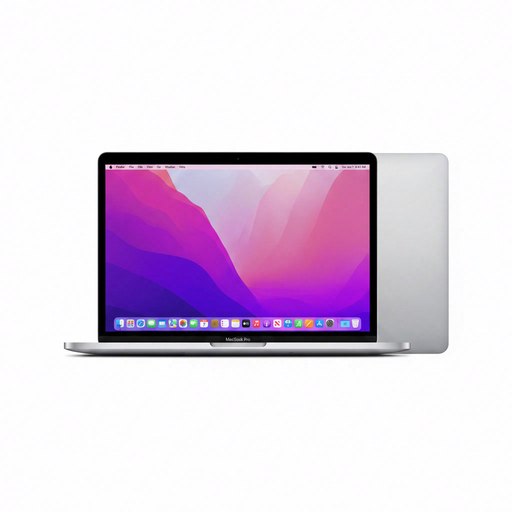 No image available
The 13.3-inch size suits a compact workspace. Check that the design software you need runs on macOS.
Retina screen with 2560 × 1600 pixels and two Thunderbolt/USB 4 ports. The keyboard layout is QWERTY.
No, not for this task alone. For InDesign 21.3 and later on Windows, Adobe lists 8 GB as the minimum and 16 GB as the recommended amount. Consumentenbond considers 16 GB a practical choice when running several programmes at once. Also check whether you can upgrade the memory in the laptop you choose.
Only if the model you choose supports the pen you want and you know whether it’s included. Lenovo lists a Linear Pen with Yoga 7i model number 83JQ00A0MH, but says the pen is optional and sold separately with another Yoga 7 model.
Consumentenbond advises against leaving a laptop plugged in all the time and suggests considering a charge limit if your device has this feature. Check your model’s manual to see which settings are available; battery life and battery ageing are different things.
According to the Dutch Government, the retailer must provide a solution when a consumer purchase is faulty. The Netherlands doesn’t have a fixed statutory warranty period of two years; what you can expect depends, among other things, on the product, its price and the information provided at the time of sale. A manufacturer’s warranty is additional.
According to the Dutch Government, distance purchases generally come with a 14-day cooling-off period. Check the terms and any exceptions for your specific order. This applies to distance purchases by consumers, not every business or private transaction.