
Creator with limited desk space
Edits spoken poetry alongside notes in a small workspace and wants to work out how much screen space is practical. Bol describes 14 inches and under as compact; this is not a specific assessment of audio editing.


Choose based on your recording set-up first: if you record close to your laptop, pay attention to its fan design and the connection for your microphone or audio interface. If you only edit existing recordings, check that the screen, software and local storage suit the way you work. A 13- or 14-inch model takes up relatively little space, but gives you less screen area, so check the specifications for the exact configuration and don’t assume noise reduction will remove every recording sound.
Edits spoken poetry alongside notes in a small workspace and wants to work out how much screen space is practical. Bol describes 14 inches and under as compact; this is not a specific assessment of audio editing.
Also uses the laptop while recording and wants to avoid constant background noise being picked up in the speech. The Audacity manual describes fan noise as constant noise that can sometimes be reduced, but cannot always be removed completely.
Uses a microphone or audio interface and needs to match the ports on the chosen configuration to their equipment. Apple lists two Thunderbolt 4 ports for the 13-inch MacBook Air.
Best for: anyone who records close to their laptop and uses macOS software that suits the way they work. Apple describes the Air as fanless.
Trade-off: the 13-inch configuration reviewed has a 13.6-inch screen and two Thunderbolt 4 ports; check whether those connections are enough for your equipment.
Best for: anyone using Windows software or looking to compare 14-inch models. The Lenovo and Dell ranges reviewed include options in this size.
Trade-off: memory and storage vary by configuration; the specifications listed do not show how loud a laptop is while recording.
| What to consider | What should you check? | Who should pay particular attention? |
|---|---|---|
| Size and screen space | Compare the screen size and resolution with the space on your desk. Consider whether you want to see the waveform and poem text at the same time. | If you want to see your notes alongside your edit on a small desk, available screen space matters. Around 33% of consumers say usable size is their main concern. |
| Noise while recording | Check whether the exact model has a fan and, if possible, make a test recording in your own set-up. | If you record close to your laptop, fan noise may be picked up in the recording. Audacity describes noise reduction for certain constant sounds, not as a fix for every kind of noise. Around 27% of consumers prioritise a quiet recording set-up. |
| Editing, software and storage | Check that your editor works with the operating system you’ve chosen and that the memory and SSD configuration suits your projects and local storage needs. REAPER offers downloads for Windows and macOS; Audacity explains how to save editable projects locally. | If you want to continue editing recordings later, a compatible editor and saving project files are important. Around 20% of consumers put the editing process and storage first. |
| Ports | Compare the connectors on your microphone, audio interface and other equipment with the ports on the exact configuration. | If you use several recording devices, you’ll want to know whether they can all be connected at once in your set-up. Around 20% of consumers say connectivity is their main concern. |
Memory and SSD capacity can vary between configurations in the same Lenovo or Dell range.
Compare the specifications for the exact configuration on the product page, rather than relying on the laptop range name alone.
The 13-inch MacBook Air reviewed has two Thunderbolt 4 ports and a headphone jack. Whether that’s enough depends on the devices you want to use.
Count the devices you need to connect at the same time and check their connectors before choosing a configuration.
According to the Audacity manual, noise reduction can help with certain types of constant background noise, but it is not suitable for every short or changing sound.
Make a short test recording in your planned set-up first, and treat noise reduction as a tool, not a guarantee.
One Joybuy listing for a MacBook Air configuration says that no charger is included. This does not apply to other configurations or offers.
Check what comes in the box with the specific offer and the laptop’s charging requirements.
The 13-inch MacBook Air M5 reviewed is a compact macOS option, including for recording close to the laptop.
The ThinkPad E14 Gen 7 AMD is a 14-inch Windows range with configurations you can compare.
The Dell 14 DC14255 is a compact Windows option with configurations to choose from separately.
These laptops are options for editing in a compact workspace; check the screen size, storage and ports for your recording equipment for each configuration.
 No image available
An option for a small workspace and for anyone who also records close to their laptop.
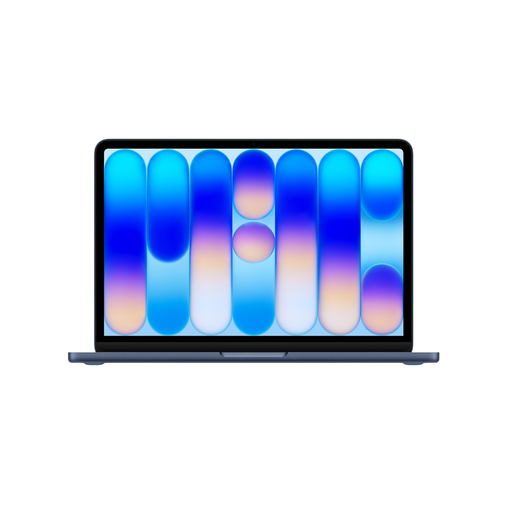
The screen is 13.6 inches and the design is fanless. This configuration has a 512 GB SSD and two Thunderbolt 4 ports. The USB-C power adapter is not included; a MagSafe cable is listed.
 No image available
A 13-inch option for editing in a compact workspace and comparing local storage options.
This configuration has a 256 GB SSD. The USB-C power adapter is not included; an adapter of at least 20 W is required.
 No image available
A 13-inch option for a compact editing set-up, with a different SSD capacity from the 256 GB configuration.
This configuration has a 512 GB SSD. The USB-C power adapter is not included; an adapter of at least 20 W is required.
 No image available
A 14-inch Windows laptop to consider if you have a compact workspace and need several connections.
The configuration lists USB4, USB-A, HDMI and a 3.5 mm audio jack. It has a 512 GB SSD and 16 GB of memory. The power adapter is not included; the description specifies a compatible 65W USB-C Power Delivery charger.
 No image available
This configuration is larger than the 14-inch-and-under size that Bol describes as compact, so bear your available desk space in mind.
The screen has Full HD resolution. This configuration has 8 GB of memory and a 256 GB SSD.
The information reviewed about REAPER does not set a general requirement for a separate graphics card for this type of speech editing. Check your editor’s requirements, the size of your projects and the configuration you want to order.
Save the editable project file as well as the finished audio. The Audacity manual describes a locally saved .aup4 project file for version 4 and treats exporting as a separate step. Check which project format your own editor uses.
No. According to the Audacity manual, noise reduction can reduce constant background sounds such as fan noise if you have a section containing only that noise. The feature is not suitable for every short or changing sound.
Check what comes in the box with the specific offer, including whether a power adapter is included. One Joybuy listing for a MacBook Air configuration says that no charger is included. According to the Dutch Government, distance purchases are generally covered by a 14-day cooling-off period; sellers must also resolve product issues under the legal guarantee.