What should you look for when buying?
First, check that your editing and transcription software works with the operating system you’re considering. Then compare the screen size, configuration and connections with your workspace and equipment.
| What to consider |
What should you check? |
Who is this important for? |
| Bilingual transcription |
Check that your software works with the operating system you’ve chosen and can handle language switches. Descript supports Dutch and English, but transcription is limited to one spoken language per file. |
If I combine Dutch and English speech in my workflow, I want to know how the software handles language switches. Around 33% of consumers give bilingual transcription top priority. |
| Desk and screen space |
Measure the available space and consider whether the screen size will make it comfortable to work with your timeline. The MacBook Air we looked at has a 13.6-inch screen; the Windows configurations mentioned are 14 inches, according to Apple Netherlands, ASUS Netherlands and Lenovo Netherlands. |
If I work at a small desk, I want to keep some space free without losing sight of my timeline. Around 27% of consumers prioritise limited workspace. |
| Multitrack projects |
Compare the exact memory and SSD configuration with your project files. For simultaneous multichannel recording, the Audacity manual also specifies a suitable audio interface, drivers and support in the recording software. |
If I edit several tracks or record multiple channels at once, I want to match my project storage and recording equipment. Around 20% of consumers give multitrack work top priority. |
| Connections |
List the plugs you need to use at the same time and compare them with the exact laptop configuration. Apple Netherlands lists two Thunderbolt 4 ports and a mini-jack socket for the MacBook Air we looked at; ASUS Netherlands lists USB-A, Thunderbolt 4, HDMI and audio connections, among others, for the Zenbook range. |
If I want to connect an interface, headphones, a drive and possibly a screen, I want to know in advance which ports are available. Around 20% of consumers prioritise direct device connections. |
Laptops to compare
This selection of Joybuy products includes laptops to compare for podcast editing. For each model, check that the screen size, software, configuration and connections suit your workspace and equipment.
 No image available
Microsoft Surface Laptop 7, 13.8-inch, Snapdragon X Elite, 16 GB, 512 GB SSD
The 13.8-inch screen may suit a compact workspace; check that there’s enough room on screen for your timeline.
16 GB of memory and a 512 GB SSD. The product description mentions USB4 connectivity.
View product at Joybuy
 No image available
MSI Stealth 16 AI+ B3WF-011NL Copilot+ PC, 16-inch, Intel Core Ultra 9 386H, GeForce RTX 5060
Compare this configuration with the desk and screen space you have available: its 16-inch screen is larger than the 13.6- and 14-inch sizes covered elsewhere in this guide.
QHD+ OLED 240 Hz, 32 GB DDR5 and a 1 TB SSD. The product description mentions Thunderbolt 4 and HDMI 2.1.
View product at Joybuy
 No image available
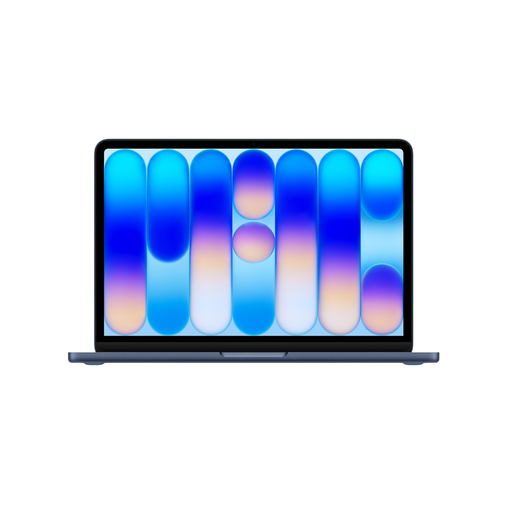
Apple MacBook Air 13-inch M5, 16 GB, 512 GB SSD, Midnight, QWERTY keyboard
The 13.6-inch configuration is worth comparing if you want a smaller built-in screen on your desk.
16 GB of memory and a 512 GB SSD. The product description lists two Thunderbolt 4 ports, a headphone socket and a weight of 1.23 kg. Check that the connections are enough for all the equipment you use at the same time.
View product at Joybuy
 No image available
Apple MacBook Pro 14-inch M5 Pro, 24 GB, 1 TB SSD, Space Black, QWERTY keyboard
The 14-inch size is worth comparing if you want an editing screen in a compact workspace.
24 GB of memory and a 1 TB SSD. The product description lists three Thunderbolt 4 ports, HDMI, SDXC and a headphone socket.
View product at Joybuy
 No image available
Apple MacBook Neo 13-inch A18 Pro, 8 GB, 256 GB SSD, Indigo, QWERTY keyboard
The 13-inch size may suit a small workspace; compare the configuration with the size of your local audio projects.
8 GB of memory and a 256 GB SSD. The product description lists macOS.
View product at Joybuy
Frequently asked questions
Can Descript recognise Dutch and English at the same time in a single transcription file?
No. Descript lists Dutch and English as supported languages, but transcription supports only one spoken language per file. If your recording switches languages, test a workflow using separate files or segments.
Can I rely on the laptop specifications alone for multiple microphone channels recording at once?
No. According to the Audacity manual, recording more than two separate channels simultaneously also requires a suitable audio interface and drivers. Check that your recording software supports the configuration you need, too.
Where should I store an active Audacity project and a backup?
Store the active project locally and make a separate backup as well. The Audacity manual advises against editing an active project directly from external USB storage, network storage or personal cloud storage.
What cooling-off period and warranty apply when you buy a laptop online in the Netherlands?
According to ACM ConsuWijzer, as a consumer you generally have up to 14 days to change your mind after an online purchase has been delivered. Your statutory guarantee is separate from any manufacturer’s warranty; the seller must offer a solution if a product becomes faulty through normal use sooner than could reasonably be expected. Check which terms and exceptions apply to your purchase.
Can I use copyrighted music in my podcast without permission?
Not necessarily. The Dutch government states that you may use copyrighted music only with the creator’s permission. Check this before including music in a podcast that you distribute or make available to the public.


