What should you look for when choosing?
On a small desk, it comes down to balancing space for your mouse, easy access to the keys you need and how you use your devices.
| What to consider |
What to look for |
Who should prioritise this? |
| Room for your keyboard and mouse |
Measure the available width with your mouse beside the keyboard; compare the width and depth of the exact version. |
If I often switch between typing and pointing, I want to keep my mouse close without having to reach too far. That’s why around 36% of consumers prioritise mouse space. |
| Shortcut keys and navigation |
Make a list of the commands you use and check the layout and any configuration software. |
If I often use navigation keys or custom combinations, I want to know which keys are within easy reach. That’s why around 29% of consumers prioritise shortcuts and navigation. |
| Switching between devices |
For each device, check the connection, operating system and keyboard layout supported by the version you’ve chosen. |
If I switch between a computer and a tablet, I want to know how to switch between devices. Around 21% of consumers put this feature first. |
| Low profile and a comfortable typing position |
Compare the height and type of keys with your current keyboard; also consider whether your shoulders, wrists and forearms can stay relaxed. |
If I design for long periods, I want a keyboard height and feel that suit my setup. Around 14% of consumers prioritise their typing setup. |
Compact keyboards at Joybuy
This selection features compact keyboards for a small desk, with a range of layouts and mechanical options.
 No image available
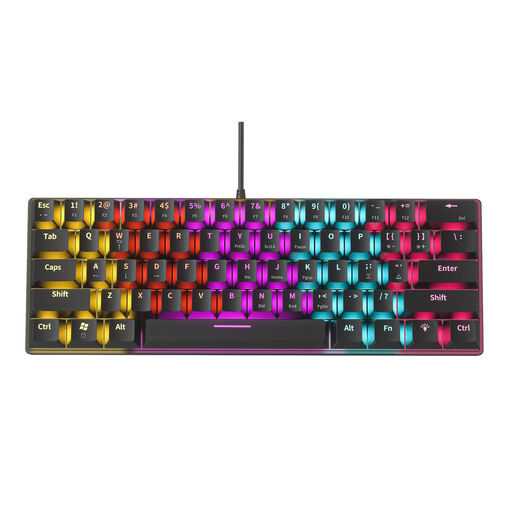
NAXSIR Mini Mechanical Keyboard, 61 keys
Take a look at this mini model if you have a small desk and want to see whether the 61-key layout suits your everyday tasks.
The product name specifies a mechanical keyboard with 12 RGB lighting effects.
Shop at Joybuy
 No image available
AULA WIN60HE 60% wired mechanical keyboard
Consider this compact layout if you want to check first whether the available keys suit the navigation and commands you use.
The product name specifies Hall effect magnetic switches, Rapid Trigger and adjustable actuation from 0.01 mm.
Shop at Joybuy
 No image available
AULA F75 Pro 75% mechanical keyboard, US layout
Consider a 75% model if you want to compare a compact layout with keyboards that have fewer keys.
The product name specifies tri-mode connectivity via Bluetooth, 2.4G or cable, hot-swappable switches and RGB lighting.
Shop at Joybuy
 No image available
Royalaxe E75 Custom 75% Hall Effect
A 75% layout is worth considering if you’re looking for a compact option; check that the specific version suits your preferred connection.
The product name specifies TTC Magnetic HE switches and hot-swap in wired mode, with Rapid Trigger.
Shop at Joybuy
 No image available
Redragon M68 Magnetic Switch Mechanical Keyboard, 68 keys
Take a look at this compact model if you want to see whether a 68-key layout leaves enough room for your mouse on your desk.
The product name specifies magnetic switches, Rapid Trigger and a US layout.
Shop at Joybuy
Frequently asked questions
Do I need a number pad for interface design?
Not necessarily: consider which keys your work actually requires. A keyboard without a dedicated number pad may leave more room for your mouse; according to BakkerElkhuizen, the UltraBoard 950 V2 has an integrated number pad that’s available via NumLock.
How should I set up a small desk for screen work?
Position your screen, keyboard and mouse as one workstation, and make sure you can keep your shoulders, wrists and forearms relaxed. Arboportaal recommends paying attention to posture and varying your tasks; a compact keyboard alone doesn’t determine whether your whole setup is suitable.
What should I check before buying a wireless keyboard?
Check the supported connections, devices and keyboard layout for the exact version. For features such as key customisation, Keychron names Keychron Launcher; Trust describes separate buttons on the Lyra for switching between devices.
Do I have to use a separate keyboard with a laptop?
According to Arboportaal, workplace rules apply to employees who work with screens for more than 2 hours a day: the screen and keyboard must not be attached to each other. When using a laptop, you must be able to use a separate screen or keyboard; this isn’t a general product requirement for every buyer.
How long do I have to change my mind after buying a keyboard online?
For an applicable online consumer purchase from a business, you generally have 14 days to change your mind, according to the Dutch government. Check whether the rules apply to your purchase, and remember that the right to change your mind is different from your rights if a product is faulty.


