What should you look for when choosing?
First, check the key layout and how much space the keyboard takes up. Then choose a connection that suits your tablet or computer. Also consider how you’ll keep the model clean at the kitchen table.
| What to consider |
What to look for |
Who is this important for? |
| Typing comfort for longer notes |
Try the key spacing and feel; also consider the position of your screen and keyboard. |
When I’m writing up detailed observations, I want to type comfortably and arrange my workspace well. Around 28% of consumers prioritise comfortable typing for longer notes. |
| Space on the table |
Measure the available space and check the dimensions of the model and any accessories. |
I want to leave room beside the keyboard for my screen and notes, and be able to put it away afterwards. Around 22% of consumers give limited table space top priority. |
| Numbers and punctuation |
Check the physical layout, the selected input language and whether you need a separate numeric keypad. |
When entering observations, I want to find numbers and symbols where I expect them to be. Around 22% of consumers prioritise reliable input of numbers and punctuation. |
| Connecting to devices |
Check Bluetooth, whether you have a suitable USB port or the right cable, and how to switch between devices. |
I want a connection that works with my own tablet or computer, without options I don’t need. Around 17% of consumers consider compatibility with their own devices the most important factor. |
| Cleaning at the table |
Follow the cleaning instructions for the exact model; don’t assume it’s water-resistant. |
If I use the keyboard at a table where there’s also food or drink, I want to know how to clean it safely. Around 11% of consumers prioritise care and cleaning at the kitchen table. |
Joybuy products for compact typing
This selection includes compact keyboards for limited table space, with both wired and wireless connection options.
 No image available
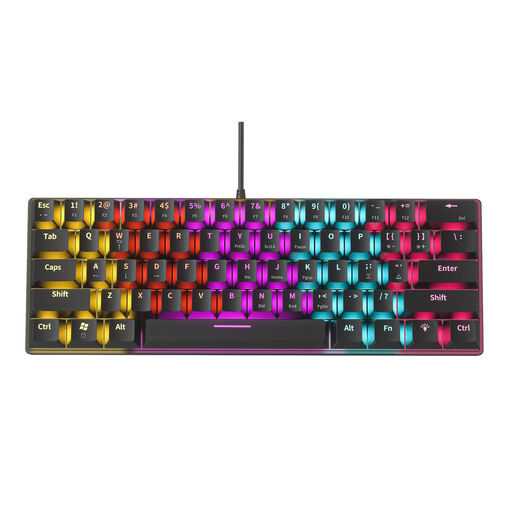
NAXSIR Mini Mechanical Keyboard, 61 keys
A wired option if you have limited table space and want to use a USB connection.
61 keys; USB connection with a 1.58 m cable. The description lists a weight of 408 g.
It requires a suitable USB port and must be used with the cable.
View at Joybuy
 No image available
NAXSIR foldable Bluetooth keyboard, 64 keys
A foldable model to take with you or put away when you’re short on table space.
Bluetooth; 64 keys. Folded dimensions: 157.5 × 98 × 15.8 mm. The description lists support for iOS, Android and Windows.
The product name mentions a rechargeable design and a magnetic stand.
View at Joybuy
 No image available
AULA F75 MAX, 75%, US QWERTY
A compact choice if you want several connection options and the US QWERTY layout suits you.
The product name lists wired, Bluetooth and 2.4 GHz connections. The description mentions a 75% layout with essential navigation keys.
The physical layout is US QWERTY; check that it matches your preference.
View at Joybuy
 No image available
Ticktype EVO75, 75%, US layout
A compact option if you’re looking for a 75% layout and the choice of wireless or wired use.
The product name lists Bluetooth, 2.4 GHz and USB-C; the description mentions wireless and wired use.
The physical layout is US; check that it suits your typing needs.
View at Joybuy
 No image available
Redragon M68, 68 keys, US layout
A compact keyboard for anyone short on table space who wants a US layout.
The product name lists 68 keys and magnetic switches.
The physical layout is US; check that it matches the key layout you need.
View at Joybuy
Frequently asked questions about keyboards for lab notes
Do I need a keyboard with a numeric keypad if I enter lots of numbers?
Not necessarily; it depends on how many numbers you enter and whether the regular number row is enough for you. According to the manufacturer, the CHERRY KW 9200 MINI doesn’t have a separate numeric keypad. If one is important to you, consider how much space a different layout would take up.
Why do different punctuation marks appear from the ones shown on the keys?
First, check that your device’s input language matches the physical key layout. Trust lists a different system language as a possible cause for one of its Bluetooth keyboards; also consult your model’s manual.
How should I clean a keyboard after using it at the kitchen table?
Follow the instructions for the exact model. Logitech advises switching off its devices, not applying cleaning fluid directly and not immersing them. Keep moisture to a minimum when cleaning devices that aren’t water-resistant.
What rights do I have when buying a keyboard online in the Netherlands?
According to ACM ConsuWijzer, online consumer purchases generally come with a statutory cooling-off period of up to 14 days after delivery, subject to exceptions. The seller must also ensure that a product does what you could reasonably expect under normal use. This statutory guarantee is separate from any manufacturer’s warranty.
Am I required to use a separate keyboard if I’m an employee working on a laptop at the kitchen table?
According to Arboportaal, for an employee who works at a screen for more than two hours a day, the screen and keyboard must not be attached to each other. With a laptop, it must therefore be possible to use a separate screen or keyboard. This workplace rule is not a general purchasing requirement for every private user.


