
Designers short on desk space
You want to keep enough room for your mouse while creating icons. So start by checking the keyboard’s dimensions and layout.


Start with a layout that fits alongside your mouse, then check whether the keys you need for your design software are easy to access. A more compact layout can free up desk space, but the keys you need may be less readily accessible. Measure your workspace and check the exact layout, connectivity and software compatibility before you choose.
You want to keep enough room for your mouse while creating icons. So start by checking the keyboard’s dimensions and layout.
You want to use function keys and key combinations quickly. Check the keys your software uses before choosing the smallest layout.
You’re looking at key feel, noise levels and the option to switch between devices. These features vary from model to model.
First, measure the space available for your keyboard and mouse. Then compare the keys you use in your design software with the layout of the exact model you’re considering.
| What to consider | What should you check? | Who might prioritise this? |
|---|---|---|
| Space for your keyboard and mouse | Measure the available width and depth, including the space your mouse needs. Compare these measurements with the exact model. | I want to use my mouse beside the keyboard while drawing; around 36% of consumers put available space first. |
| Access to keyboard shortcuts | Compare the shortcuts in your software with the physical layout. Check that any remappable keys work with your computer. | I use set key combinations while designing and want to reach them quickly; around 29% of consumers put shortcuts first. |
| Quiet typing and key feel | Compare the key mechanism and, for mechanical models, the switch type. Check how quiet each model is. | I work in a shared space and want a key feel and noise level that suit it; around 21% of consumers put this first. |
| Connectivity and switching between devices | Check the connectivity options of the exact model and whether your computer supports the required port or Bluetooth. | I want to use the same keyboard with several devices and switch between them easily; around 14% of consumers put device switching first. |
A smaller layout can make frequently used keys less accessible, which may mean extra steps to use design commands.
Compare your most-used shortcuts with the physical layout before deciding on the size.
If keys aren’t directly accessible, you may need to use Fn combinations more often.
For the Keychron K3 Max, Keychron says hot-swap is available only on the RGB hot-swappable version.
Check the full version name, switch type and keyboard layout before ordering.
The included mouse also takes up space and needs to suit the cursor work you plan to do with it.
Check the dimensions and usability of each item separately.
The MX Keys Mini and Pebble Keys 2 K380s are compact options with different key features and connectivity options.
The K3 Max is a compact mechanical option for anyone who wants to remap keys.
The KW 9200 MINI is a flat, compact model with scissor-switch keys.
The Lyra is a compact keyboard-and-mouse set for anyone who needs both input devices.
The Air75 V3 is a compact, low-profile mechanical option with a physical function-key row.
These keyboards have compact layouts for smaller workspaces. Check which keys are directly accessible and which connectivity options are available for each model.
 Image unavailable
The 75% layout is worth considering if you want a compact workspace and the available keys suit your design work.
US QWERTY layout; wired, Bluetooth or 2.4G connectivity.
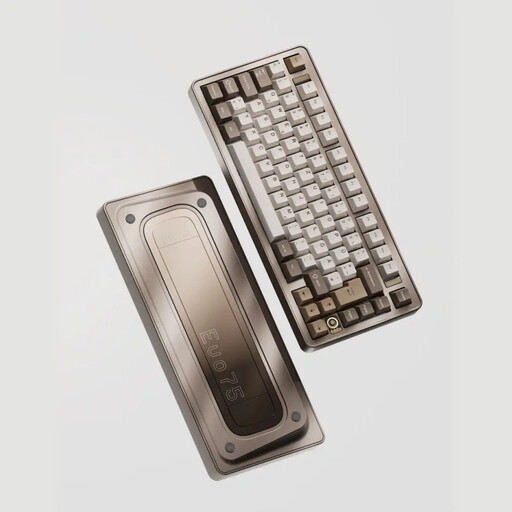 Image unavailable
Consider this model if you’re looking for a compact mechanical layout and key customisation matters to you. Check that the version is compatible with your computer.
US layout; tri-mode; hot-swappable.
 Image unavailable
The 75% layout could suit you if you want to save space while keeping the navigation and function keys you need for your design software.
US QWERTY layout; wired, Bluetooth and 2.4GHz.
 Image unavailable
A 60% layout could be a good choice if desk space is a priority. Check first that the keys you use for design work are directly accessible.
60% layout; Purple Switch; US QWERTY.
 Image unavailable
Consider this compact model if mouse space is important and the 60% layout gives you direct access to the keys you use.
Wired; US QWERTY layout; 61 keys.
Not necessarily. First, check which keys your software uses and whether they’re directly accessible on the layout you’ve chosen. A 75% model may have a physical function-key row, while a smaller layout could work if you use those keys less often.
Measure the space for both your keyboard and mouse, and make sure the keys you use are within reach. Arboportaal states that for employees who spend more than two hours a day working at a screen, the screen and keyboard must not be attached to each other.
Follow the instructions for the exact model when charging it or replacing its batteries. Before buying, check that its connectivity and any receiver are compatible with your computer; options vary between models.
No. ACM ConsuWijzer explains that your statutory guarantee applies alongside any manufacturer’s or seller’s guarantee. What you can expect from a product depends on factors including the product itself and normal use. If something is wrong, contact the seller.
According to the Dutch government, when you buy from a business at a distance, you usually have 14 days to change your mind. Check the terms for your specific purchase; purchases from private sellers aren’t automatically covered by the same rules.