
Players who need more room for their mouse
If you need space to move your mouse beside your keyboard, compare the overall width of the specific version. HyperX describes the Alloy Origins 65 as narrower than a TKL keyboard.


Start by measuring the width that will fit alongside your mouse, then check which keys you actually use in your game. A 65% model keeps physical arrow keys on a narrower board; a 75% model also retains a separate F-key row, while a TKL takes up more space and a 60% relies more heavily on secondary key functions. For every model, check the exact layout, connectivity and programming options.
If you need space to move your mouse beside your keyboard, compare the overall width of the specific version. HyperX describes the Alloy Origins 65 as narrower than a TKL keyboard.
If you want to access arrow keys, F-keys or custom functions directly, check whether those keys are included in the layout you’ve chosen. The functions you need will depend on your own game settings.
If you want to keep noise or cables to a minimum at your workstation, weigh those preferences against the space taken up by the keyboard layout. A manufacturer’s description of its sound is not a comparison with other models.
First measure the space for your keyboard and mouse; then decide which physical keys and connections you need.
| What to consider | What should you check? | Who is this important for? |
|---|---|---|
| Desk space | Measure the available width with your mouse in its usual position, then compare it with the dimensions of the exact version. | If I want to leave enough room for my mouse, I look at the width of the whole keyboard. Around 36% of consumers in this context prioritise desk space. |
| Accessible gaming keys | Check your game settings to see whether the F-keys, arrow keys and navigation keys you use are physically present or available through a key combination that works for you. Keychron lists the K2 Max at 311,54 × 121,54 mm; also allow space for cables and your mouse. | If I want to press my usual gaming commands directly, I compare them with the key layout. Around 29% of consumers focus primarily on accessible gaming keys and layout. |
| Typing sound | Check the switch type on the specific model; a description such as ‘quiet’ is not a sound comparison with other keyboards. | At a shared desk, I want to take the sound of my typing into account. Around 21% of consumers say this is their main consideration. |
| Cables and connectivity | Check which connection types are available on the exact version, and make sure the connections and charging options suit your setup. | If I’d prefer fewer cables on my desk, I check which connection options the model offers. Around 14% of consumers prioritise a cable-free setup. |
A 60% board may require you to use secondary key functions more often. A 65% layout retains physical arrow keys, while a 75% layout also offers a separate F-key row.
Compare your game’s most important commands with the actual layout of the version you want to buy.
A model name may refer to wired, wireless or differently laid-out versions. Features of one version don’t automatically apply to another.
Check the full model name, connection, key layout and included components on the product page.
According to the Dutch government, the Netherlands has no fixed statutory warranty period; if a product develops a fault, the retailer is your point of contact.
Before buying an additional protection plan, compare its terms with the cover you already have.
The Alloy Origins 65 and Alloy Rise 75 offer different compact layouts.
The K2 Max is an option to consider if you want a compact 75% layout with separate function keys.
The Apex 9 Mini and Apex 3 TKL represent 60% and TKL layouts respectively.
The G915 X LIGHTSPEED TKL is a low-profile TKL model without a number pad.
The Huntsman V3 Pro Mini is a 60% alternative to compare if you’re looking for adjustable actuation.
These Joybuy products include 60%, 65%, 75% and TKL layouts. For each version, compare the physical keys, connection and key layout with your desk and game settings.
 No image available
A 75% layout is worth considering if you’re looking for a compact setup with physical arrow keys and function keys.
The product name lists tri-mode connectivity via Bluetooth, 2,4 GHz or cable, hot-swappable switches and a US layout.
 No image available
This compact version is worth comparing if you want to keep space free beside your keyboard.
The product name lists 68 keys, magnetic switches, an 8000 Hz polling rate and a US layout.
 No image available
The Mini version is worth comparing if you’re looking for a small keyboard; first check whether its secondary functions work with your game commands.
The product name lists linear optical switches and a US version.
 No image available
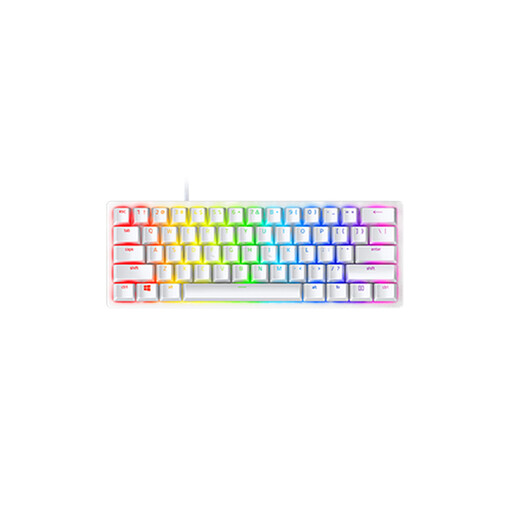
A 60% layout may suit you if keeping keyboard space to a minimum is important and its secondary functions work with the keys you use.
The product name lists 61 keys, RGB lighting, a wired connection and a US QWERTY layout.
 No image available
A TKL layout is an option if you don’t need a number pad and want to keep separate function keys; measure the width before choosing.
The product name lists a US QWERTY layout.
Not just because of the genre. Elite Dangerous supports, among other things, keyboard and mouse controls; check the settings of the game you play to see which commands and keys you actually use.
First, check your game’s control settings or preset, then review your most important commands. Keychron says you can customise keys and macros on the K2 Max through Launcher; this feature is specific to this model and isn’t essential for playing a game.
Switch off or unplug your keyboard before cleaning it. Logitech recommends gently removing loose dirt and wiping the keys with a slightly damp, lint-free cloth. Don’t pour water onto the keyboard, and follow the instructions for your model.
According to the Dutch government, applicable online consumer purchases generally come with a 14-day cooling-off period; check the terms for your specific purchase. You’re also entitled to a product that meets reasonable expectations. The Netherlands has no fixed statutory warranty period, and the retailer is your point of contact if a product develops a fault.
You don’t need an extended warranty to have statutory rights. According to the Dutch government, an additional plan is mainly worth considering if its terms give you extra rights; compare the cover and costs before deciding.