What should you look for when buying?
Start with the dimensions and keys you need every day. Then compare any additional settings against your game's rules.
| What to consider |
What should you check? |
Who is this important for? |
| Mouse space and size |
Measure the available desk width with your mouse in the position you want, then compare it with the dimensions of the exact version. |
If I play at a small desk, I want to leave enough room for my mouse; around 36% of consumers prioritise mouse space. |
| Adjustable movement input |
Check whether the exact version has adjustable actuation or Rapid Trigger, and treat these features separately from SOCD-style options. |
If I want to adjust how movement keys register, I look at the precise features and game rules; around 29% of consumers prioritise adjustable movement input. |
| Dedicated keys |
Check which arrow, navigation and function keys are missing, and whether the key combinations you need will work for you. |
If I also use my keyboard for typing, I want direct access to certain keys; around 21% of consumers prioritise this. |
| Connection and version |
Check the exact layout, whether you want a wired or wireless connection, any receiver or software required, and the seller's terms. |
If connection, version and after-sales support are my main concerns, I want to compare these details before buying; around 14% of consumers prioritise them. |
Compact gaming keyboards at Joybuy
This selection focuses on compact gaming keyboards for a small desk, including 60% models and versions whose product names mention adjustable input.
 Image unavailable
AULA WIN60HE 60% Wired Gaming Keyboard
A wired 60% layout for anyone looking to save desk space and adjust their movement input.
The product name lists Hall Effect magnetic switches, Rapid Trigger, an 8K polling rate and adjustable actuation from 0.01 mm.
View at Joybuy
 Image unavailable
AULA Hero 68 (White&Black King Magnetic Switch, US Layout)
A compact alternative if you're looking for magnetic switches and adjustable actuation.
The product name lists Hall Effect magnetic switches, Rapid Trigger, an 8K polling rate, 0.01 mm adjustable actuation and a US layout. A cable is listed.
View at Joybuy
 Image unavailable
Razer Huntsman Mini (Purple Switch, US QWERTY)
The compact 60% layout could be a good fit if you have limited space next to your mouse.
The product name lists Purple Switch and a US QWERTY layout.
View at Joybuy
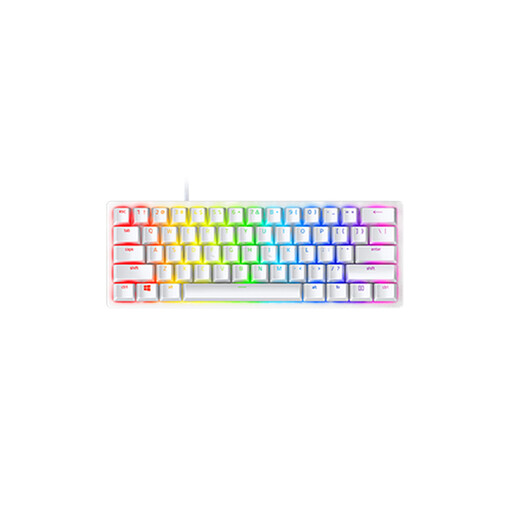 Image unavailable
Razer Huntsman Mini (Linear Optical Switch, US, Mercury)
The compact 60% layout could be a good fit if you have limited space next to your mouse.
The product name lists Linear Optical Switch, a US layout and Mercury.
View at Joybuy
 Image unavailable
RK ROYAL KLUDGE RK61 60% (Quiet Red Switch, White)
A 60% model for anyone looking for a compact layout and wanting to compare different connection options.
The product name lists tri-mode connectivity, RGB, hot-swappable mechanical switches, 61 keys, Quiet Red Switch and support for Windows and Mac.
View at Joybuy
Frequently asked questions
Can I use SOCD or Snap Tap in a ranked match?
It depends on the game and its current server or competition rules. On 19 August 2024, Valve reported that certain forms of hardware-assisted counter-strafing are detected on official Counter-Strike 2 servers and may result in removal from the match. This isn't a general ruling on Rapid Trigger or other games. Check your game's rules and disable any separate feature that isn't allowed.
How do I choose between 60%, 65% and TKL?
Choose 60% if you mainly want a compact layout and are happy to use key combinations for missing keys. A 65% model may suit you better if you want dedicated arrow keys; TKL gives you more direct access to keys but takes up more space. Compare the dimensions and layout of the exact model with your desk and everyday needs.
How do I get started with a keyboard with adjustable actuation?
Adjust the movement and typing keys to suit how you use them, then test the settings before playing ranked. SteelSeries and Razer describe adjustable actuation for specific models; the available options and controls vary by keyboard.
Am I always entitled to exactly two years' statutory warranty in the Netherlands?
No. According to the Dutch government, there is no fixed statutory warranty period in the Netherlands: a product must do what you can reasonably expect of it. If something goes wrong, you should generally contact the seller; a manufacturer's warranty is separate.
Can I return a keyboard bought online within 14 days?
According to the Dutch government, when you buy from a business remotely, you often have a 14-day cooling-off period. This doesn't automatically apply to every transaction, such as an online purchase from a private seller. Check the applicable terms before placing your order.


