What should you look for?
First, check that the desktop fits your workspace and can connect to your equipment. Then consider storage and, if you also record, how much noise it makes.
| What to consider |
What should you check? |
Who is this most important for? |
| Desk space |
Check the case dimensions and the position of the ports. Make sure you also leave room for the display and peripherals. |
If my desk is small, I want a computer case that’s practical to position without crowding the rest of my workspace. Around 33% of consumers put the amount of space it takes up first when making this choice. |
| Connections and software |
Check that the exact configuration has the USB, display and audio connections you need, along with the right operating system and any plug-ins. |
If you want to keep using an existing audio interface, headphones or a particular display, it helps to have compatible connections. For around 27% of consumers, equipment and software are the top priority when choosing. |
| Local storage |
Check the SSD capacity and upgrade options, and plan a separate place for safety copies. Audacity requires fast, uninterrupted access to working storage. |
If I want to keep recordings and projects without relying on a USB stick for working storage, I want to know in advance how much local space is available. Storage comes first for around 20% of consumers. |
| Noise while recording |
Look for a noise measurement for the exact configuration under relevant workloads, or assess the set-up with a test recording. |
If you also record voiceovers at the same desk, you’ll want to stop computer noise from getting into the recording. For around 20% of consumers, being able to record quietly is the top priority. |
Joybuy products for this use
These desktops are suited to a compact workspace for editing spoken-word recordings. Check that the storage, connections and other components in each configuration suit the way you work.
 No image available
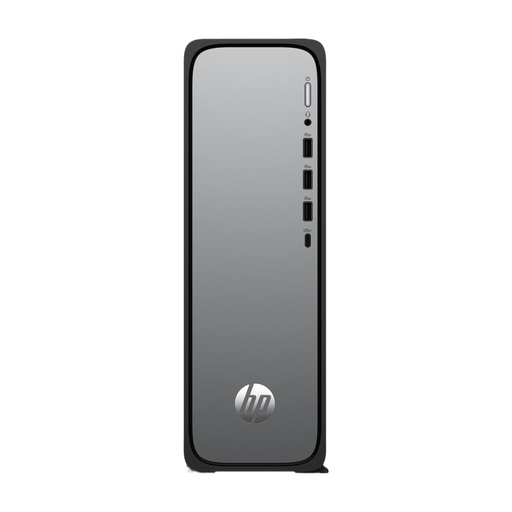
HP OmniDesk Slim S03-0006nd D49HREA#ABH
A good fit if you’re looking for a compact Windows desktop. Check the connections and storage for your equipment and projects.
The described design is 10 cm deep and has SSD storage. The description lists USB, HDMI and audio connections. The charger isn’t included as standard and must be bought separately.
Joybuy
 No image available
SOYO Y5Pro Mini PC, Intel Core i5 8250U/8350U, 8 GB DDR4, 256 GB SATA SSD
A compact mini PC to compare if you’re setting up a small workspace. Check that its connections suit your display and audio equipment.
The product title lists Windows 11, 8 GB DDR4 and a 256 GB SATA SSD. It names the Intel Core i5 8250U/8350U as the processor. The described case measures 105 × 113 × 45 mm. Listed connections include USB, Type-C, HDMI, DisplayPort and audio.
Joybuy
 No image available
Apple Mac mini M6, 16 GB, 256 GB SSD
A compact macOS desktop to consider if it’s compatible with your software and existing equipment.
The product title lists an Apple M6 chip with a 12-core CPU and 12-core GPU, 16 GB of memory and a 256 GB SSD. Listed connections include USB-C, Thunderbolt, HDMI and a headphone socket.
Joybuy
No image available
Apple Mac mini M6, 16 GB, 512 GB SSD
A compact macOS desktop to consider if it’s compatible with your software and existing equipment.
The product title lists an Apple M6 chip with a 12-core CPU and 12-core GPU, 16 GB of memory and a 512 GB SSD. Listed connections include USB-C, Thunderbolt, HDMI and a headphone socket.
Joybuy
No image available
Apple Mac mini M6, 24 GB, 512 GB SSD
A compact macOS desktop to consider if it’s compatible with your software and existing equipment.
The product title lists an Apple M6 chip with a 12-core CPU and 12-core GPU, 24 GB of memory and a 512 GB SSD. Listed connections include USB-C, Thunderbolt, HDMI and a headphone socket.
Joybuy
Frequently asked questions
Does working storage need to be local when I use Audacity?
Audacity requires fast, uninterrupted access to a drive or SSD and notes that network storage, basic external hard drives and USB sticks may be unreliable for working storage. The guide also recommends exporting a recording as a WAV or AIFF file before editing, preferably to an external drive.
What do I need to install with a mini PC kit?
It depends on the exact configuration. ASUS distinguishes between complete NUC 14 Pro mini PCs and kits without a pre-installed operating system. Also check whether memory and storage are included before comparing configurations.
Is two years the full statutory warranty for a desktop in the Netherlands?
No. ACM ConsuWijzer explains that the statutory warranty depends on what you could reasonably expect from the product under normal use. If the product is faulty, the seller is responsible; a manufacturer’s or seller’s warranty does not replace this right.
Do I have a cooling-off period for a desktop bought online?
For an online consumer purchase, there is generally a statutory cooling-off period of up to 14 days after delivery. ACM ConsuWijzer lists some exceptions; check these if your order is unusual or made to measure.
Can I publish an edited reading of someone else’s poem?
Don’t assume that permission to edit something for private use also means you can share it. According to the Dutch government, you may generally only use a copyright-protected text with the creator’s permission; you must not distribute or publish a private copy made for your own use. Before publishing, check the rights to the poem and any audio you use.


