For scarf photos on a shared worktable, choose a camera based on the wide and close-up shots you can take from the working distance available. A short minimum focusing distance or a wide zoom range does not, by itself, guarantee that you can photograph stitches sharply at every zoom setting: Canon Netherlands, Panasonic Netherlands and Sony Netherlands specify different distances at the wide-angle and telephoto ends. For repeatable photos, use a fixed set-up with lighting that stays as consistent as possible, as recommended by Canon Netherlands and Nikon Netherlands. Bear in mind that this will take up space on the shared table.
Who is this guide for?
Maker who needs accurate colour in product photos
You want to compare yarn colours accurately across a series of photos, and set the exposure and white balance deliberately. Canon Netherlands and Nikon Netherlands recommend using a fixed set-up and consistent lighting conditions.
Photographer of knitted stitches
Alongside wider shots, you take close-ups of stitches, so you need to consider the focusing distance, zoom setting and space for lighting together. The specifications from Canon Netherlands, Panasonic Netherlands and Sony Netherlands show why your chosen zoom setting matters.
User of a shared worktable
You want to be able to clear away your set-up after a photo session and recreate the same shot later. The Consumers’ Association highlights size and ease of use when choosing a camera; Canon Netherlands explains how a tripod can help you repeat a composition and background.
What should you look for?
Start with the biggest constraint on your worktable, then check whether you can take the wide and close-up shots you want from that position.
| What to consider |
What should you check? |
Who is this important for? |
| Consistent yarn colours |
Check the white balance settings and take a test shot under the lighting you actually use. |
If I compare yarn colours across different sessions, I want to keep the lighting and settings as consistent as possible; around 36% of consumers make colour consistency their top priority. |
| Clearly visible stitches |
Check the focusing distance at your preferred zoom setting and make sure the stitches fit in the frame, sharp and well lit. |
When I photograph stitches close up, I want to focus without losing sight of the space needed for lighting; around 29% of consumers put stitch detail first. |
| Space on the worktable |
Measure where the camera and lights can go, and check that your set-up leaves other people’s workspace clear. |
If I have to put the camera and lights away after every session, I want to be able to repeat a shot without occupying the table for too long; around 21% of consumers focus mainly on the workspace available. |
| Features and accessories |
Decide which wide and close-up shots you need, then check what is included with the exact version you’re considering. |
If I mainly photograph scarves, I don’t want to pay for features I won’t use; around 14% of consumers make purchase cost their top priority. |
Common pitfalls
-
Assuming the shortest macro distance applies at every zoom setting
The manufacturer specifications for the Canon, Panasonic and Sony models reviewed give different focusing distances at the wide-angle and telephoto ends. So a short distance at the wide-angle end doesn’t automatically tell you how close you can focus at the telephoto end.
Check focus, framing and space for lighting together at the zoom setting you want to use for the stitches.
-
Choosing extra zoom just for photographing stitches on the table
A wider zoom range gives you more framing options, but for the models reviewed, the minimum focusing distance at the telephoto end can be greater than at the wide-angle end.
First choose the wide and close-up shots you need from your workspace; then decide whether the extra range would be useful for other subjects.
-
Confusing a camera with a complete, repeatable set-up
A camera on its own won’t automatically give you the same framing and lighting conditions every time. Canon Netherlands describes a tripod as a way to keep your framing consistent and your background fixed; Nikon Netherlands recommends keeping the lighting as consistent as possible.
Work out what’s available on the shared table, then check which accessories are included with the exact version you’re considering.
Camera brands to consider
Canon
The PowerShot G7 X Mark III is a compact zoom camera to consider for a mix of wide and close-up shots.
- Canon specifies a 24–100 mm equivalent zoom range, manual focusing and focus bracketing.
- Canon lists a minimum focusing distance of 5 cm at the wide-angle end and 40 cm at the telephoto end. These specifications are not an independent test of knitted fabric.
Panasonic
The LUMIX DC-TZ99 is an option to compare if macro features and focus stacking matter to you.
- Panasonic specifies RAW, AF Macro and focus stacking.
- The stated 3 cm applies at the wide-angle end; Panasonic lists 200 cm at the telephoto end. So the 30× zoom range doesn’t automatically make telephoto shots of stitches on your worktable practical.
Sony
The RX100 VII is a compact zoom option if you also want to use the same camera for subjects further away.
- Sony specifies a 24–200 mm equivalent zoom range and a tilting screen.
- The stated focusing distance ranges from around 8 cm at the wide-angle end to around 100 cm at the telephoto end. The zoom range alone therefore doesn’t tell you how close you can get to photograph stitches.
Ricoh
The GR IIIx offers a fixed angle of view for anyone who can set up a recurring composition on a shared worktable.
- Ricoh specifies an APS-C sensor and a fixed focal length of around 40 mm in 35 mm equivalent terms for this model.
- Without optical zoom, you’ll need to move the camera or scarf to change the framing, or crop the image afterwards. Ricoh’s product claims are not an independent comparison for scarf photography.
Cameras at Joybuy
Consider these cameras for scarf and detail photos on a shared worktable; check that the listed features and accessories suit your set-up for the specific version you choose.
 No image available
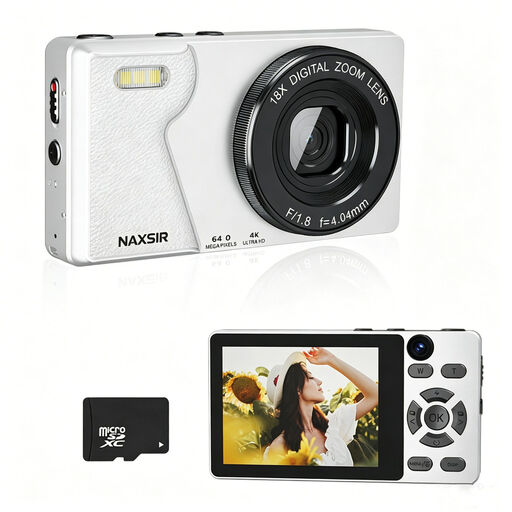
NAXSIR 4K camera, 64 MP, 18× digital zoom, 32 GB card
The product title lists autofocus and 18× digital zoom, features you can assess when taking photos with different crops.
The title also mentions 64 MP and a 32 GB memory card; these claims are not an independent assessment of detail or colour.
View at Joybuy
 No image available
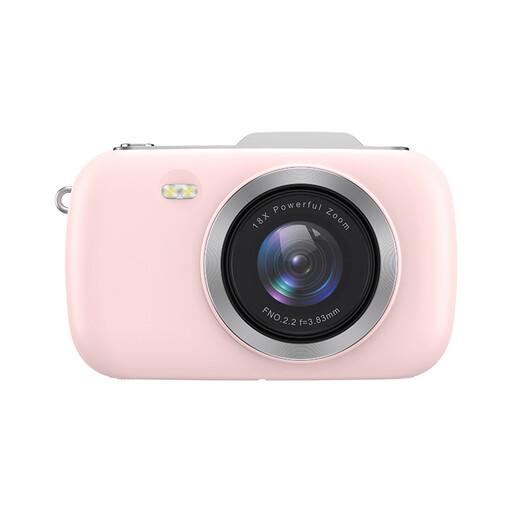
KOMERY G7-A, 4K, 80 MP, 18× zoom, pink
The product title describes a point-and-shoot camera with 18× zoom; take a test shot to check whether the stitches you want to photograph are clearly framed from your working distance.
The title also mentions 80 MP; this alone is not a measure of sharpness or colour reproduction when photographing knitted fabric.
View at Joybuy
 No image available
KOMERY G7 5K, 80 MP, 18× zoom, white
The product title describes a point-and-shoot camera with 18× zoom for taking photos with different crops.
The title also mentions 80 MP; this figure alone doesn’t prove how sharply or accurately stitches are rendered.
View at Joybuy
 No image available
Songdian Pocket Camera 4K, 44 MP, 16× zoom, pink
The product description lists autofocus and 16× digital zoom; take a test shot to see whether the zoom setting suits your working distance.
The product title mentions 44 MP. This is not an independent measure of how much detail it captures in knitted stitches.
View at Joybuy
 No image available
Sony ZV-E10 with 16–50 mm power zoom lens, black
This version is a mirrorless camera with a 16–50 mm power zoom lens, not the same type of camera as a compact model with a fixed lens.
The kit description also lists manual focusing; check that the lens and available space suit your working distance.
View at Joybuy
Frequently asked questions
Should I place the camera as close as possible to the stitches when photographing scarves?
No. Check the focusing distance at the zoom setting you want to use, and leave enough room to light the fabric. For the models reviewed, the stated minimum distance differs between the wide-angle and telephoto ends.
How can I take similar photos across different sessions?
A stable camera position helps you recreate the same framing and background. Canon Netherlands recommends using a tripod for consistent framing; Nikon Netherlands advises keeping the lighting as consistent as possible and checking the white balance again if the lighting changes.
What cooling-off period and warranty apply to a camera bought online?
For a qualifying Dutch consumer purchase made online, there is generally a 14-day cooling-off period starting the day after delivery, according to Business.gov.nl. Your legal rights if a product doesn’t meet the contract are separate from any commercial manufacturer’s warranty. Also check whether you’re buying as a consumer or a business; consumer rules don’t necessarily apply to business purchases.
Can I take identifiable photos of colleagues for an online shop?
If identifiable people appear in photos taken and published for professional or commercial purposes, the Dutch Data Protection Authority says there must be a lawful basis under the GDPR. Where possible, photograph the scarf on its own. If colleagues are identifiable in the image, establish the lawful basis before taking and publishing the photo. Consent is one possible lawful basis, but it isn’t automatically the only one.


