
Photographing the whole bridge
You want to frame the bridge, sky and reflection together from a single viewpoint. The Consumentenbond recommends considering what you want to photograph and how you want to set up the camera when choosing one.


Start by finding a field of view that captures both the bridge and its reflection from your chosen viewpoint. Then compare the exposure controls and how much flexibility you need to reframe the shot. A zoom makes it easier to vary your composition, while a fixed lens means choosing a suitable viewpoint. A polarising filter can reduce reflections on water, so check the effect before using one.
You want to frame the bridge, sky and reflection together from a single viewpoint. The Consumentenbond recommends considering what you want to photograph and how you want to set up the camera when choosing one.
You want to expose the dark silhouette against a bright sky yourself, and you’ll need a stable setup for longer exposures. A tripod and self-timer can help reduce camera movement when you press the shutter.
You want a camera that’s easy to carry and lets you change your viewpoint. With a fixed lens, it’s worth checking in advance whether you can achieve your desired composition from the available spots. The Consumentenbond describes compact cameras as generally small and lightweight.
Choose this option if: you want to reframe the bridge and water from a fixed spot on the riverbank. Canon lists a 24–100 mm equivalent zoom range, manual focus and exposure compensation for the PowerShot G7 X Mark III.
Bear in mind: the stated field of view and the built-in 3-stop ND filter. The filter reduces the amount of light, but it doesn’t enhance the reflection.
Choose this option if: you can move around and the fixed field of view suits your composition. Ricoh lists a 28 mm equivalent lens and manual exposure for the GR IV.
Bear in mind: you can’t zoom in or out optically with a fixed lens, so you’ll need to adjust your distance from the subject.
Choose this option if: you want to capture both a wide view and distant details from the same spot. Sony lists a 24–200 mm equivalent range for the RX100 VII.
Bear in mind: Sony states that the maximum aperture changes from f/2.8 at the wide-angle end to f/4.5 at the telephoto end. Sony doesn’t specify a built-in ND filter for this model.
Choose this option if: the fixed 35 mm equivalent field of view suits your viewpoint and you want manual exposure. Fujifilm lists a built-in 4-stop ND filter for the X100VI.
Bear in mind: a fixed field of view gives you less flexibility to adjust your composition using zoom.
| What to consider | What should you check? | Who should pay extra attention? |
|---|---|---|
| Framing the bridge and reflection together | Compare the field of view in 35 mm equivalent and check that both the bridge and water fit in the frame from your intended spot on the riverbank. | If I want to capture the whole bridge and its reflection from one spot, I pay particular attention to the wide-angle setting. Around 36% of consumers put composition first. |
| Exposure in backlit conditions or at dusk | Check whether the camera offers exposure compensation or manual exposure, and whether you can use a stable setup. | If I want to control the contrast between a bright sky and a dark bridge, the controls and a stable camera are important. Around 29% of consumers prioritise exposure control. |
| Keeping the reflection visible | View the image without a filter and compare test shots. Also check that any filter you’re considering is compatible with the camera model. | If the reflection is my subject, I want to avoid accidentally weakening it with a filter. Around 21% of consumers want to preserve the reflection. |
| Taking your camera with you easily | Compare dimensions and weight, and consider whether a fixed lens or zoom will suit the viewpoints you want to try. | If I want to find a composition along different riverbanks, how easy the camera is to carry matters. Around 14% of consumers prioritise portability. |
A polarising filter can actually reduce reflections on water, making the reflection you want to photograph less visible.
First decide whether you want to reduce glare or preserve the reflection. Check that the filter fits your exact camera model, then compare the image with and without it.
A polarising filter and any suitable attachment are extra accessories to carry.
An ND filter reduces the amount of light to allow a longer exposure; a polarising filter can alter reflections. A longer shutter speed can also change how moving water looks.
Choose a filter based on the effect you want and compare test shots before composing your final image.
The wide-angle setting matters too if you want to capture the whole bridge silhouette and its reflection. On some zoom cameras, the maximum aperture changes as you zoom in.
First compare the field of view in 35 mm equivalent, then check which range and aperture suit the details you want to capture.
The PowerShot G7 X Mark III is worth considering if you want a compact zoom to adjust your composition.
The GR IV is worth considering if you’re looking for a compact camera with a fixed 28 mm equivalent wide-angle lens.
The RX100 VII is worth considering if you want to frame both a wide bridge scene and distant details with one camera.
The X100VI is worth considering if its fixed 35 mm equivalent field of view suits your composition and you’re looking for a built-in ND filter.
These Joybuy picks are digital cameras listed with a zoom function. Before choosing, compare the actual framing and controls with your viewpoint.
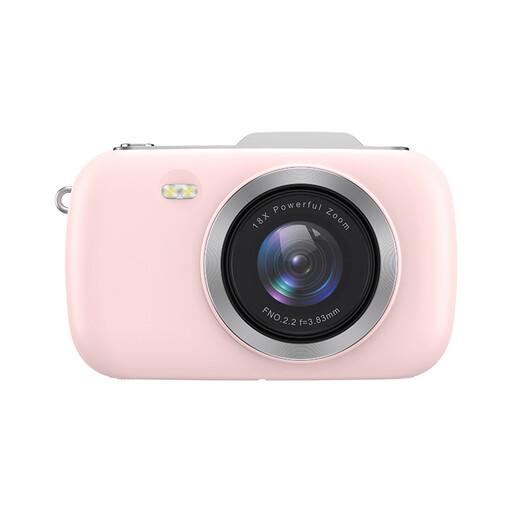 No image available
The listed zoom may be useful if you want to adjust the framing; check what range you’ll need from the bridge.
The product listing mentions 4K, 80 MP and 18× zoom.
 No image available
The listed zoom may be useful if you want to vary the composition; check that the stated field of view suits your viewpoint.
The product listing mentions 5K, 80 MP and 18× zoom. An SD card is not included.
 No image available
The listed optical zoom may be useful if you want to adjust the framing from one spot; check that the range suits your scene.
The product name mentions 4K, 64 MP, 12× optical zoom and Wi-Fi.
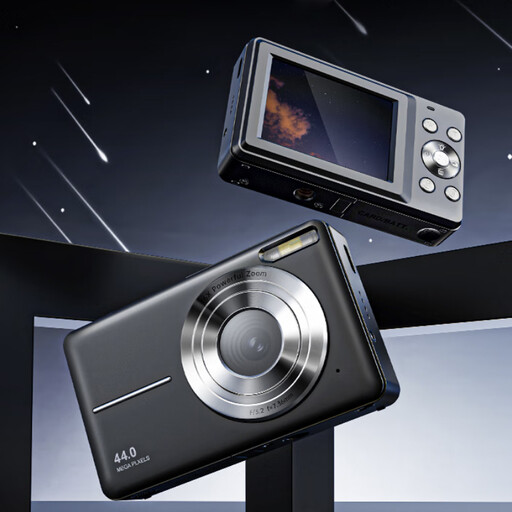 No image available
The listed zoom may be useful if you want to adjust the framing; check what composition you’ll need from your chosen riverbank.
The product name mentions 4K, 44 MP and 16× zoom.
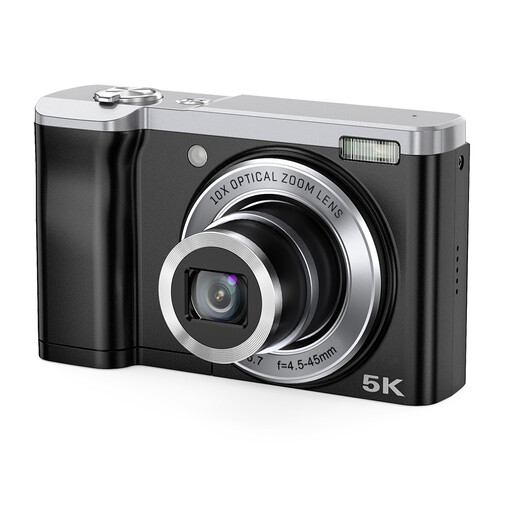 No image available
The listed optical zoom may be useful if you want to vary your composition; check that the range suits your viewpoint.
The product name mentions 5K, 56 MP, 10× optical zoom and a front and rear camera.
Set the camera on a stable surface and, if necessary, use a self-timer or remote control. Nikon recommends a sturdy tripod and a self-timer or remote control to reduce movement caused by pressing the shutter. Use test shots to see how the longer shutter speed renders the water.
Not necessarily: a polarising filter can actually reduce reflections on water. If the reflection is your subject, compare shots with and without the filter, and first check that it fits your exact camera model.
According to ACM ConsuWijzer, the seller is responsible for the statutory guarantee if a product doesn’t meet what you could reasonably expect from it when used normally. A manufacturer’s warranty doesn’t replace this statutory right.
Not necessarily. According to the Dutch Data Protection Authority, identifiable people are personal data. The exception for personal or household use doesn’t apply when you share photos more widely, for example by posting them publicly online. The assessment depends on how the photo is used and the circumstances.