What should you look for?
Start with your working distance and the image you want to create: first test a shot of the whole book, then photograph the smallest details you want to show.
| What to consider |
What to look for when buying |
Who should pay extra attention? |
| Colour and lighting |
Test the white balance and exposure under the lighting you’ll actually use; check whether you can set up the camera in a fixed position. |
When I photograph a series of books, I want paper and covers to look consistent under the same lighting. Around 33% of consumers prioritise colour and lighting. |
| Small signs of wear |
Compare the focusing distance at the mode and zoom setting you want to use; take a test crop of a relevant detail. |
If I want to show wear, a stamp or the texture of the paper separately, the detail needs to be sharp and clear in the frame. Around 25% of consumers prioritise capturing small details like these. |
| Framing the whole book |
Measure the available distance between the camera and the book, then test with the largest book and some space around it. |
In a small photography space, I want to photograph the whole book without moving the camera further away. Around 25% of consumers focus mainly on framing an entire book. |
| Repeating a series of shots |
Check whether your camera can be positioned steadily and whether your current smartphone already takes usable test shots. |
When I photograph lots of books one after another, I don’t want to have to work out my setup from scratch each time. Around 17% of consumers prioritise a workflow that’s easy to repeat. |
A zoom range alone doesn’t tell you how large and sharp a mark of damage will appear in the frame. Canon lists a 24–100 mm equivalent focal length range for the PowerShot G7 X Mark III; also test whether you can get the crop you want in focus from your working distance.
Products on Joybuy
The products below include pocket gimbal cameras and a Sony mirrorless camera. Check that the camera format and specific model suit your fixed book photography setup.
 No image available
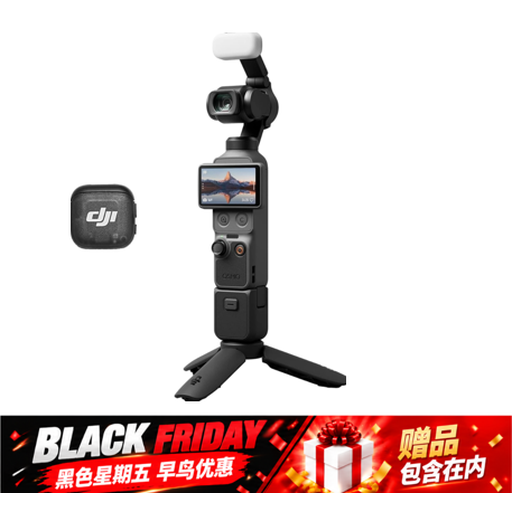
DJI Osmo Pocket 4 Standard Combo
The rotating screen may be useful if you’re framing shots in a small workspace.
The product name lists a 1-inch CMOS sensor, 2× lossless zoom and a rotating 2-inch screen.
Joybuy
 No image available
Osmo Pocket 4 Creator Combo
The listed threaded handle may be useful if you want to attach the camera to a suitable support.
The product name lists a 1-inch CMOS sensor, 2× lossless zoom and a handle with a 1/4-inch thread.
Joybuy
 No image available
DJI Osmo Pocket 3 Creator Combo
The product information mentions tripod mounting, which may be useful for repeatable framing.
The product name lists a 1-inch CMOS sensor and a rotating screen.
Joybuy
 No image available
Sony ZV-E10 + 16-50mm Zoom Black
If you’re considering a mirrorless camera instead of a compact model, this version comes with a 16–50mm zoom lens.
This is a mirrorless camera with an E-mount kit lens, not a compact camera.
Joybuy
Frequently asked questions
How can I take a consistent series of photos of different books?
Start with a simple background and keep your camera and lighting setup fixed. Check the white balance again if the lighting changes; a tripod can help keep the framing and background consistent.
Does a focusing distance of 1 cm mean I can also take a good photo of a whole book?
No. The 1 cm distance in the TG-7 manual applies to microscope mode. For a full cover, check the framing separately at your working distance and leave enough room for lighting.
What additional accessories and warranty terms should I check?
Before buying, check which battery, charger, memory card and any support you’ll need for your workflow. In the Netherlands, statutory rights are separate from any manufacturer’s warranty: if a product is faulty, the retailer is your point of contact, and there is no fixed statutory warranty period, according to the Dutch government.
What should I consider if people are recognisable in my portfolio photos?
According to the Dutch Data Protection Authority, photos in which people can be identified are personal data. For public or commercial use, you can’t automatically rely on the exception for purely personal or household use; you’ll need an applicable legal basis under the GDPR.


