What should you consider when choosing?
Windows laptop
A good fit if: your chosen design software requires Windows, or you want to use Windows settings to enlarge text and on-screen elements.
Consider: check the software requirements and the laptop’s design. A larger screen isn’t necessarily anti-glare or easier to carry around.
Chromebook
A good fit if: all the steps you need can be carried out using browser-based services. ChromeOS includes zoom and screen magnification features.
Consider: don’t assume that a required Windows or Mac app will be supported. Check the browser-based service and the update schedule for the exact model.
MacBook
A good fit if: your chosen software runs on macOS and you want to use the Mac’s zoom features.
Consider: check the configuration and whether it can connect to your existing peripherals. You’ll need to test the published noticeboard separately with enlarged text.
When creating a digital community noticeboard, one of these considerations may matter more than the others. The percentages give a general indication of their priority.
| Consideration |
What to look for |
Who should give this extra thought? |
| Readability |
Try the zoom features in the operating system and browser. Separately test the published page with text at 200% to check that no content or functionality is lost. |
I want to zoom in while designing and check that the published version retains its content and controls. Around 36% of consumers put readability first. |
| Software compatibility |
Check that the services and programmes you need work with the operating system on the exact model. |
If my chosen design tool only works on certain systems, I want to know before I buy. Around 29% of consumers put software compatibility first. |
| Workspace and connections |
Compare screen sizes and check that the video output is compatible with your existing monitor. |
I mainly work in one place and want enough room for the editor and a monitor, if needed. Around 21% of consumers put workspace first. |
| Portability |
Compare the size and weight of the exact model, and try the editor at the zoom level you actually use. |
I work in different locations and want a laptop that suits my needs without giving up more screen space than necessary. Around 14% of consumers put portability first. |
Laptops at Joybuy
This Joybuy selection includes Windows laptops and a MacBook for creating and checking a digital community noticeboard. Before you buy, check that your software works on the chosen system and try the zoom settings in the editor.
 No image available
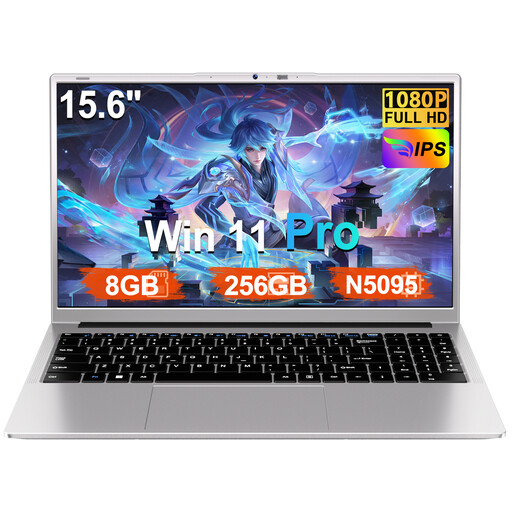
Ruzava 15.6-inch laptop, N5095, 8 GB RAM, 256 GB SSD
Could suit you if your workflow runs on Windows and you want to view the editor on a 15.6-inch screen.
Windows 11 Pro; 15.6-inch FHD screen; 8 GB RAM; 256 GB SSD, expandable to 1 TB.
View at Joybuy
 No image available
HP OmniBook Ultra Next Gen AI 16-bk0004nd
Could suit you if you use Windows software and value workspace on the built-in screen.
Windows 11 Pro; 16-inch 3K OLED touchscreen, 120 Hz; 128 GB RAM; 2 TB SSD.
View at Joybuy
 No image available
MSI Venture 16 AI A2HMG-068NL
Could suit you if you use Windows and want an anti-glare screen for working in one place.
Windows 11 Pro; 16-inch 1920 × 1200 screen with anti-reflective finish; 32 GB DDR5 RAM; 512 GB PCIe 4.0 SSD. According to the product description, this configuration is supplied without a power adapter.
View at Joybuy
 No image available
Apple MacBook Air 15-inch M5, 16 GB, 512 GB, Starlight
Could suit you if your chosen software works on macOS and you want a 15-inch screen to view the editor.
15-inch M5 model; 16 GB memory; 512 GB storage; QWERTY keyboard. According to the product details, no power adapter is included.
View at Joybuy
 No image available
Microsoft Surface Laptop 7, 13.8-inch, Snapdragon X Plus
Could suit you if you use Windows and want to take your laptop with you between different locations.
Windows 11 Pro; 13.8-inch touchscreen, 2304 × 1536; 16 GB memory; 512 GB storage; weight 1.34 kg.
View at Joybuy
Frequently asked questions
Does a large laptop screen automatically make text on the published noticeboard accessible?
No. Your screen helps you edit, but you need to test the published page separately. The W3C text enlargement criterion covers zooming up to 200% without loss of content or functionality. This isn’t automatically a legal requirement for every privately run community noticeboard.
How do you adjust magnification while creating your noticeboard?
Windows has settings for enlarging text and on-screen elements, as well as Magnifier. On a Chromebook, you can zoom in on a page or magnify the screen; on a Mac, you’ll find zoom options under Accessibility. Try the setting in your own editor, not just on a sample page.
Does a community noticeboard in the Netherlands have to meet the accessibility requirements for government websites?
Not simply because it’s a community noticeboard. According to DigiToegankelijk, the Government Digital Accessibility Decree applies to government bodies and the partnerships covered by that decree. Whether a particular organisation falls within its scope or is subject to other applicable rules depends on its role and services.
Can you publish the names or identifiable photos of local residents?
First, check which privacy rules apply. The Dutch Data Protection Authority says that information about other people may, in principle, only be published on an organisation’s website with their consent. An organisation also needs a lawful basis under the GDPR to take and publish identifiable photos. Before publishing, decide which information is necessary and which lawful basis applies.
What returns and warranty rights apply when you buy a laptop?
For many applicable online distance sales from a business, you have 14 days to change your mind. In the Netherlands, products are also covered by a statutory guarantee, with no fixed legal guarantee period. If something is faulty, contact the seller. Check the terms for your specific purchase, especially if an organisation rather than an individual consumer is buying.
What should you check when maintaining a Chromebook?
Check the update schedule for the exact Chromebook model. Google describes a policy of ten years of automatic updates; for your decision, check the end date for the specific model.


