First, measure the distance to the screen and check how much light falls on it during the screening. Then choose a projector with a throw distance, stated brightness and connections that suit your hall. In a bright room, brightness and light control deserve extra attention. In a room that can be darkened, placement, sound and maintenance also come into play. Without testing it first, you can’t assume that a built-in speaker will be loud enough for the whole group.
Who is this buying guide for?
A club with a bright community hall
You’re organising a film screening in a room that can’t be darkened properly, and you want to avoid the picture being washed out by ambient light. BenQ Netherlands points out that projectors perform better in a dark environment.
A club with limited space for setting up
You know where the screen can go, but want to check whether the projector can produce the picture size you need from the available distance. BenQ Netherlands and Acer Netherlands publish throw ratios that you can compare with the dimensions of your hall.
A club that wants speech to be easy to hear
You’re screening a film for a group and want to check in advance that the film source, projector and any external speakers will work together. BenQ Netherlands and Acer Netherlands list built-in speakers and audio connections, but the setup still needs to suit your hall.
What should you look for when buying?
First, measure the screen width and the distance to the projector. Then assess the light in the hall and check how you’ll connect the film source and sound.
| What to consider |
What should you check? |
Who is this important for? |
| A visible picture in a lit hall |
Check how much light falls on the screen during the screening and compare stated brightness figures on a like-for-like basis. Darkening the room is still part of the setup. |
If your hall can’t be darkened properly, you’ll want the picture to remain visible despite ambient light. Around 36% of consumers prioritise picture visibility in a lit hall. |
| Screen size and placement |
Measure the distance from the projector to the screen and the screen width, then compare these with the throw ratio of the exact model. |
If the projector needs to stay in a fixed position, you’ll want to know in advance whether that distance will give you the picture width you need. For around 29% of consumers, finding a suitable position is their main purchasing concern. |
| Speech and source connections |
Check the outputs on the film source, the inputs on the projector and the connection to any external speakers. Listen from different seats before the screening. |
If everyone in the group needs to follow the film, you’ll want both a working source connection and clear sound. Around 21% of consumers put this combination at the top of their list. |
| Use and portability |
Compare the weight, light source and stated lifespan for each usage mode. Also consider how often the club will use the projector. |
If volunteers will be carrying the projector or the club will use it regularly, ease of handling and maintenance matter too. For around 14% of consumers, these are their main purchasing concerns. |
Common pitfalls
-
Comparing lumen figures alone
A manufacturer’s stated figure doesn’t tell you how the film will look on your screen under the actual lighting conditions in your hall.
Start by assessing the light on the screen and the picture size you need. Then compare the specifications of the exact models.
-
Ordering a projector before measuring the screen position
The throw ratio limits the picture width you can achieve from the available distance.
Measure the screen width and the setup distance, then compare both with the model specifications. If they don’t match, you may need a different setup or screen.
-
Treating a group screening like watching a film at home
Owning a film or having permission to use it privately doesn’t automatically mean you can screen it in public.
Before the screening, establish who owns the film rights and what permission you need for your planned use.
Brands compared
Epson
The Epson EB-FH54 is a Full HD 3LCD option to compare if you’re looking for a portable projector for a hall setup.
- Epson Netherlands lists 4.100 lumens, a built-in 16 W speaker, wireless sharing options and a lamp life of 12.000 hours in Eco mode.
- These manufacturer figures are not an independent assessment of film picture quality or sound in a hall. Epson Netherlands lists the EB-FH52 as discontinued.
Acer
The Acer H6542 is a Full HD DLP model to compare when throw distance and connections matter.
- Acer Netherlands specifies 4.000 ANSI lumens in Standard mode, a throw ratio of 1,49–1,64, two HDMI inputs, an audio output and a built-in 3 W speaker.
- Check that the listed connections and built-in speaker suit your setup; the specifications are not the result of a user test.
BenQ
The BenQ TH585P is a Full HD DLP option to compare if you’re also considering an external sound setup.
- BenQ Netherlands lists 3.500 ANSI lumens, a throw ratio of 1,5–1,65, two HDMI inputs, a 10 W speaker and a 3,5 mm audio output.
- The stated speaker power doesn’t prove that the film will be easy to hear at the back of the hall.
Optoma
The Optoma HD30LV is another Full HD lamp projector to compare for its stated brightness and available throw distance.
- Optoma Europe specifies 4.500 lumens and a throw ratio of 1,5–1,66:1.
- The product specifications list one HDMI input. Check the connections on the version being offered.
Projectors at Joybuy
These models are options to compare for Full HD film screenings in a community hall, with setup, connections and sound in mind.
 No image available
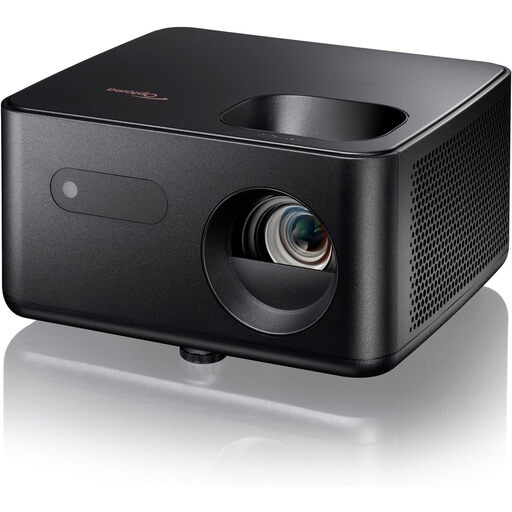
Optoma Photon Life PK31
An option to compare if you’re looking for a Full HD projector with HDMI and built-in sound.
Full HD 1080p; stated brightness 1.500 lumens; throw ratio 1,5:1–1,65:1; LED light source with a stated lifespan of 30.000 hours; automatic vertical keystone correction; built-in 5 W speaker.
View at Joybuy
 No image available
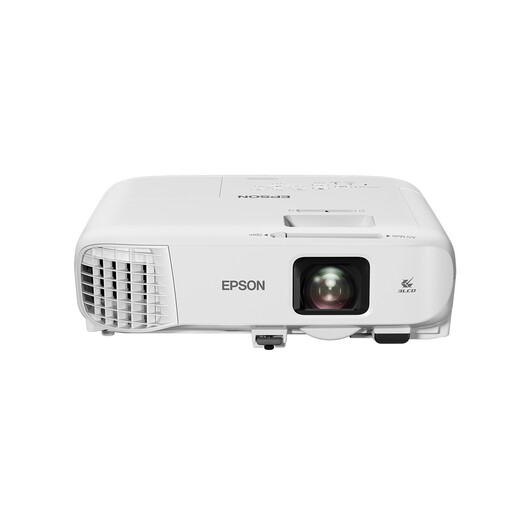
Epson EB-992F
An option to compare if you want to factor Full HD, HDMI connections and a built-in speaker into your hall setup.
Full HD 1080p; 4.000 ANSI lumens; throw ratio 1,32–2,14:1; 1,6× optical zoom; stated lamp life of up to 17.000 hours in Eco mode; two HDMI ports and a built-in 16 W speaker.
View at Joybuy
 No image available
Dangbei Atom
An option to compare if you’re looking for Full HD, HDMI and built-in speakers in one setup.
Full HD 1080p; stated brightness 1.200 ISO lumens; throw ratio 1,2:1; ALPD laser light source with a stated lifespan of 30.000 hours; autofocus and automatic keystone correction; HDMI; two built-in 5 W speakers.
View at Joybuy
 No image available
Yaber K2s
An option to compare for Full HD film screenings with built-in speakers and automatic picture adjustment.
Native 1080p; HDMI compatibility; autofocus and keystone correction; two built-in 10 W JBL speakers with Dolby Audio. The projector is not waterproof; protect it from rain, dew and high humidity.
View at Joybuy
 No image available
Magcubic HY350Max
An option to compare if you want to factor native Full HD and a 1:1 throw ratio into your setup.
Native 1080p Full HD; 900 ANSI lumens; throw ratio 1:1; autofocus and automatic keystone correction; built-in 15 W speaker. Keep the device away from water and moisture, and leave the ventilation openings unobstructed.
View at Joybuy
Frequently asked questions
How can you tell whether a projector will produce a large enough picture from the available position?
Before buying, measure the screen width and the distance between the projector and the screen, then compare these with the throw ratio of the exact model. An image correction feature doesn’t replace checking the distance.
Can you rely on the built-in speaker?
Test the sound in your own hall first. Acer Netherlands and BenQ Netherlands also list an audio output for the models mentioned; play a clip from your film source and listen from the back row.
What maintenance and warranty questions should the club consider?
For a lamp model, compare the stated lifespan in the same usage mode and ask about replacement options. The Government of the Netherlands provides information about the statutory guarantee for consumers. Before buying, establish whether the club is buying as an organisation or whether an individual is buying, as consumer guidance doesn’t automatically determine what protection applies to a purchase by an association.
Can the community club screen a copyright-protected film without permission?
Don’t assume that a home copy or a purchased film gives you permission to screen it outside private use. Check who owns the rights to the film and arrange permission for the planned screening where necessary. FilmService describes licences for films it manages on behalf of rights holders; whether that applies to your film depends on the rights.
Can the community club put the film title on a public poster?
That depends on the rights and the permission arranged for the screening. According to FilmService’s rules, titles covered by its Standard Licence must not be advertised publicly; under its Plus Licence, they may be advertised once approval has been granted. These conditions don’t automatically apply to every film or licence.


