Start with the furthest viewing distance and the width of the seating arrangement. Then assess reflections, speech clarity and whether your recording can be played using the equipment you’ve chosen. For wide seating layouts, OLED may be worth comparing: according to the Consumentenbond, OLED TVs generally have a wider viewing angle, but screen technology alone won’t tell you whether a particular model will work well in your room. Test the sound and playback setup with the recording itself, and check screening rights separately from your choice of TV.
Who is this buying guide for?
Organisers with seats at the back
Want people at the back to be able to see the actors and any subtitles. Measure the furthest viewing distance before choosing a screen size; the Consumentenbond suggests around 2.4 times the screen’s diagonal as a starting point.
Clubs with wide seating layouts
Have viewers to the left and right of the screen, so you’ll also need to assess the picture from seats at an angle. The Consumentenbond lists viewing angle as something to consider when choosing a TV.
Organisers of dialogue-heavy screenings
Prioritise clear speech and reliable playback over extra picture features. Test the recording with the equipment you plan to use before the event.
What should you consider when choosing?
| What to consider |
What should you check? |
Who is it most important for? |
| Screen size for viewers at the back |
Measure the furthest viewing distance and the available screen width. The Consumentenbond suggests around 2.4 times the screen’s diagonal as a starting point, not a fixed rule for every room. |
People at the back need to follow the actors and subtitles without relying on the front row. Around 29% of consumers prioritise visibility from the back. |
| Picture from side seats |
View the specific model from the seats at either end; compare the viewing angle rather than looking only at the screen technology. |
With a wide seating layout, you’ll want a clear, usable picture from seats at an angle too. Around 23% of consumers prioritise a good picture from the side. |
| Light and reflections |
Check for reflections and assess visibility under the lighting that will remain on during the screening. |
If it’s difficult to darken the room, you’ll want to minimise the impact of incoming light on the picture. Around 18% of consumers prioritise visibility in a bright room. |
| Clear dialogue |
Listen to your own recording from the back row. Check the connections if you plan to use external speakers. |
For a dialogue-heavy screening, you’ll want people at the back to hear the speech clearly without having to keep adjusting the volume. Around 18% of consumers prioritise speech clarity. |
| Playing the recording |
Decide whether you’ll use a laptop, media player or USB storage, and test the file with sound using the setup you’ve chosen. |
If you want to play an existing recording easily, check in advance that the file and equipment work together. Around 12% of consumers prioritise the playback setup. |
Pitfalls to avoid
-
Choosing a screen size based on the front row
A screen that looks big enough from the front may seem smaller from the back row. The furthest viewing distance and the space available both help determine the right size.
Measure the distance from the back row and check that the screen will fit where you plan to put it.
-
Assuming screen technology guarantees a good picture for groups
OLED, QLED and Mini-LED alone don’t tell you how a specific model performs from side seats or in incoming light.
Compare specific models from the seats at either end and under the lighting you’ll use during the screening.
-
Testing the TV but not your own recording
A TV that works doesn’t guarantee that your file and chosen player will play both picture and sound. You may also need an additional player, cable or sound system.
Test a scene from the recording with the equipment you plan to use, and listen from the back row.
-
Assuming a club screening counts as private home use
The Dutch Government distinguishes between making a copy for your own use and distributing or making protected material available to the public. A private copy does not automatically give you permission to screen it at a club.
Check the rights for the specific recording separately before announcing the screening.
Brands to compare
LG
The Dutch TV comparison site lists the 65-inch LG 65QNED93B6A among its LCD LED models.
- This model gives you an LCD option to compare with OLED models and other screen sizes.
- The model listing doesn’t assess viewing angle, reflections or speech clarity in your club room.
Philips
The Philips 55OLED761/12 is a 55-inch OLED option to consider if this size suits your seating layout.
- Philips lists 4K OLED and 120 Hz for this model.
- The manufacturer’s description doesn’t prove that dialogue will be clear at the back; test the sound with your own recording.
Hisense
The Dutch TV comparison site lists 65-inch and 75-inch LCD LED models, which may be worth considering if the back row calls for a larger screen.
- These sizes give you specific options to compare with your viewing distance.
- The model listings don’t provide an assessment of viewing angle, reflections or dialogue clarity.
Samsung
The Samsung S90H range includes a 55-inch OLED model to compare if that size suits your room.
- Samsung lists the ‘Glare Free’ feature for QE55S90HAEXXN.
- This is a manufacturer’s claim; assess the screen for yourself under your club’s lighting.
TVs on Joybuy for this viewing setup
This selection includes LCD TV options, including QLED and Mini-LED models, to compare with your viewing distance and the external equipment you want to connect.
 No image available
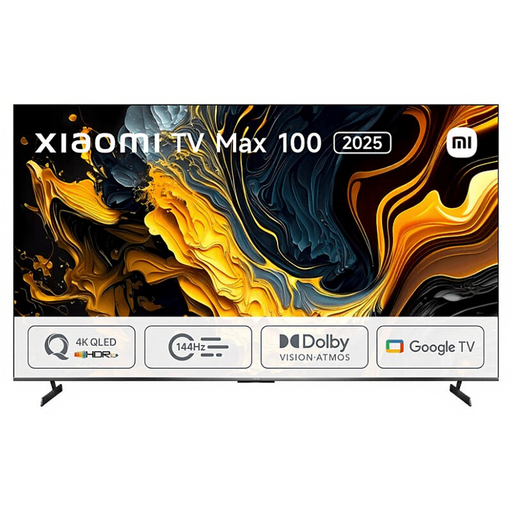
Xiaomi TV Max 2025 100 NGZEU1N
The 100-inch size is a specific option to compare with the distance to the back row and the space available.
View on Joybuy
 No image available
METZ 86MQE8000Z 86-inch QLED Google TV
The 86-inch size is an option to weigh up against the furthest viewing distance and the space available.
Specifications: 86 inches, QLED, 4K, HDMI 2.1 and a 2.1.2 sound system.
View on Joybuy
 No image available
TCL 75T8D 75-inch QLED TV
The 75-inch size gives you an option to compare with the distance to the back row and the space available.
Specifications: 75 inches, QLED, QD-Mini LED dimming, 4K and Google TV.
View on Joybuy
 No image available
TCL 75Q7C 75-inch 4K Mini-LED TV
The 75-inch size is an option to compare with the furthest viewing distance and where you plan to position the TV.
Specifications: 75 inches, 4K, Mini-LED, 144 Hz and Smart TV.
View on Joybuy
 No image available
Hisense 75E8Q 75-inch 4K Mini-LED TV
The 75-inch size is a specific option to weigh up against the viewing distance from the back row and the space available.
Specifications: 75 inches, 4K, Mini-LED and VIDAA.
View on Joybuy
Frequently asked questions
How do you choose a suitable screen size for your club?
Measure from the planned screen position to the back row. The Consumentenbond suggests a viewing distance of around 2.4 times the screen’s diagonal as a starting point; also compare screen sizes with your actual seating layout.
Does a USB connection guarantee that the recording will play?
No, a USB connection doesn’t guarantee that the file will play on the TV. It depends on the file and the equipment you’re using. Test the picture and sound with the recording itself, and check that the connections are compatible if you’re using an external player.
How can you test the sound before the club meets?
Play a dialogue-heavy scene from your own recording in the planned setup and listen from the back row. Check how clear the speech is, and make sure the connections are suitable if you need external speakers.
Can a community club screen a recording of a performance without permission?
Don’t assume that a private copy gives you permission to screen it at a club. The Dutch Government distinguishes between a copy for personal use and making protected material available to the public. Check the rights for this specific recording with the rights holders before announcing the screening.
What warranty applies if the association buys the TV?
This depends in part on who is legally making the purchase. Guidance from the Netherlands Authority for Consumers and Markets covers sales to consumers and doesn’t automatically determine which consumer rights apply when an association makes the purchase in its own name. Before buying, make sure it’s clear who the buyer is and which terms apply.


