Who is this choice relevant to?

Organisers with viewers spread around the room

You want people sitting at the sides to be able to follow photos and captions. So, assess the viewing angle from the seats furthest from the centre. The Consumentenbond highlights viewing angle as a factor to consider when comparing TVs.

Organisers with viewers at the back

Choose the screen size and position to suit the distance from the back row, not just the seats at the front. The Consumentenbond suggests around 2.4 times the screen diagonal as a comfortable viewing distance for regular TV viewing. Use this as a starting point, not a guarantee that archive captions will be readable.

People managing an always-on archive screen

If archive images stay on screen for a long time or files are changed, both the playback method and the duration of still images matter. The Consumentenbond reported temporary image retention in an older OLED test under prolonged, unusual use. That test does not establish a safe display time for current models.

What should you look for when buying?

OLED TV

Suitable for: a group with viewers sitting at an angle to the screen, and a presentation that alternates between photos and videos. The Consumentenbond says OLED TVs generally have a wider viewing angle.

Keep in mind: image retention is worth considering if slides stay almost unchanged on screen for a long time. Also assess reflections in the room where the TV will be used.

LCD TV, including QLED and mini-LED

Suitable for: a bright room or a presentation where images stay on screen for a long time. According to the Consumentenbond, LCD TVs can often be bright.

Keep in mind: compare the viewing angle of the specific TV from the outer seats. QLED and mini-LED are types of LCD and do not, by themselves, guarantee a wide viewing angle.

What to consider What should you check? Who is this important for?
Viewing angle for a group View the same light and dark archive image from directly in front and from the furthest seats. If I want visitors to be able to assess photos and captions from seats away from the centre, I look at the image from where they will be sitting. Around 30% of consumers prioritise visibility from the sides.
Screen size and readability from the back Measure the distance from the back row and the available space; try viewing a photo with a small caption from there. When visitors at the back need to see faces or text, I choose a size to suit the viewing distance and layout. Around 30% of consumers give readability from the back row their highest priority.
Playing your own archive files Test representative photos and videos, and check that the input method, file formats and connections you want to use are supported by the exact model. If I want to show existing files without the presentation freezing, I test them using the phone, storage device or computer I plan to use. Around 20% of consumers prioritise being able to play their own archive files.
Extended display and ambient light Assess daylight and reflections at the venue, and decide how long images will stay almost unchanged on screen. For a bright room or an ongoing presentation, I weigh the conditions against the screen technology I choose. Around 20% of consumers make extended display or ambient light their main consideration.

Common buying mistakes

  • Assessing picture quality only from directly in front of the TV

    Visitors sitting at the sides view the screen from a different angle and may be more affected by reflections.

    View a representative archive photo from the furthest planned seats, using lighting similar to what you expect during the presentation.

  • Expecting a 4K TV to make old footage sharper automatically

    The screen resolution cannot add detail that is not in the original file.

    Test a few old or low-resolution files at the screen size you plan to use, paying particular attention to faces and captions.

  • Treating a static archive slide like changing TV footage

    Prolonged display of still images is a usage scenario where image retention is worth considering with OLED. The Consumentenbond’s older test does not give a fixed safe display time for current models.

    Decide how long each image will stay on screen, compare screen technologies for that type of use, and consult the manual for your chosen model.

Brands to compare

Philips

The Dutch models mentioned include both LCD-LED and OLED options, so you can compare the two screen technologies.

  • Philips describes Moments on the 65PUS8001/12 as a feature for sharing photos directly from a phone.
  • Check that the feature works with your phone and files. The description of off-angle viewing for the 65OLED810/12 is a manufacturer claim, not a measurement of your seating layout.

Samsung

The Samsung QE65S95FATXXN is a 65-inch OLED model to consider when comparing reflections in a group viewing setup.

  • Samsung lists Glare Free as a model feature.
  • This manufacturer claim does not prove that all reflections will disappear in your room. With OLED, also consider the effect of displaying still images for a long time.

Sony

According to Sony, the BRAVIA 8 II series includes OLED TVs with Google TV in 55- and 65-inch sizes.

  • These screen sizes give you a practical starting point for comparing viewing distances from the back row.
  • The product information does not confirm which community archive files can be played directly or how readable captions will be from the back row.

LG

The LG OLED65C68LA is a 65-inch OLED TV that can serve as a comparison model for a wide seating layout.

  • The screen size gives you a concrete figure to compare with the viewing distance and available space.
  • The Dutch product page listed delivery from 9 November 2026; check the latest delivery information. The stated picture benefits are manufacturer claims.

TVs for group viewing

These Joybuy product picks are LCD TVs for group viewing. Compare screen size and positioning, and consider how you will play archive files.

Hisense 65A6S 65-inch 4K UHD TV

Hisense 65A6S 65-inch 4K UHD TV

A 65-inch model to weigh up against the distance from the back row and the space available.

The product information lists a 178° viewing angle and phone casting via AirPlay 2 and Share to TV.

Listed features: Smart TV HomeOS U9.5 and Dolby Vision HDR.

View at Joybuy

TCL 65T8D 65-inch QLED QD-Mini LED TV

TCL 65T8D 65-inch QLED QD-Mini LED TV

A 65-inch option to compare with the distance between the group and the screen.

Listed features: 4K, Google TV and 144 Hz VRR.

The product information lists screen mirroring via Miracast, Google Cast and AirPlay 2. Test these options with your own files and devices.

View at Joybuy
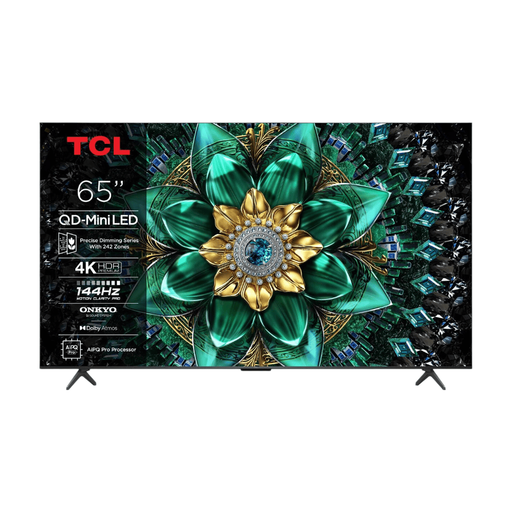
TCL 65Q6C QD-Mini LED TV

TCL 65Q6C QD-Mini LED TV

The listed 65-inch size gives you a starting point for comparing viewing distance and available space for the TV.

Listed features: 4K HDR and 1000 Nits.

View at Joybuy

TCL 75Q7C 75-inch 4K Mini-LED TV

TCL 75Q7C 75-inch 4K Mini-LED TV

The 75-inch screen size can be weighed up against the distance from the back row and the space available.

Listed features: 4K and 144 Hz.

View at Joybuy

Hisense 75E8Q 75-inch 4K Mini-LED TV

Hisense 75E8Q 75-inch 4K Mini-LED TV

The 75-inch size is intended for comparison with the room layout and the distance to viewers at the back.

Listed features: 4K and 144 Hz.

View at Joybuy

Frequently asked questions

How do you choose a TV size for viewers at the back?

Measure the distance from the back row and try viewing an archive photo with a caption from there. The Consumentenbond suggests around 2.4 times the screen diagonal as a comfortable viewing distance for regular TV viewing. Treat this as a starting point, not a guarantee that small archive text will be readable.

Can you show archive photos without a computer?

That depends on the TV model, your phone or storage device, and the files. For the 65PUS8001/12, Philips lists Moments for sharing photos from a phone. Test your preferred method with your own material, and check which inputs and files are supported on other models.

What should you consider if an archive slide stays on screen for a long time?

With an OLED TV, it is worth considering the effect of displaying a still image for a long time. Where possible, alternate the images and consult the model’s manual. In an older test, the Consumentenbond reported temporary image retention after prolonged, unusual use, but the test does not set a safe time limit for a current TV.

Can you show visitors any community photos you find?

Not automatically. The Dutch Government Information Service states that you need permission from the creator to use other people’s copyright-protected photos. Check the rights for each archive item; the general rule does not determine whether every individual old image is still protected.

Is a 4K TV enough to make old footage sharper?

No. The screen resolution cannot add detail that is not in the original file. View a representative old file at the screen size you plan to use, paying particular attention to small faces and captions.
