What should you look for?
Start with the viewing distance and how clearly your own material can be seen. Then check how you will play the files and whether the screen, connections and any other equipment will fit in the available space.
| What to consider |
What should you check? |
Who is this important for? |
| Readability |
Choose a screen size to suit the viewing distance, then check your own photos and captions from the furthest seats. |
If I want visitors to follow images and text from different places, readability matters most to me; around 33% of consumers share this as their main concern. |
| Playing files |
Compare the file systems and codecs supported by the exact model with your own files. Also check whether you can connect an HDMI source. |
If I want to show a range of photos and films without interruption, I check file playback in advance; around 27% of consumers put playback first. |
| Space and set-up |
Measure the TV with its stand and leave room for cables and any source equipment. |
When space is limited, I want the screen and equipment to fit together without compromising visibility; around 20% of consumers have placement as their main concern. |
| Running costs and terms |
Compare the energy label for the exact version and check what additional rights any extended warranty offers. |
If I use the TV regularly or am considering extra cover, I want to factor in energy use and the terms; around 20% of consumers put running costs and terms first. |
TVs for a compact archive set-up
These Joybuy product picks focus on compact TVs for archive images, with screen size, file playback and connections for an external media source in mind.
 No image available
Philips 43PUS8001/12 43-inch 4K TV
A 43-inch 4K version to consider for a compact viewing area.
The product title lists energy label F.
Joybuy
 No image available
Hisense 43A6S 43-inch 4K UHD smart TV
The 43-inch version is an option for a compact space where you want to show archive images.
The title lists 60 Hz, Dolby Vision, VIDAA and Game Mode Plus. The final playback result may depend on codec settings, resolution, bitrate and file container.
Joybuy
 No image available
TCL 43T6C 43-inch 4K QLED smart TV
This 43-inch 4K QLED version may suit you if you are looking for a compact TV with 4K resolution.
The title lists 120 Hz. Check that it has the connections and file playback features you need for your archive set-up.
Joybuy
 No image available
Hisense 43E7S 43-inch 4K UHD QLED smart TV
The 43-inch version is an option for a small viewing area; the title lists three HDMI connections for external equipment.
The title lists 3840 × 2160, HDR10+, VIDAA, 3xHDMI 2.1, Wi-Fi and energy label E.
Joybuy
 No image available
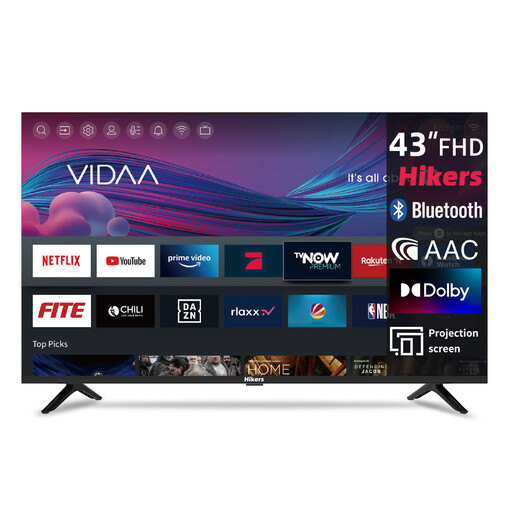
Hikers 43-inch Full HD smart TV
This 43-inch Full HD version is an option if 4K is not essential for your archive set-up.
The title lists Wi-Fi, VIDAA and a triple tuner (DVB-C/S2/T2).
Joybuy
Frequently asked questions
Do I need 4K to show old archive photos?
Not necessarily. A 4K screen cannot add details missing from an old scan; LG says upscaling depends on the source resolution. View your own images and captions from the intended viewing distance.
Can I play my archive directly from a USB stick?
That depends on the exact TV model and the files. For the K-43S3, Sony lists support for FAT16, FAT32 and NTFS, among other things, and specifies individual playback codecs. Compare this information with your own files before relying on USB playback.
What should I consider when setting it up?
Measure the viewing distance and available space, including the stand and cables, and check the picture from the furthest seats. The Consumers’ Association (Consumentenbond) highlights viewing distance, viewing angle and reflections when choosing a TV.
How do I compare energy use and warranty cover?
Compare the EU energy label for the exact version. Without knowing your hours of use and electricity tariff, you cannot use it to work out your personal costs. The Government of the Netherlands explains that there is no fixed statutory warranty period in the Netherlands. If you are considering an extended warranty, check what additional rights its terms offer.
Can I show photos and films from the community archive to visitors?
Not automatically. According to the Government of the Netherlands, a home copy for personal use does not give you permission to make copyrighted material available to the public. Check the rights and terms of use for the specific material; Auteursrechtnl explains that even a private association event generally does not count as a strictly domestic setting.


