For planned archive events and a mix of entertainment, a standard consumer TV may be suitable. First, check the picture from the furthest and outermost seats, consider incoming light and test the actual archive files. The Consumers’ Association highlights viewing angle and reflections, while Sony Netherlands publishes details of supported USB file systems and codecs for each model. For almost continuous display, a professional display is a separate option: PPDS specifies 24/7 operation for the Philips Signage 6000 Series. Also check the rights to the images: according to the Dutch government, permission may be required for copyright-protected material, and Auteursrecht.nl explains the restrictions on showing material outside the home.
Who is this choice for?
Community archive manager
Wants to play photos and older videos without any surprises during an event. Check the files and connections in advance; for example, Sony Netherlands publishes USB file system and playback codec specifications for the K-65XR5.
Shared viewing room organiser
Needs to consider viewing distance, seats to the side and reflections as daylight changes. The Consumers’ Association highlights viewing angle and reflections as factors to consider when choosing a television.
Manager of a continuous presentation
Is looking into a display for extended viewing, alongside the requirements for shared entertainment. PPDS specifies 24/7 operation for the Philips Signage 6000 Series; this feature does not automatically apply to a consumer TV.
What should you look for when choosing?
Standard LCD or Mini LED TV
Best for: planned archive events and a mix of group TV viewing, if you can assess the seating and lighting in the room.
Bear in mind: a USB connection does not guarantee that every archive file will play; Sony Netherlands specifies file systems and codecs for each model.
OLED TV
Best for: a room where film nights and contrast matter, provided you check separately that your archive files are compatible.
Bear in mind: LG describes pixel-controlled black on the OLED55C55LA. This alone says nothing about reflections, prolonged static images or visibility from every seat.
Professional signage display
Best for: consider this option if the presentation needs to run almost continuously. PPDS specifies 24/7 operation for the Philips Signage 6000 Series, including the 65BDL6017P/00.
Bear in mind: also check playback options, sound, mounting and terms of use; the 24/7 specification is not an independent lifespan measurement.
| Consideration |
What should you check? |
Who should pay extra attention? |
| Playing archive files |
List the photo and video formats, test representative files and check the documentation for the exact model. |
If I want to show my own archive photos and videos, I want to know in advance whether the actual files will work. Reliable playback is the top priority for around 31% of consumers. |
| Visibility for the group |
Assess the picture from the furthest and outermost seats, with the lighting that will be on during events. |
If you want everyone to see the picture clearly, including those in the side seats, pay particular attention to viewing angle and reflections. Group visibility is the main concern for around 25% of consumers. |
| Entertainment as well as the archive |
Check that the sources and audio setup you want are compatible with the exact model. |
For film nights in the same room, I want to know whether our chosen sources and sound will work with the setup. A mix of entertainment is the priority for around 25% of consumers. |
| Extended presentation |
Compare the stated operating hours for the exact model and check its details in the European EPREL register. |
If the screen will be on almost constantly, I want to take the terms of use and energy consumption into account. Extended presentation is the main priority for around 19% of consumers. |
Common purchasing pitfalls
-
Choosing based only on screen size or 4K
A screen that looks clear when viewed straight on may be less suitable for a group from the outer seats or in incoming light.
Check the setup from the furthest and outermost seats, with the lighting you can expect during an actual event.
-
Assuming USB will play every archive file
Supported file systems and codecs vary by model. A connection alone does not guarantee that a file will be recognised.
Test representative original files in advance. If direct playback does not work, you may need a separate player or to convert the files.
-
Assuming a 24/7 specification applies to every screen from the same brand
The 24/7 specification applies to the professional Philips Signage 6000 Series and does not automatically apply to a standard Philips TV.
Compare a consumer TV and signage display as separate options, and check the specifications for the exact model.
-
Confusing the manufacturer’s warranty with your statutory rights
ACM ConsuWijzer explains that statutory rights depend on what you can reasonably expect from the product under normal use; an additional manufacturer’s warranty does not replace those rights.
Check who the buyer is and which purchase and warranty terms apply to the purchase.
Relevant brands for this choice
Sony
The Netherlands specifications for the BRAVIA 5 K-65XR5 are useful if archive playback is a priority.
- For this model, Sony Netherlands lists details including USB file systems, playback codecs, four HDMI inputs and eARC.
- Check that your own files fall within the stated compatibility; this model’s specifications do not automatically apply to other Sony TVs.
TCL
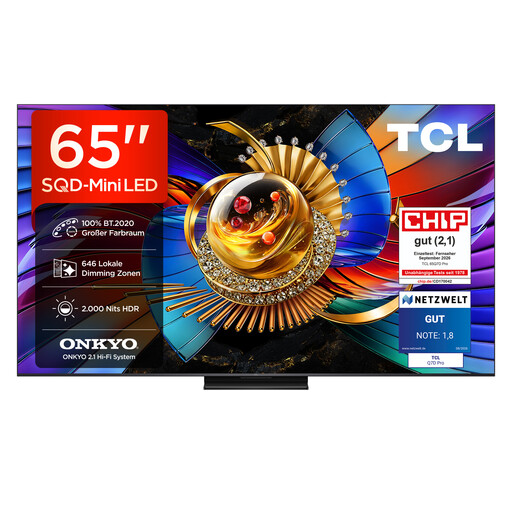
The 65C7K is a 65-inch QD Mini LED model worth comparing for a shared viewing room.
- TCL lists a native refresh rate of 144 Hz and an HDR brightness claim for the 65C7K.
- These are manufacturer specifications, not independent measurements in your room. Check reflections, viewing angle and USB compatibility with your archive separately.
Philips
The 65PUS8500/12 is a consumer TV; the Philips Signage 6000 Series is a separate professional option.
- Ambilight and Titan OS are features of the 65PUS8500/12. PPDS specifies 24/7 operation for the Signage 6000 Series, including the 65BDL6017P/00.
- Do not apply the signage specification to the consumer TV; they are separate product ranges.
LG
The OLED55C55LA offers an OLED option for entertainment; the 65QNED8MB6C is a separate 65-inch Mini LED model.
- LG describes pixel-controlled black for the OLED model mentioned and precise light control for the QNED.
- These brand claims do not predict how reflections, off-centre viewing or your own archive files will perform in the room.
Samsung
Alongside consumer TVs, Samsung also offers professional signage, such as the 65-inch QHC LH65QHCEBGCXEN model.
- Samsung Business Netherlands lists the details of this 65-inch signage display.
- Check the terms of use and playback options for this specific model; the model name alone does not confirm 24/7 operation or better archive playback.
Joybuy products for a shared space
This selection features consumer TVs for archive events and shared entertainment. Check whether your own archive files will play on each model; professional signage remains a separate consideration for almost continuous presentation.
 No image available
LG OLED65C68LA 65-inch OLED 4K Smart TV
A 65-inch OLED option for film nights in a shared space; check separately whether the archive files you want to play are supported.
The product title lists 4K, a 120 Hz refresh rate and VRR up to 165 Hz.
View at Joybuy
No image available
LG OLED55C68LA 55-inch OLED 4K Smart TV
A 55-inch OLED option for entertainment in a shared space; match the screen size to the seating and check how you plan to play the archive files.
The product title lists 4K, 120 Hz native and VRR up to 165 Hz.
View at Joybuy
 No image available
LG 65NU800B6LA 65-inch NANO 4K UHD Smart TV
A 65-inch LCD TV to compare for a larger shared viewing room; assess viewing angle and reflections from the seats you plan to use.
The product title lists NANO 4K UHD, HDR10, HLG and eARC.
View at Joybuy
 No image available
TCL 65T8D 65-inch QLED QD-Mini LED 4K HDR TV
A 65-inch option for planned screenings and entertainment; test your own archive files and check the picture from the outer seats.
The product title lists QD-Mini LED, 144 Hz VRR and Onkyo 2.1 sound.
View at Joybuy
 No image available
TCL 65Q7D PRO 65-inch Mini LED 4K HDR Smart TV
A 65-inch Mini LED option for shared entertainment; check visibility in your room and test your planned playback setup.
The product title lists Mini LED, Google TV and 4K HDR.
View at Joybuy
Frequently asked questions
Does a TV need to play old photo and video files directly from USB?
Only if direct playback is part of your plan. If it is, check the file system and codec against the documentation for the exact model, and test your own files in advance. A laptop or external player connected via HDMI is another playback option; Sony Netherlands publishes these specifications for the K-65XR5.
Can a standard TV show an archive presentation all day?
You cannot tell from terms such as smart TV or 4K alone. Signage is a separate option for almost continuous display: PPDS specifies 24/7 operation for the Philips Signage 6000 Series. Also check the terms of use, playback options and sound setup for the model you choose.
Can you show films and photos from the community archive to local residents without further checks?
No. Do not assume you have permission just because you own a copy. The Dutch government says permission from the creator is required for public use of copyright-protected films and photos. Auteursrecht.nl describes the exception for screenings in a domestic setting as narrow and also mentions private association events. So check the rights and any permissions for each work.
Do you always need permission from everyone identifiable in archive footage?
Not automatically: assess the specific use and the applicable GDPR legal basis. The Dutch Data Protection Authority says an organisation needs a legal basis for identifiable images and notes that consent is a common legal basis at events. Check how the images were obtained and how they will be shown.
How can you compare energy use without making up a figure?
Compare the energy label and details for the exact models in the European EPREL register. To calculate costs, you will also need your own usage hours and the applicable electricity tariff.


