
Archive volunteer with limited space
You want to fit in a screen and seating without the projector or its beam getting in the way.


For a community archive with limited seating, your choice depends on the rearmost seat, the image size you want and the distance available for the projector. Small captions call for different considerations from video alone. If there’s enough projection distance, a standard lamp projector may be suitable; if there’s little room in front of the screen, a short-throw model could be more practical. Then assess the light output against the ambient light during the presentation, as well as the connections and maintenance requirements of the exact model.
You want to fit in a screen and seating without the projector or its beam getting in the way.
You want to show photographs while visitors continue to use the space. Ambient light and image size both affect how visible the picture is.
You want visitors to be able to see captions and details from their seats, not just moving images.
Suitable when: there’s enough distance to the screen and the projector won’t block the beam.
Bear in mind: lamp models need maintenance; a lumen rating alone won’t tell you whether captions will be readable in your space.
Suitable when: seating or a walkway makes it difficult to place the projector further from the screen.
Bear in mind: a stated light source lifespan doesn’t guarantee maintenance-free use.
For this small setup, start by considering placement, then visibility and readability. Finally, check that you can connect your source and find out what maintenance the model you choose requires.
| Consideration | What should you check? | Who should pay extra attention? |
|---|---|---|
| Unobstructed placement | Measure the screen width, the distance from the lens to the screen and the walkways; compare these with the model’s throw ratio and placement options. | If I need to fit in chairs and keep a walkway clear, I want to know whether the projector can produce the required image width without getting in the way. Placement is the top buying concern for around 33% of consumers choosing this setup. |
| Visibility in ambient light | Compare light output only on the same measurement basis, and assess your chosen image size in the lighting conditions that will remain during the presentation. | If some lights will stay on, I want to show photographs without assuming that a higher lumen rating alone will solve the problem. Visibility in ambient light is the top priority for around 27% of consumers choosing this setup. |
| Readable captions and details | Test representative scans and captions from the rearmost seat; check the native resolution, not just the input signals the device accepts. | I want visitors at the back to be able to read captions, so I test real archive pages at the intended screen height. Readability of details is the top buying concern for around 27% of consumers choosing this setup. |
| Operation and maintenance | Check the connections for your source and the maintenance and service terms for the exact model. | For regular presentations, I want volunteers to be able to connect the source easily and know what maintenance the light source requires. Operation and maintenance are the top priority for around 13% of consumers choosing this setup. |
Readability of captions depends in part on the distance from the rearmost seat and the type of archive material.
Test real archive pages from the rearmost seat before settling on an image size.
Ambient light and a larger image affect how bright the projection appears to visitors.
Compare stated brightness on the same measurement basis and assess the image in the lighting conditions you’ll actually be presenting in.
The BenQ MH560 uses a lamp; ViewSonic specifies a laser light source for the LSD400HD-ST. A stated light source lifespan doesn’t guarantee maintenance-free use.
For your intended use, compare the maintenance information and service terms for the exact models.
Epson Netherlands lists the EB-FH08 as a Full HD lamp projector with two HDMI ports.
BenQ describes the MH560 as a Full HD business lamp projector with two HDMI inputs.
The LSD400HD-ST is a Full HD short-throw model with a laser light source.
The ZH406ST is an example of a short-throw projector with a laser light source and native 1080p resolution.
Joybuy projector options for different image, placement and connection needs in a community archive. Check the image size and available distance in your space for each model.
 No image available
For archive images containing text, consider the stated native 1080P resolution and check readability from the rearmost seat.
The product information lists 1,000 ANSI lumens, HDMI and automatic image correction. The description states that it projects a 60-inch image from 1.33 m and rotates by 90°.
 No image available
The stated image range can help you assess whether a suitable image size will fit the seating area and the distance to the screen.
The product title lists an image range of 50–200 inches, digital zoom of 50%–100% and 180° rotation. The description mentions HDMI compatibility and automatic screen correction.
 No image available
For archive images and text, consider the stated native 1080P resolution and check readability yourself from the rearmost seat.
The product information lists HDMI, USB and AV connections, as well as Bluetooth audio. The description calls the model compact and portable.
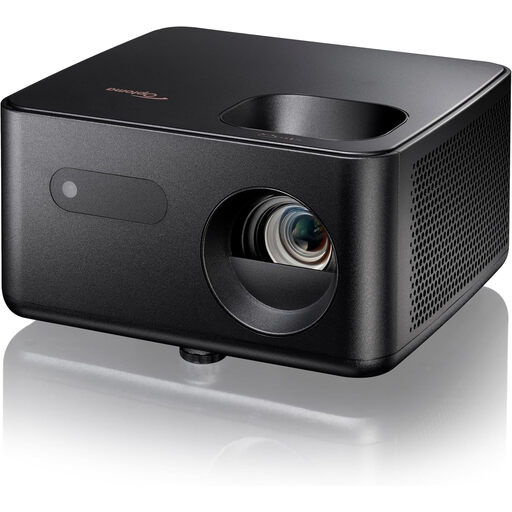 No image available
The stated projection distance can help you assess whether this model will suit the place where the projector can be positioned in the archive room.
The product information lists Full HD (1920 × 1080), 1,500 lumens, an image size of 60–150 inches and one HDMI input. The stated projection distance is 1.99–5.47 m; check that it suits your chosen image size.
 No image available
The stated 4K UHD resolution and HDMI connections are worth considering alongside your archive material and the source you use.
The product information lists 3,500 lumens, a laser light source and two HDMI 2.0 inputs. The stated projection distance ranges from 1 to 8 m; check that it suits your space and desired image size.
First, measure the viewing distance from the rearmost seat and test the actual archive material at the intended screen height. Epson recommends a viewing distance of no more than four times the screen’s vertical height for viewing detail. This is the manufacturer’s advice, not a guarantee for every photograph or space.
Check that your source has a suitable output and that the projector has the required input. According to the manufacturers, the Epson EB-FH08 and BenQ MH560 both have two HDMI inputs. Also measure the space available for the screen and projector, and follow the instructions for setup and maintenance for the exact model.
Don’t assume you can do so without checking the rights. The Dutch government says you need the creator’s permission to use copyright-protected work. Auteursrecht.nl describes the exception for showing work within a domestic setting as limited; a private club event doesn’t necessarily fall within it. Check which permission or licence covers the intended showing of each archive item.
The Dutch Data Protection Authority describes identifiable people in photographs and films as personal data. For the specific archive items and way you plan to show them, check whether the GDPR applies and which legal basis is appropriate. Consent is one possible legal basis, but it isn’t automatically the only one.
For a consumer purchase in the Netherlands, contact the seller if the product is faulty. The Dutch government states that there’s no fixed statutory guarantee period; the expected lifespan depends, among other things, on the product and the information provided at purchase. If an organisation is buying the device, check which terms and conditions apply to that purchase.