
Organisers with side seating
You want visitors in the outer rows to be able to view archive photos and captions. Check the viewing angle of your chosen screen material from those seats; projector correction is no substitute for this check.


Start with the seats at the sides: lens shift and keystone correction adjust where the image appears, but they don’t change the screen’s viewing angle for your audience. Then choose a projector based on the room lighting, projection distance and available setup space. If the projector has to stay in a fixed position off to one side, suitable optical lens shift may be a better option than heavy digital keystone correction.
You want visitors in the outer rows to be able to view archive photos and captions. Check the viewing angle of your chosen screen material from those seats; projector correction is no substitute for this check.
You’re showing photos, documents or captions while the room lights are on. Match the image size and projector to the lighting, and check on site that the smallest text is readable.
You can’t easily position the projector centrally or further away from the screen. Compare the throw ratio, zoom and lens shift of the exact model with the space available.
Choose this when: the projector can’t be positioned directly in front of the screen and you want to shift the image optically.
Keep in mind: the range varies by model, and it won’t fix a limited screen viewing angle.
Choose this when: your setup needs a small amount of correction and the text remains easy to read afterwards.
Keep in mind: BenQ warns that digital correction can affect image qualities such as sharpness; it doesn’t improve the screen’s viewing angle.
Choose this when: the room has limited depth or you want to keep an aisle clear.
Keep in mind: a short projection distance doesn’t guarantee that the projector is well positioned off to the side or that everyone can see the screen clearly.
| Consideration | What to look for when buying | Who is this important for? |
|---|---|---|
| Visibility from side seats | Compare the viewing angle of the specific screen material with the outer seats, and assess the image using real archive photos and captions. | If visitors are seated around the room, you’ll want to know whether they can see the image from the side. Around 36% of consumers put visibility from side seats first. |
| Text with the room lights on | Note the desired image width, the amount of room lighting and the smallest caption, then check readability on site. | If the room stays lit during the screening, you’ll want visitors to be able to read documents and captions. Around 29% of consumers prioritise readability with the room lights on. |
| Projector position and distance | Measure the distance, image width and horizontal offset; check the lens shift and throw ratio of the exact model. | If the projector can’t be positioned centrally or the room has limited depth, you’ll need to find a suitable setup. Around 21% of consumers put this setup constraint first. |
| Moving and repeated use | Compare the size, connections and stated light source life for the specific version; readjust the projector when using it in a different room. | If you screen in different venues, you’ll want to know what’s involved in moving and setting it up again. Around 14% of consumers prioritise practical use in different locations. |
These features change the position or shape of the projected image, not the viewing angle of the screen material for visitors sitting at the sides.
First, view the screen from the outer seats. Then assess which projector correction your setup needs.
The EB-L690U and EB-L690SU are models worth comparing for professional room projection and different projection distances.
The W4100i is a model to consider if the projector can’t be positioned centrally.
The HORIZON 20 series is worth exploring if you need both optical positioning flexibility and smart setup features.
This selection of Joybuy products includes models with digital keystone correction and a short-throw model for limited projection distances. Before choosing a model, check the projection distance, image size and readability in your own room.
 No image available
Worth considering if you need 4K UHD images and digital horizontal or vertical correction for your setup.
The product name lists 3.800 lumens and 1,3× zoom; the description specifies 1,3× optical zoom and horizontal and vertical keystone correction.
 No image available
Worth comparing if you need 4K UHD resolution and digital correction with the projector positioned off-centre.
The description lists 3.500 lumens, 1,3× manual zoom and horizontal and vertical keystone correction. The stated throw ratio is 1,21:1–1,59:1.
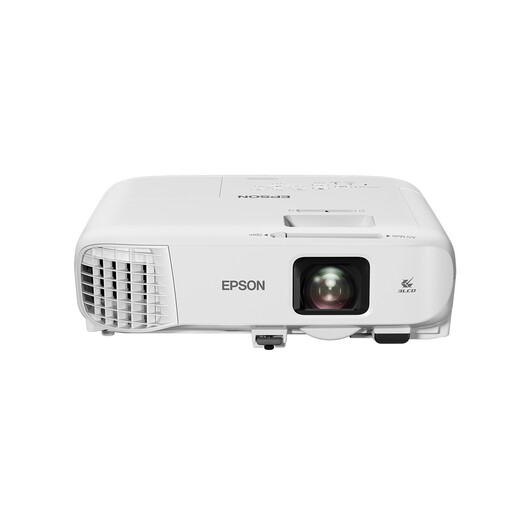 No image available
Worth comparing for documents and archive images if Full HD and room to adjust the zoom suit your venue.
The product details list Full HD (1920 × 1080), 4.000 ANSI lumens, 1,6× optical zoom, and horizontal and automatic vertical keystone correction.
 No image available
A short-throw model worth comparing if the projector needs to be close to the screen. WXGA resolution may be a limitation for small archive captions.
The specifications list WXGA (1280 × 800), 3.800 ANSI lumens, a throw ratio of 0,52:1 and a projection distance of 0,4–3,4 m.
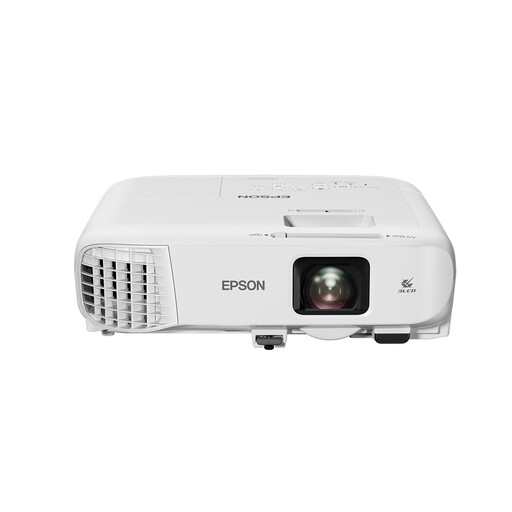 No image available
Worth comparing for presentations and archive images; bear the WXGA resolution in mind if small text is important.
The product details list WXGA (1280 × 800), 4.200 ANSI lumens, 1,6× optical zoom and keystone correction.
Not on its own. Lens shift moves the projected image; you should also check the viewing angle of the specific screen material from the outer seats.
First, measure the desired image width and the available distance. For a short-throw model, check the throw ratio and lens shift range; Epson specifies a throw ratio of 0,79–1,36:1 for the EB-L690SU.
Don’t assume that owning a copy gives you permission to show it. The Dutch Government states that permission from the creator is required to use or make publicly available copyright-protected photos and films; check the rights and any applicable licence or exception for each archive item.
Yes, identifiable people in images may be considered personal data. According to the Dutch Data Protection Authority, what is permitted depends, among other things, on who uses the material, how it is shown or shared, and the applicable legal basis.
Check that the specific device complies with the applicable European rules, including the required CE marking and EU declaration of conformity where these apply to that device. A CE claim in an advert alone doesn’t confirm that the specific version meets the applicable requirements.