
Evening gamer who values dark-scene performance
Usually plays in low ambient light and wants to make out details in dark game scenes, without basing the choice solely on the refresh rate.


For colony-management games in a dark room, your choice mainly comes down to balancing dark-scene performance with menus that remain easy to read over long sessions. A VA LCD is a sensible option if contrast matters and you keep fixed interface elements on screen for a long time; OLED may suit you if deep blacks are more important and you’re prepared to consider the risk of burn-in. Also look at text clarity, aspect ratio and the connections your PC actually supports.
Usually plays in low ambient light and wants to make out details in dark game scenes, without basing the choice solely on the refresh rate.
Often leaves maps, bars and text on screen for extended periods, so takes readability and panel characteristics into account.
Wants to keep the map and side panels visible at the same time, so compares the conventional 16:9 layout with 21:9, including the requirements for the connection and PC.
Start with the panel and interface readability, then decide whether you need extra screen width. Finally, check that the resolution and connection suit your PC and the refresh rate you want.
| Consideration | What to look for | Who should pay extra attention? |
|---|---|---|
| Contrast in a dark room | Compare the panel type and measurements for the exact model; RTINGS.com generally reports higher contrast for VA than IPS. | If I mainly play in the evening, I want to make out dark areas without relying solely on an HDR label. Around 36% of consumers prioritise dark-scene performance. |
| Readable text and a fixed interface | Check how text looks from your usual viewing distance. ASUS warns that static images displayed for long periods can cause OLED burn-in; protective features do not eliminate the risk. | If you keep the same maps, menus or bars on screen for a long time, you’ll want text that’s comfortable to read and a panel type that suits your needs. Around 29% of consumers give top priority to readability and on-screen elements that remain visible for long periods. |
| Space for the map and side panels | Check that your games support the wide view you want and that your desk and PC can accommodate the screen and resolution you choose. | If I want to see the map and side panels at the same time, a wider layout could give me more room, as long as my games and setup support it. Around 21% of consumers prioritise extra horizontal space. |
| Connection and refresh rate | Check the resolution and refresh rate for each monitor port, as well as your PC’s output and the cable you’re using. | If you also care about connectivity and smooth visuals, you’ll want to know which combination your PC actually supports. Around 14% of consumers make this their main priority. |
The usable refresh rate can vary by connection. Response-time figures may also be based on different testing methods, so they aren’t automatically comparable.
Check the resolution and refresh rate for each port, and compare response-time claims only when the testing method is clear.
Static, high-contrast images displayed for long periods can cause OLED burn-in. Protective features may reduce the risk, but they don’t eliminate it.
Read the instructions and written warranty terms for the exact model; consider a VA LCD if you’d rather avoid this trade-off.
Burn-in can affect picture quality; any cover depends on the applicable terms and circumstances.
An HDR label alone doesn’t tell you how well a particular screen displays dark scenes.
Check the panel type and, if available, independent measurements for the exact model.
A wide aspect ratio requires enough desk space and support in your games; the resolution and connection also need to suit your PC.
Check the aspect ratio you want in your games, the space available and the connection you plan to use for the screen.
The S2722DGM is an example of a 27-inch QHD screen with a curved VA panel, for anyone comparing a conventional aspect ratio with dark-scene performance.
The UltraGear 27GX704A-B is a QHD OLED example for anyone who puts a high value on deep blacks.
The MAG 342CQRF E20 is a 34-inch ultrawide Rapid VA example for players looking for extra horizontal space.
The Q27G4XF is a 27-inch QHD Fast IPS example to compare with screens using a different panel type.
The ROG Swift OLED PG32UCDM Gen3 (PG32UCDM3) represents a 32-inch 4K QD-OLED option.
This Joybuy selection includes gaming monitors with VA and OLED panels, including wider-screen options for anyone who wants to view the map and side panels at the same time.
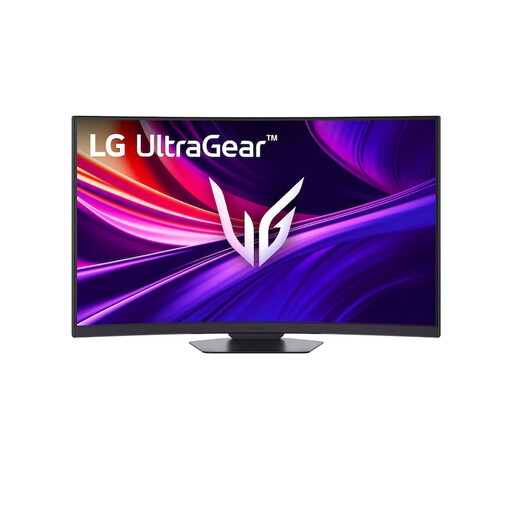 No image available
An option to consider if you’re looking for a curved VA gaming monitor with 4K resolution.
37 inches; 4K UHD; 165 Hz; curved VA.
 No image available
A good fit if you’re considering a curved VA gaming monitor with QHD resolution.
27 inches; 2560 × 1440; 16:9; 240 Hz.
 No image available
An ultrawide option if you want extra horizontal space for the map and side panels; check that it suits your games and setup.
3440 × 1440; DisplayPort: up to 180 Hz; HDMI: up to 100 Hz.
 No image available
A curved VA option to compare if you’re looking for a QHD screen for dark game scenes.
32 inches; 2560 × 1440; 165 Hz.
 No image available
A good fit if you’re considering OLED and deep blacks, while also taking interface elements that stay on screen for a long time into account.
2560 × 1440; 240 Hz; DisplayHDR 400 True Black.
Static, high-contrast images displayed for long periods can cause OLED burn-in; protective measures do not eliminate the risk.
OLED may suit you if deep blacks matter more, but static, high-contrast images displayed for long periods can cause burn-in. Check the manual and written terms for the exact model; protective features do not eliminate the risk.
The connection can determine the maximum refresh rate. For the S2722DGM at QHD, Dell lists up to 165 Hz via DisplayPort and 144 Hz via HDMI; for the MAG 342CQRF E20 at 3440 × 1440, MSI lists up to 200 Hz via DisplayPort and 100 Hz via HDMI. Also check your PC’s output and the cable you’re using.
Compare the energy label and the registered model in EPREL on the same usage basis. The European Commission confirms that monitors are covered by the rules for electronic displays; annual running costs also depend on how many hours you use the monitor and your electricity tariff.
For qualifying distance purchases, you generally have a 14-day cooling-off period. The Dutch government also states that a product must meet legal requirements and that there is no fixed statutory warranty period. If a product is faulty, contact the seller; this does not mean that every instance of OLED burn-in automatically counts as a defect.