
Maker who mainly films the worktable
You want to keep the paper, the placement of materials and both hands in shot. A suitable overhead view is therefore a key consideration; IPEVO lists different maximum capture areas for the V4K and V4K PRO 120.


If you mainly film paper and hands during a computer-based lesson, choose a document camera with a stated capture area large enough for your collage and hand movements. A downward-facing webcam works with an existing computer setup; a mirrorless camera gives you a choice of lens and audio connection, but requires a suitable lens and sturdy mounting. Before buying, test the framing, focus, voice recording and complete recording setup.
You want to keep the paper, the placement of materials and both hands in shot. A suitable overhead view is therefore a key consideration; IPEVO lists different maximum capture areas for the V4K and V4K PRO 120.
You want to show your desk using an existing video or recording setup. Check that the camera, connection and teaching software work together; Logitech describes a Show Mode for angling the MX Brio webcam downwards.
You want to film yourself as well as your work surface, and adjust the lens or audio recording to suit your setup. Canon and Sony describe mirrorless cameras with interchangeable lenses; your choice of lens and mounting will also affect the view of the table.
Best for: filming paper and hands from above using a computer.
Keep in mind: check that the stated capture area leaves enough room for your hand movements; this setup is not automatically a standalone camera.
Best for: an existing computer setup where you want to switch between yourself and your desk.
Keep in mind: the mounting angle and distance determine whether the whole collage is visible; test the view in your teaching software.
Best for: filming yourself as well or adjusting the framing with an interchangeable lens.
Keep in mind: the camera body alone does not guarantee a suitable view of the table; check the lens, mounting and intended power supply.
| What to consider | What to look for | Who it matters to |
|---|---|---|
| Work surface and hands | Compare the stated capture area with the size of your collage and the room needed for moving hands. Also check that the arm or mount does not cover your work. | If you want the paper and both hands to stay visible at the same time, compare the full work area with the stated dimensions. Around 33% of consumers prioritise a complete overhead view. |
| Focus and colour | Check the focusing distance for detail and test the white balance in your studio lighting. The focusing range alone does not tell you how much of the work surface will be visible. | If viewers need to see small cutting and sticking tasks and distinguish different paper colours, it is useful to make a test recording from the actual filming distance. Around 27% of consumers give this their highest priority. |
| Voice audio | Make a test recording from where you work. Check whether your chosen camera has a microphone or lets you connect one. | If you explain what you are doing while looking at the table, you will want your voice to be clear from that position. Around 20% of consumers put voice audio first. |
| Recording setup | Decide whether you will record directly with the camera or use a computer. Then check the connections, software and power supply for that specific setup. | If you want to record lessons reliably without technical interruptions, it helps to test the full process from camera to saved file in advance. Around 20% of consumers make ease of recording their first choice. |
IPEVO lists a maximum capture area of 342 × 255 mm for the V4K and 440 × 330 mm for the separate V4K PRO 120. Compare the dimensions of the exact model with your own project and hand movements; the larger capture area and built-in light of the PRO 120 do not automatically apply to the standard V4K.
Resolution and capture area describe different features. The two IPEVO models mentioned also have different stated maximum capture areas.
Measure your collage and the space your hands need, compare the dimensions with the exact model and test the framing from the planned mounting height.
If the project and your hands do not fit in the shot together, you may need a different mount or camera.
Canon and Sony describe interchangeable lenses. The camera body alone therefore does not determine how much of the work surface is in shot.
Check the exact lens or kit and set up a test at the distance you plan to film from.
You may need a suitable lens, mount or microphone for the setup you want.
Connections, software and microphones vary by model. Elgato’s product comparison does not list a built-in microphone for the Facecam Pro.
Before buying, test how the camera’s image appears in your teaching software and how you will record and monitor the audio.
Depending on your setup, you may need a compatible computer port or a separate audio solution.
Document cameras for a computer-based overhead view when paper is the main subject.
The MX Brio is a webcam option for makers who want to show their desk on a computer.
The EOS R50 V is a mirrorless camera for anyone who wants to set up shots of both the table and themselves.
The ZV-E10 II is a mirrorless camera with E-mount lenses for a flexible studio setup.
The Facecam Pro is a webcam option for computer recordings where focusing at close range matters.
These Joybuy picks are webcams for computer recordings; if you mount one above the table, check that the angle and framing include your collage and hands.
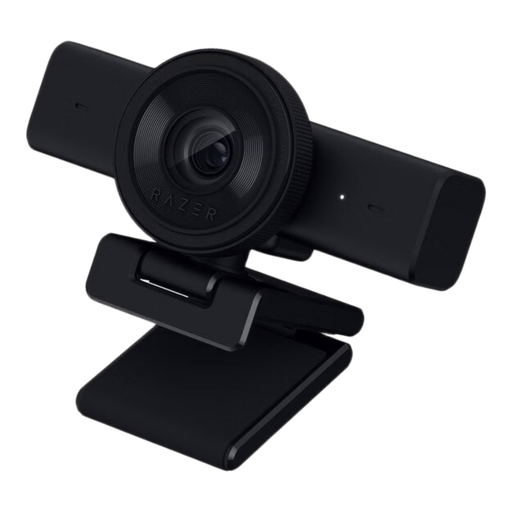 No image available
An option for a computer-based lesson if you want to mount the webcam on a tripod and use its built-in stereo microphones.
The product information lists autofocus, an 80° field of view, a 1/4-inch tripod mount and USB. The title states 1440p / 1080p at 60 FPS.
 No image available
The included desk stand and USB-A/USB-C connections may suit a computer setup; test the camera angle for an overhead view.
The product information lists PDAF autofocus, a 75° field of view, 1080p at 60 fps, dual microphones and 4K video.
 No image available
A webcam for computer-based explanations; adjust the view and check in a test recording that the whole work surface remains visible.
The product information lists a 99° field of view, 4K video, a built-in noise-cancelling microphone, plug-and-play USB and a privacy shutter. The webcam tilts by 180° and rotates by 360°.
 No image available
This webcam is described as suitable for computer use and content creation; check its position on your monitor or computer to get a suitable view of your work surface.
The product information lists 4K UHD, autofocus, dual built-in microphones and USB-A. The title mentions a privacy shutter and the EU version.
 No image available
According to the product information, DeskView mode is designed to show your worktable; test whether the framing suits your collage and mounting position.
The product information lists a 1/2-inch sensor, HDR, PDAF autofocus, Auto Framing and a microphone with AI noise reduction. The camera is described as compatible with PC and Mac and is controlled using Link Controller software.
Measure your collage and the space your hands need, then compare those measurements with the stated capture area of the exact model. IPEVO lists 342 × 255 mm for the V4K and 440 × 330 mm for the V4K PRO 120; then test the framing at the intended height above the table.
Do not assume so for the IPEVO models reviewed: their specified output is USB/UVC for a connected device. Check which software will save the footage and whether your computer and port are suitable for the setup.
Test the camera angle, focus and audio recording using the same paper and lighting as you will use when filming. Also check that the recording is saved in your software, and follow the manufacturer’s instructions if anything goes wrong.
For an online purchase by a consumer in the Netherlands, there is generally a cooling-off period of up to 14 days after delivery, subject to legal exceptions. ACM ConsuWijzer explains this cooling-off period. In addition, under the statutory guarantee, the seller must put right a product that does not meet what you could reasonably expect when used normally.
You need a valid legal basis to publish images of identifiable people; according to the Dutch Data Protection Authority, this is usually consent when publishing on social media. In principle, permission from the creator is required to use and publish other people’s copyright-protected photos, text or music, according to the Dutch Government. These are points to consider when creating and publishing a lesson, not camera specifications.