What should you look for when choosing?
Start with your existing camera
Choose this if: you only document your work occasionally or want to find out whether detail and colour are falling short.
The trade-off: you avoid buying in haste, but you’ll need to assess the test shot against your intended use.
Mirrorless camera with interchangeable lens
Choose this if: you photograph boards regularly and want the option of choosing a lens and shooting in RAW.
The trade-off: the camera body, suitable lens and any other parts of your setup all need to suit your needs.
Compact camera with a fixed lens
Choose this if: simplicity and an all-in-one camera matter more to you than changing lenses later.
The trade-off: the fixed lens limits your options later on; check that a test file meets your needs.
Whichever option you choose, your test setup matters: assess the board itself, from the distance available to you and under the lighting you intend to use.
| What to consider |
What to look for when buying |
Who is this important for? |
| Even lighting and colour |
Check whether you can lock the exposure and white balance, and whether a colour reference would fit into your workflow. |
If I want to minimise colour differences and hotspots, I look at the entire lighting setup and whether I can keep settings consistent. Around 30% of consumers who put colour and even lighting first in their buying decision do the same. |
| Straight-on framing and detail |
Check whether the camera and lens can capture the entire board from the available distance; review a test file at the intended display or print size. |
I want to capture the whole board straight on and retain enough detail for my intended use. Around 30% of consumers with this buying requirement prioritise shape and detail. |
| Texture and reflections |
Test the lighting position on the board and see how shiny areas and raised layers appear in the image. |
If I want to show raised layers without distracting glare, I need to assess the lighting on the actual material. Around 20% of consumers consider texture and reflections their main priority. |
| Ease of setup |
Take a test shot with the equipment you have first; if you’re buying a camera, check whether a lens is included. |
I want to capture a board without adding more equipment or setup work than necessary. Around 20% of consumers with this buying requirement prioritise simplicity and keeping costs down. |
Cameras at Joybuy
This selection includes compact cameras for a portable test setup and a Sony ZV-E10 with a 16–50 mm zoom lens. Assess each model with the board and lighting you actually plan to use.
 No image available
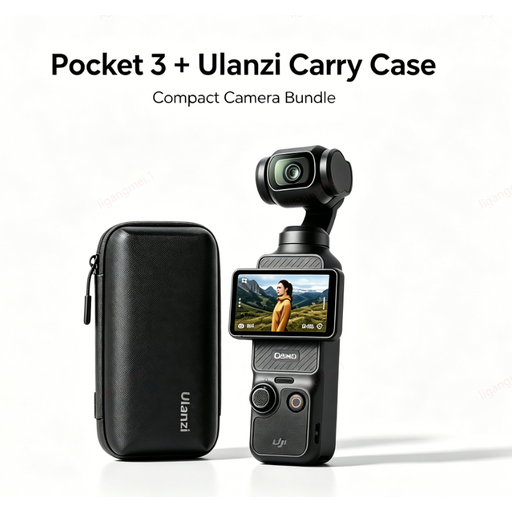
DJI Pocket 3 camera with Ulanzi storage case
A portable camera option for trying out a test setup for your board.
The product name lists a Ulanzi storage case with the DJI Pocket 3 camera.
View at Joybuy
 No image available
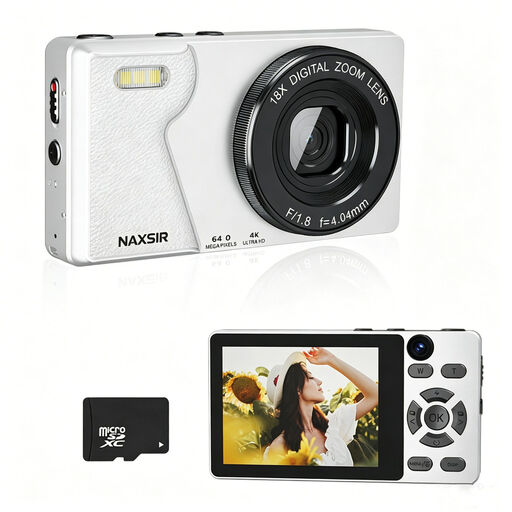
NAXSIR digital compact camera, 64 MP, with 32 GB memory card
A compact option for occasional documentation; check the result with a test shot of your board.
The product name lists 64 MP photo resolution, 18x digital zoom, autofocus and a 32 GB memory card. Digital zoom is no substitute for reviewing the test file.
View at Joybuy
 No image available
DJI Osmo Pocket 3 Creator Combo
A compact camera option for anyone wanting to try out a portable documentation setup.
The product name lists a 1-inch CMOS sensor, 4K/120fps video, 3-axis stabilisation and a microphone.
View at Joybuy
 No image available
Songdian pocket camera, pink, 44 MP
A pocket camera for a portable test setup; check the focus and framing on the board itself.
The product name lists 4K, 44 MP and 16x zoom.
View at Joybuy
 No image available
Sony ZV-E10 with 16–50mm zoom lens, black
The interchangeable-lens option in this selection; use a test frame to check whether the lens captures the whole board from your shooting distance.
The product name lists a 16–50 mm zoom lens.
View at Joybuy
Frequently asked questions
How should you position the board and camera?
Position the camera straight in front of the board and check in a test shot that the edges remain straight. Printbeat suggests two light sources, one on each side at around 45 degrees, as a starting point for even lighting; adjust the position if raised or shiny areas reflect light.
Do you need to buy a special camera because of the dark background?
Not necessarily; first assess a test shot taken in controlled lighting and at the size you need for your image. A dark background won’t automatically fix uneven lighting, reflections or a crooked shot.
What should you check after taking the photo?
Check both the overall image and the details for sharpness, straight edges, hotspots and colour differences. For colour-critical work, you can also keep a shot with a colour reference for editing later.
What are your rights when buying a camera online?
For online purchases by Dutch consumers, you’re often entitled to a 14-day cooling-off period, according to the Dutch government. You’re also covered by statutory guarantee for a product that meets what you could reasonably expect from it, as explained by ACM ConsuWijzer; this is not the same as a fixed two-year warranty period.
Can you publish a photo of the collage?
Before publishing, check what rights and permissions you need if the collage includes another creator’s work or was made by someone else. Auteursrecht.nl states that permission from the rights holder is usually needed to publish or distribute photos of protected works of art; the precise requirements depend on the rights covering the individual elements and your intended use.


