What should you consider when choosing?
Compact Windows desktop
Best for: anyone who wants to use Coin Mate or OpenNumismat for Windows.
Bear in mind: check the USB and display ports, and whether components such as a monitor are included.
Mac mini with OpenNumismat
Best for: anyone who wants to work on macOS and has confirmed that OpenNumismat offers the search and import options they need.
Bear in mind: Coin Mate is offered as Windows PC software, so don’t assume this version will work on macOS.
Start with the software and search fields you need. Then decide how much storage and which connections will suit your collection and workspace.
| What to consider |
What should you check? |
Who is this important for? |
| Search fields and filters |
Test with a few of your own coins to see whether you can find the combination of features you want. |
If I want to search by several features, such as country and year, I first check whether the catalogue can handle that. Around 36% of consumers give targeted search the highest priority. |
| Software compatibility |
Check the software’s system requirements and, where possible, try a trial version or an existing catalogue file. |
If you want to keep using a particular programme or an existing catalogue, choose an operating system that supports it. Around 29% of consumers make compatibility their top priority. |
| Photos and storage |
Compare the size of your image files with the SSD capacity, and make a separate backup. |
If I store lots of coin photos alongside my catalogue, I look at the available storage and how images are imported. Around 21% of consumers put photos and catalogue files at the top of their list. |
| Connections and workspace |
Compare the ports with your monitor and scanner, and check which components are included. |
If you want to connect existing equipment or need a complete workspace, check the ports and what’s included in the box. Around 14% of consumers say this is their main concern when buying. |
Desktops at Joybuy
This product selection includes compact Windows desktops and a Mac mini to compare for managing a coin catalogue. Always check that your chosen software is compatible with the operating system.
 No image available
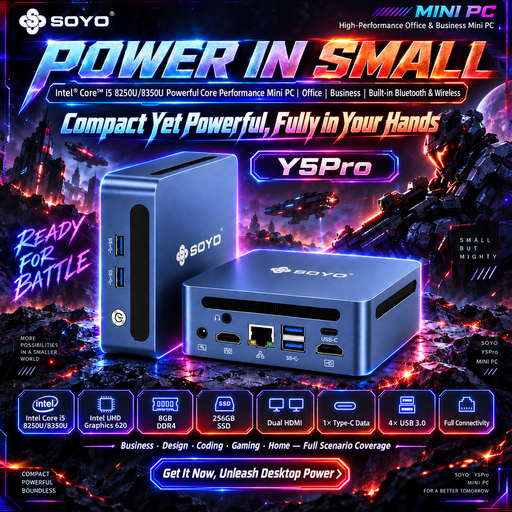
SOYO Y5Pro Mini PC, Intel Core i5 8250U/8350U, Windows 11, 8 GB DDR4, 256 GB SATA SSD
A compact Windows option for using catalogue software designed for Windows PCs. Check that your chosen software and peripherals are compatible.
The product name lists 8 GB of DDR4 memory, a 256 GB SSD and Bluetooth 5.2. The title names the processor as Intel Core i5 8250U/8350U.
Joybuy
 No image available
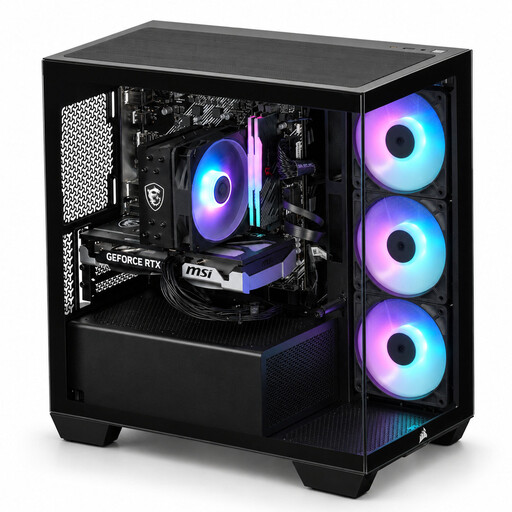
Panoramic desktop PC, AMD Ryzen 7 5700X, 16 GB DDR4, 480 GB NVMe PCIe SSD, Windows 11 Home
A Windows desktop to compare if you want to use catalogue software designed for Windows PCs. Choose the storage capacity to suit your own catalogue and photo files.
The product name lists 16 GB of DDR4 memory, a 480 GB NVMe PCIe SSD and a GeForce RTX 5060 Ti with 8 GB. According to the product name, Windows 11 Home is pre-installed but not activated.
Joybuy
 No image available
Apple Mac mini, M6 chip, 12-core CPU and 12-core GPU, 24 GB, 512 GB SSD
This macOS desktop is a good fit if you want to use OpenNumismat. Check that the software version and your own peripherals meet your needs.
The product name lists 24 GB of memory, a 512 GB SSD and an M6 chip with a 12-core CPU and 12-core GPU. Coin Mate is offered as Windows PC software, so don’t assume it’s supported on macOS.
Joybuy
 No image available
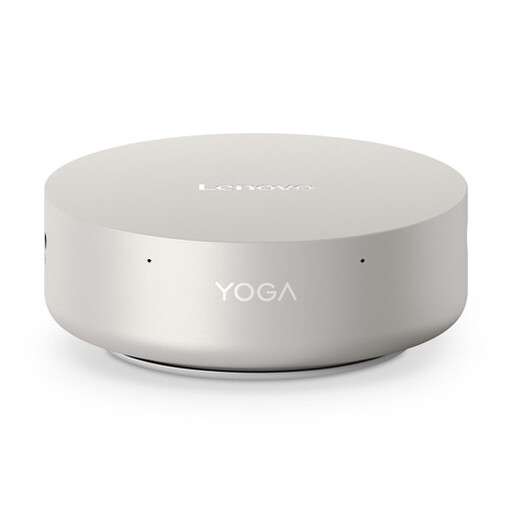
Lenovo Yoga Mini 01IPH11 Copilot+ PC, Intel Core Ultra 5 325, 16 GB LPDDR5X, 512 GB SSD, Windows 11 Home
A compact Windows desktop to compare for catalogue software that runs on Windows PCs. Check that the ports work with your monitor and scanner.
The product specifications list 16 GB of LPDDR5X memory, a 512 GB PCIe 4.0 SSD and Wi-Fi 7.
Joybuy
 No image available
MSI CUBI NUC AI 1UMG-005EU, Intel Core Ultra 7 155H, 16 GB DDR5, 1 TB SSD, Windows 11 Pro
A compact Windows mini PC to compare if you use catalogue software designed for Windows PCs. Check the connections for your existing equipment.
The product description lists 16 GB of DDR5 memory, a 1 TB SSD and Windows 11 Pro.
Joybuy
Frequently asked questions
Do I need a powerful graphics card for advanced searches?
The search features described for the coin software reviewed are catalogue and filtering functions; the available information doesn’t list a separate graphics card as a requirement. So don’t choose a gaming desktop solely for its search filters. If you have a large catalogue of your own, do test the software and configuration you plan to use.
How do I get started with an existing coin collection?
OpenNumismat describes importing data from sources including Excel and Numista. Start by testing a small export file to check that your fields and images are transferred correctly, and keep a separate copy of the original files.
Are a monitor and input devices included?
It depends on the configuration. Lenovo states that a monitor, keyboard and mouse are optional and sold separately with the ThinkCentre reviewed. Check what’s included with the exact model.
What warranty and cooling-off period apply to an online purchase in the Netherlands?
The Netherlands government states that you’re entitled to a product that works properly, and that there is no fixed statutory warranty period for all products in the Netherlands. ACM ConsuWijzer states that online purchases often come with a 14-day cooling-off period from delivery; check whether an exception applies.


