
Score counter developers
You read and edit a lot of code and need room for your editor and change history.


If you mainly work with long code files, look for more vertical screen space. If you want to see your code, changes and score counter side by side, compare wider screens. A USB-C hub monitor could suit a laptop workstation, but check that your laptop supports video output through the port you plan to use and receives enough power. Version control runs on your computer, not on your monitor.
You read and edit a lot of code and need room for your editor and change history.
You want to keep code changes, the live score counter and test results in view at the same time.
You’re looking for an external workstation with ports and power delivery to suit your laptop and screen setup.
Best for: reading long code files when vertical space matters more than having several wide windows open.
Trade-off: the unusual aspect ratio doesn’t automatically give you more room for wide windows. BenQ lists the RD280UG as a 28.2-inch 3:2 screen; check that the layout suits your editor.
Best for: regularly viewing your score counter, editor and changes side by side.
Trade-off: you’ll need more horizontal desk space; extra width doesn’t automatically mean more vertical space. LG lists the 34BA75QE-B as a 34-inch screen with 3440 × 1440 pixels.
Best for: a conventional screen size and a USB-C laptop workstation.
Trade-off: you won’t get the width of a 21:9 screen. Dell lists the P2725QE at 3840 × 2160 pixels with 90 W USB-C power delivery; check that your laptop supports video over USB-C and that the charging power meets your needs.
Best for: anyone who values connectivity or switching between two computers more than maximum resolution.
Trade-off: QHD has fewer pixels than the 4K models mentioned here. Dell lists 90 W USB-C power delivery for the P2725DE; Lenovo lists a USB-C dock and KVM switch among the ThinkVision P27h-30’s features. You don’t need KVM for version control on one computer.
| What to consider | What to look for when buying | Who is this important for? |
|---|---|---|
| Readable code and vertical space | Compare the aspect ratio, resolution, text scaling and adjustability with your editor layout. | When I read long code files, I want to see more lines at once. That’s why around 33% of consumers put readable code and vertical space first. |
| Code and score counter side by side | Check that your windows will fit side by side and that your computer can deliver the resolution you want through the port you plan to use. | I want to keep the score counter and code or diff windows in view while testing. For around 27% of consumers, this window layout is their top priority. |
| Connecting and charging a laptop | Check whether your laptop port supports video, the charging power you need and whether the cable is compatible. | When I develop on a laptop, I want to know whether the monitor works with my ports. Around 20% of consumers start with laptop connectivity. |
| Workstation setup and running costs | Consider adjustability, how the monitor will fit on your desk and its energy label. | I want a screen that suits my workstation, and I also consider running costs. Around 20% of consumers prioritise their setup and running costs. |
A Joybuy listing for the Dell P2725QE describes it as QHD, while Dell specifies a resolution of 3840 × 2160 pixels for this model. This could leave you unsure which version is being sold.
Check the full model number and compare the resolution with Dell’s specifications before assuming a listing is for the same model.
An ultrawide gives you more horizontal space, but vertical space for coding is a different requirement. The size needs to suit your window layout and the space available on your desk.
Sketch out your usual layout and compare both the width and vertical resolution.
A monitor’s power specification doesn’t tell you what your laptop’s USB-C port supports.
Check the specifications for both devices and the cable before relying on a single connection.
The RD series is designed for coding. BenQ lists the RD280UG as a 28.2-inch screen with a 3:2 aspect ratio.
The 34BA75QE-B reviewed here is a 34-inch ultrawide with a 21:9 aspect ratio.
The Pro Plus hub models reviewed here, the P2725QE and P2725DE, both have a 27-inch screen.
According to Lenovo, the ThinkVision P27h-30 combines a 27-inch QHD screen with USB-C docking.
These Joybuy products include wide screens and conventional sizes for coding, test windows and laptop workstations. Choose a layout that suits the way you want to work, and check the specifications and connections for the specific model.
 No image available
A 34-inch curved monitor to consider if you want to use wide windows side by side.
The two dual modes are alternatives; check which mode and resolution suit your work and computer.
 No image available
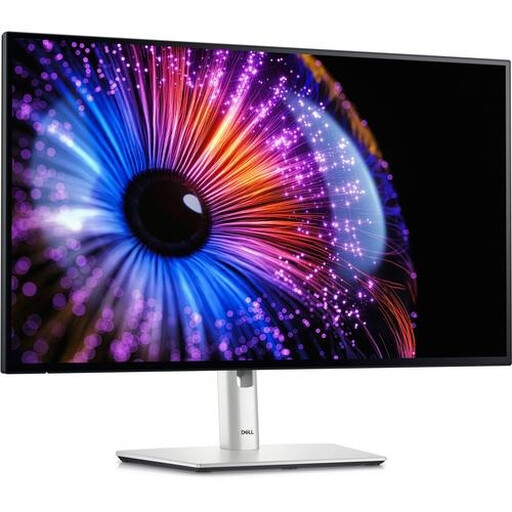
A conventional 27-inch size to consider if you want to view code and a test window on a 4K screen.
The product name lists a resolution of 3840 × 2160 pixels and 4K Ultra HD.
 No image available
A 27-inch QHD option to consider if you want to view code on a conventional-sized screen.
The product name lists QHD and 2560 × 1440 pixels; this isn’t a 4K version.
 No image available
A wide-screen option to consider if you want to place your editor and test windows side by side.
The product name lists a resolution of 3440 × 1440 pixels and Wide Quad HD.
 No image available
A conventional 27-inch size to consider if you want to view code and test results on a QHD screen.
The product name lists a resolution of 2560 × 1440 pixels and Quad HD.
No, version control doesn’t run on the monitor. Choose a screen based on the space you need for your editor, changes and score counter; a KVM switch is only relevant if you work with two computers.
An ultrawide could work if you want to arrange windows side by side horizontally. Compare the space available on your desk and the vertical space with your own layout; more width won’t automatically give you the extra height you need.
That depends on the capabilities of both the monitor and the laptop. Check that the laptop port supports video, compare the charging power you need with the monitor’s specifications, and make sure you have the right cable.
Position the screen directly in front of you and adjust its height so you can look at it with a slight downward gaze. Arboportaal recommends this workstation setup; an eye comfort mode is no substitute for a well-positioned monitor.