
Student with a laptop and one socket
You work in one place with maps and research documents, and want to connect and charge your laptop through the monitor without plugging in a second mains adapter.


If there’s only one socket at your study space, choose a desktop monitor with USB-C video and enough Power Delivery for your laptop; the monitor itself will still need mains power. If there’s no spare socket, a portable screen powered by your laptop may be a better fit, but it offers less screen space and uses the laptop’s battery. Before buying, also check that your laptop supports the USB-C features you need.
You work in one place with maps and research documents, and want to connect and charge your laptop through the monitor without plugging in a second mains adapter.
You want to use a second screen even where there’s no spare socket, and are happy to trade some screen space and use more of your laptop’s battery.
You want to match screen size, detail and stated colour gamut to coastal images, map layers and legends. Screen specifications are no substitute for checking the source data.
First, check whether there’s a spare socket at your study space. Then make sure your laptop supports the video and charging connection. Finally, consider how much screen space and colour reproduction will suit your maps and images.
| Priority | What to look for when buying | Who is this important for? |
|---|---|---|
| Connecting and charging | Check for USB-C video, the monitor’s charging power and the connection your laptop requires. | At a permanent study space, I want to connect and charge my laptop through the screen without plugging in a second adapter. Around 36% of consumers say connecting and charging is their main concern. |
| Map detail and workspace | Compare screen size and resolution with the readability of legends and the space available on your desk. | If I want to read map layers, legends and documents side by side, available workspace matters a lot. Around 29% of consumers give map detail and window space top priority. |
| Colour reproduction | Check which colour gamut your images use and what the manufacturer specifies for the exact model. | When working with digital coastal images and colour-coded maps, I want to assess colours in relation to my materials. Around 21% of consumers put colour differentiation first. |
| Working without a socket | Check whether your laptop can provide video and power to the portable screen through the connection it requires. | When I study in different places, I want to be able to use a second screen even without a spare socket. Around 14% of consumers give working without a socket top priority. |
With a compatible laptop, USB-C Power Delivery can combine the connection and charging, but a desktop monitor still needs mains power.
Before buying, work out which power and video connections your study space and laptop need.
A stated colour gamut describes a feature of the screen, not the accuracy of conclusions about coastal change. The images, data and analysis methods you use also affect how you assess changes.
Match colour reproduction to your images, and check research conclusions against the source data and analysis method.
A screen powered by your laptop uses it as its power source. This can reduce battery life.
Check whether your laptop can provide video and power to the screen over USB-C, and whether its battery life suits the way you use it.
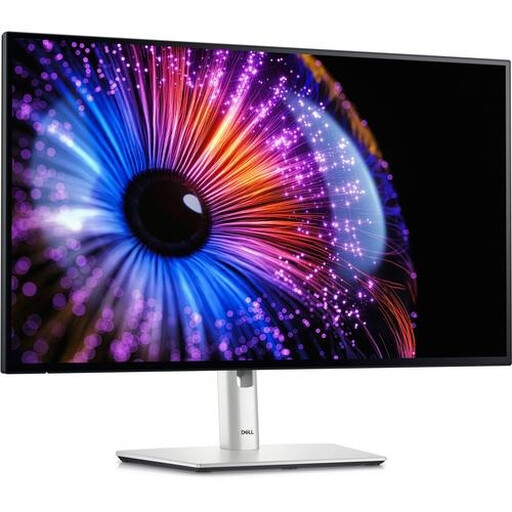
Dell positions the P2725QE as a fixed 27-inch 4K USB-C hub monitor for a workspace with one available socket.
BenQ positions the PD2705U as a 27-inch 4K monitor for design work and digital image presentation alongside map work.
ASUS describes the ZenScreen MB16FC as a portable 16-inch screen that can be powered by a laptop.
LG describes the UltraFine 27U730A-B as a 27-inch 4K monitor with USB-C for video, data and laptop charging.
The Philips 27E1N1600AE/00 offers a 27-inch QHD option for a permanent laptop workspace.
This selection includes fixed USB-C monitors for a desk and a portable screen for a compact study set-up. For each model, check the connections and power supply your laptop needs.
 No image available
The 27-inch 4K set-up may suit a permanent study space where you want to view maps and documents side by side.
The product name lists 3840 × 2160 pixels, 60 Hz, 4 ms, HDMI, DisplayPort and a height-adjustable stand.
 No image available
This fixed screen may suit you if you’re looking for a 27-inch 4K monitor and want to connect and charge your laptop over USB-C.
Joybuy product information lists 3840 × 2160 pixels, USB-C with DisplayPort Alt Mode and Power Delivery up to 98 W. The monitor itself needs to be connected to a power source.
 No image available
This fixed 27-inch screen may suit map and document work at a desk.
Joybuy product information lists 3840 × 2160 pixels, USB-C Power Delivery up to 65 W, an adjustable stand and built-in speakers. The monitor itself needs its own power connection.
 No image available
This portable screen may suit you if you want to take a more compact second screen with you; check in advance how your laptop will provide power and video to the screen.
The product name lists an IPS screen with 2560 × 1600 pixels, 144 Hz, 100% sRGB, 10-bit and two USB-C ports. Joybuy product information describes USB-C for power, video and data.
 No image available
This fixed 27-inch screen may suit you if QHD resolution is right for the maps and documents you view.
Joybuy product information lists 2560 × 1440 pixels, Thunderbolt 4 and 90 W Power Delivery. The monitor itself needs to be plugged into a socket.
No. With a compatible laptop, Power Delivery can replace a separate laptop charger, but a fixed monitor such as the Dell P2725QE still needs to be connected to a power source. ASUS says the portable ZenScreen MB16FC can be powered by a laptop.
Make sure text and legends are easy to read, and adjust the screen to suit you. Arboportaal recommends paying attention to posture, reflections and taking breaks during extended screen work; specific workplace rules for employers and employees don’t necessarily apply to every student studying at home.
Monitors covered by EU rules must meet requirements for energy labels and product information; the European Commission advises checking the details for the exact model. According to ACM ConsuWijzer, the retailer must resolve issues with a faulty product if it breaks sooner than expected under normal use; your statutory guarantee is separate from the manufacturer’s guarantee.
According to the Dutch Government, when you buy from a business online you’ll often have a 14-day cooling-off period. Check the terms for your purchase; the same distance-selling rules don’t apply when you buy online from a private seller.