
Housemates who enjoy puzzle games together on Switch
Want to know whether two players can use separate Joy-Cons or whether each needs a full controller. Nintendo Netherlands explains that this varies by game.


Start by checking your gaming system and the controller configurations supported for local co-op by the game in question. With compatible Switch games, separate Joy-Cons can let two players join in, but they don’t automatically replace two full controllers. Then check that the connection, power supply and cable routing will work in your shared space.
Want to know whether two players can use separate Joy-Cons or whether each needs a full controller. Nintendo Netherlands explains that this varies by game.
Are looking for a second input device that both their gaming system and co-op game will recognise. Microsoft and Sony specify compatibility for each product, so check that the game supports it too.
Want to weigh the freedom of a wireless connection against a cable or USB receiver that takes up space. 8BitDo and PowerA list different connections for their respective models.
First check that the game supports local co-op on your system. Then see whether your current controllers are suitable and which connection and power options will work in your playing space.
| What to consider | What to look for | Who is this important for? |
|---|---|---|
| System and game compatibility | Check that your system and the controller model are supported by the game. Also check which connection is required. | If I want my system and chosen game to recognise the controller straight away, I check both separately. Around 33% of consumers prioritise compatibility. |
| Controls for every player | Check the local co-op mode and whether the game requires separate Joy-Cons or a full controller for each player. | If I’m playing on one system with housemates, I want to know in advance whether everyone can join in using the controls we have. Around 27% of consumers prioritise having enough controls for every player. |
| Connection and room to move | Check the cable route, or whether you need a receiver and have a USB port available. | If I don’t want a cable running through a shared seating or walking area, I check the connection and where the receiver will go. Around 20% of consumers prioritise keeping the area around their gaming space clear. |
| Cost and power | See which controllers and accessories you already own, and check the power requirements for the exact model. Compare any extended warranty with your statutory rights. | If I want to set up a second gaming spot without unnecessary extra purchases or charging interruptions, I start by checking what I already have. Around 20% of consumers prioritise purchase and running costs. |
Supported Joy-Con positions vary from game to game. A PC game may also specify a particular controller connection. So, buying an extra controller won’t necessarily give you a second player’s set-up.
Before you buy, check the local co-op mode, player count and supported inputs for the game. Nintendo, for example, explains that separate Joy-Cons can be used horizontally in some games.
8BitDo lists different connections and target platforms for these models. Being part of the same range doesn’t mean they work in the same way on the same systems.
Compare the full model name and connection specifications. For wireless PC use, also check that you have a suitable USB port available.
Choosing the wrong model could leave you with a connection you can’t use, or take up a USB port you need for something else.
For the Enhanced Wired Controller covered here, PowerA states that it can only be used with a docked Switch and doesn’t have motion controls. PowerA also excludes games that only work with Joy-Cons.
Check whether you use your Switch docked, whether you can route the cable safely and whether the game requires Joy-Con-specific controls.
A manufacturer’s warranty or extended warranty doesn’t replace your statutory rights if a product is faulty. The Dutch government explains that additional warranties are offered on top of the statutory guarantee.
Check what extra damage the extended warranty covers. If the controller is faulty, contact the seller.
Joy-Con controllers for playing together in Switch games that support this style of play. Be sure to distinguish original Joy-Cons from Joy-Con 2 when choosing.
Wireless controllers for Xbox consoles and compatible Windows PCs.
DualSense for PS5 and supported PC games.
The Ultimate 2C is available with different connection types and platform support.
A wired option for playing with a docked Nintendo Switch.
These options include a separate Switch Joy-Con pair and wireless or wired controllers for PC, Xbox and Switch. Before you buy, check that the exact controller and connection are suitable for your system and game.
 No image available
An option for an Xbox or Windows PC set-up, provided the game supports this controller.
The product description lists Xbox Series X|S, Xbox One and Windows 10/11 PC, as well as Xbox Wireless and Bluetooth. Two AA batteries are included.
 No image available
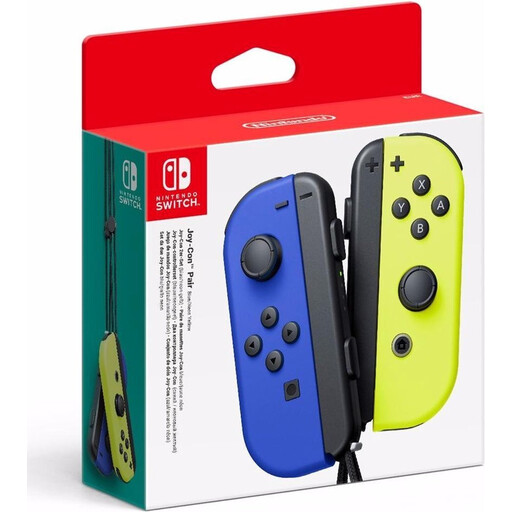
Worth considering if your Switch game supports separate Joy-Cons for individual players.
The product description says the controllers can be used separately for multiplayer. The supported way to play depends on the game; Nintendo lists horizontal use in some games, including Snipperclips.
 No image available
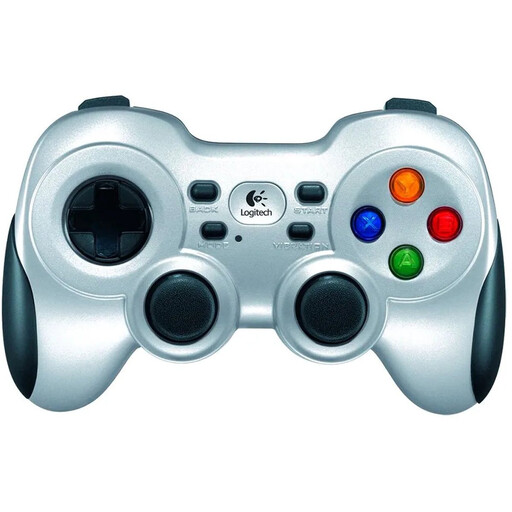
A wireless PC option if the game supports the controller and you have a USB port free for the receiver.
The product description lists a 2.4GHz connection via an included nano receiver and two AA batteries.
 No image available
An option to compare for a PC or Switch set-up. Check that your game recognises the controller.
The product information lists wired, wireless and Bluetooth connections, plus a 1500 mAh battery. The title lists PC, NS and NS2; the description mentions PC and Nintendo Switch.
 No image available
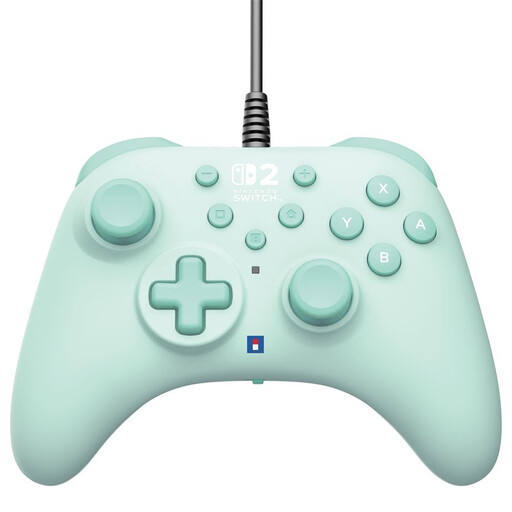
A wired option for a Switch or Switch 2 set-up, as long as the cable routing and game controls work for you.
The product information lists compatibility with Nintendo Switch, Switch 2 and Switch OLED, plus a 3 m USB-A cable. Bear the cable in mind when sharing the space.
Only if your chosen game supports separate Joy-Cons. Nintendo Netherlands cites Snipperclips as an example of a game where Joy-Cons are held horizontally. Check which play styles your game supports.
No, it depends on the exact model. For the Ultimate 2C Wireless, 8BitDo lists a 2.4GHz receiver or cable for Windows and Bluetooth for Android. Check the connection options and whether you have a USB port free.
Not the PowerA Enhanced Wired Controller covered here: PowerA says it must be used with the Switch docked. Also check whether the game requires features that only work with Joy-Cons.
According to the Dutch government, when you buy from a business online, you’ll often have a 14-day cooling-off period, although exceptions may apply. Your statutory guarantee is separate from any manufacturer’s or extended warranty. If the controller is faulty, contact the seller.