
Switch players who want to share controllers
You want to get started with the Joy-Cons you already own and check whether each player can use one in your platform game. Nintendo's Dutch site says the available play styles vary from game to game.


Start with your console or PC, then check whether your platform game supports local co-op with your chosen controller setup. In compatible Switch games, Joy-Cons can sometimes be split between two players. For PS5, Xbox or PC, a compatible extra controller is often a better choice, with the option of compact controls or a full-size grip.
You want to get started with the Joy-Cons you already own and check whether each player can use one in your platform game. Nintendo's Dutch site says the available play styles vary from game to game.
You play on PS5, Xbox, PC or Switch and want each player to have their own controller with a full-size grip. Check whether the game supports local multiplayer on your system.
You want to check the exact model variant and platform compatibility rather than assume every wireless controller works with every system. For example, 8BitDo distinguishes between the Ultimate 2C Bluetooth and Wireless versions.
First, check that the controller works with both your system and the specific game. Then consider how many players can use it, and whether the controls, charging method and box contents suit your setup.
| What to consider | What should you check? | Who is this important for? |
|---|---|---|
| Compatibility | Check support for your console or PC and the specific game. If models have similar names, look out for the difference between Bluetooth and Wireless versions. | I want to make sure the controller and game work with my system before buying, so I don't end up with an unusable extra controller. Around 36% of consumers prioritise compatibility. |
| Controllers for every player | Check the number of players required, the button layout needed and how many controllers you already have. Joy-Cons can only be used separately if the game supports that play style. | I want to know whether the other player can join in with the controllers we already own, or whether we really need another one. Around 29% of consumers focus on having enough separate controls. |
| Grip and easy identification | Choose between a compact, shared Joy-Con and a full-size controller. A distinctive colour can make controllers easier to tell apart, but it doesn't affect how they work. | When we play together on the sofa, I want a shape that feels comfortable to hold and controllers that are easy to identify in a bright living room. Around 21% of consumers prioritise grip and easy identification. |
| Power and charging | Check how the version you choose charges and what comes in the box. Original Joy-Cons cannot be attached to or charged on a Switch 2. | I want to know in advance whether my existing charging setup will do the job, or if I'll need a cable, battery or charging accessory. Around 14% of consumers focus on power and purchase costs. |
Whether you can play separately depends on the game. If it doesn't support that setup, you may need an extra full-size controller.
Before buying, check the local multiplayer and controller settings for the exact game you want to play.
You may still need an extra full-size controller if your chosen game doesn't support separate Joy-Cons.
Nintendo says original Joy-Cons can sync wirelessly with a Switch 2, but cannot be attached to or charged on the system.
Plan how you'll charge them too: use an original Switch or a compatible charging accessory.
If you don't have an original Switch, you may need a separate compatible charging option.
8BitDo lists Switch support for the Ultimate 2C Bluetooth and Windows and Android support for the Wireless version.
Check the full version name and platform compatibility. Using the Bluetooth version with Switch 2 is subject to firmware and system software requirements set by 8BitDo.
The white DualSense model described by Sony doesn't come with a cable. Microsoft sells the rechargeable battery pack with USB-C cable separately.
Check what's included with the version you choose, and factor in what you'll need for the number of players.
A cable, battery or other charging accessory may need to be bought separately.
Joy-Con and Joy-Con 2 are worth considering if you want to use controllers separately in supported games. The Switch 2 Pro Controller is a full-size option.
The DualSense is an option if you're looking for an extra controller for local multiplayer in a supported PS5 game.
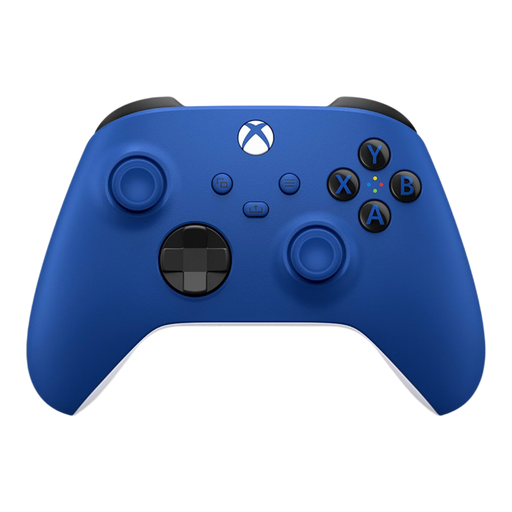
The Xbox Wireless Controller is designed for Xbox consoles and compatible Windows PCs.
The Ultimate 2C comes in a Bluetooth version for Switch and a Wireless version for Windows and Android.
The Enhanced Wireless Controller Rechargeable model reviewed is a full-size option for Switch. PowerA also lists support for Switch 2 for this model.
This selection includes controllers for Xbox and compatible Windows PCs, PS5 and Nintendo Switch systems. Check each model and game to make sure the controller suits your local co-op setup.
 No image available
A full-size wireless controller for a compatible Xbox or Windows PC. Check that your game supports it too.
The product information lists a hybrid D-pad, textured grips and a Share button.
 No image available
A full-size wireless controller for a supported Nintendo system. Check that your game supports it before buying.
The product information lists Nintendo Switch 2, Switch and Switch OLED, 40 hours of battery life, a C button for GameChat and two mappable buttons.
 No image available
A full-size controller for PS5. Check whether your game supports local multiplayer with an extra controller.
The product name lists PlayStation 5 and the colour Starlight Blue.
 No image available
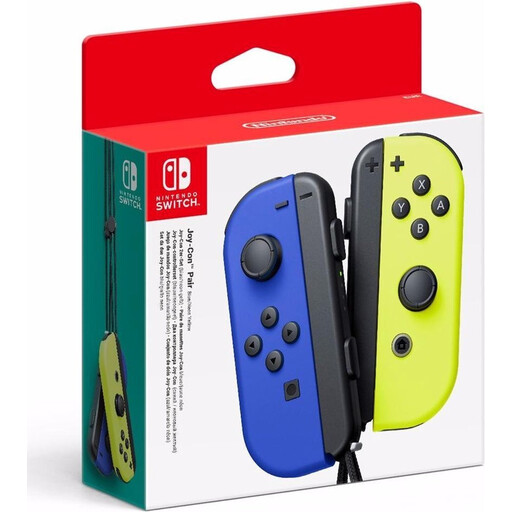
A pair of compact controllers for separate use in games that support this setup. Check your game's options.
The product name lists Nintendo Switch and the colours Neon Blue and Neon Yellow.
 No image available
A pair of compact controllers for Switch 2. Whether you can use them separately depends on the play styles supported by your game.
The product information lists a left and right Joy-Con 2 and two wrist straps.
No, not always: Switch 2 comes with a left and right Joy-Con 2. You can only use them as separate controllers if your game supports that play style, so check the game options.
You can sync original Switch Joy-Cons wirelessly with a Switch 2, but you can't attach them to or charge them on the system. Nintendo lists an original Switch or a compatible charging accessory as charging options.
Not with the white model reviewed by Sony: Sony lists a built-in battery and USB-C connector, but no cable is included. Check what's in the box for the specific version.
Choose based on the system you actually want to use the controller with, and check the full model variant. 8BitDo lists the Ultimate 2C Bluetooth for Switch and the Ultimate 2C Wireless for Windows and Android. The shared model name doesn't mean they have the same platform compatibility.
According to the Dutch government, when you buy as a consumer you are entitled to a product that works as it should; the Netherlands has no fixed statutory warranty period. If there is a problem, the seller must offer a solution. An additional manufacturer's or paid warranty does not replace your statutory rights.