What should you look for?
First, check your console or PC and the game edition. Then count how many controllers each player can actually use, and make sure the connection suits the distance to your seats.
| What to consider |
What should you check? |
Who does this matter to? |
| Compatibility |
Check the full controller model, your console or PC, and the game edition. Nintendo, Microsoft, PlayStation and 8BitDo list support by platform and, for some models, additional requirements. |
I want to avoid buying an extra controller that won’t work with my system or game; around 33% of consumers make compatibility their top buying priority. |
| Controls for everyone |
Count the controllers that can be used individually and check the multiplayer rules for the exact game edition. Nintendo describes using separate Joy-Cons for Overcooked! 2; for Overcooked! 2 – Switch 2 Edition, Nintendo says each multiplayer player needs a compatible controller. |
If everyone wants to play at once, the number of usable controls matters; around 27% of consumers prioritise having enough controllers for their group. |
| Connection from your seat |
If you’re using a wired controller, measure the route around your furniture. PowerA lists a 3 m cable for the Enhanced Wired Controller; for wireless use, check which connections your device and game support. |
I want to play from my seat without a cable crossing a walkway; around 20% of consumers make range and connectivity their top priority. |
| Batteries and charging |
Check the power source for each model and what’s included. Nintendo lists a rechargeable battery for the Switch 2 Pro Controller; Xbox describes the Xbox Wireless Controller as using AA batteries. |
If you use several controllers, you’ll want to know how charging or batteries fit into your gaming session; around 20% of consumers prioritise power management and aftercare. |
Joybuy products
This selection includes Joy-Cons and full controllers for local co-op, with wireless and wired options for different consoles and PCs. Check platform support and connectivity for your own set-up.
 No image available
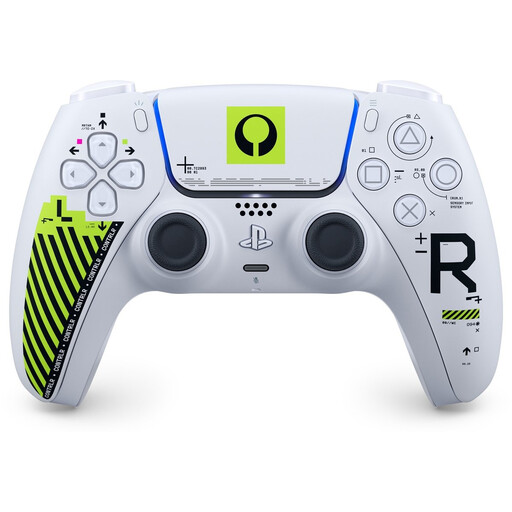
Sony PS5 DualSense Wireless Controller – Marathon Limited Edition
An option for a PS5 set-up where you want a full wireless controller for each player; check that the game supports the controller.
The product title specifies PS5, DualSense, wireless use and the Marathon Limited Edition model.
View at Joybuy
 No image available
Hori Horipad Turbo Wired Controller – Pokémon Eevee Cottage Core Edition, Switch and Switch 2
For a Switch or Switch 2 set-up where a wired controller suits you; check that you have the cable you need.
The product title describes a wired USB controller for Switch and Switch 2. The product information says the cable isn’t included.
View at Joybuy
 No image available
Xbox Wireless Controller – Heart Breaker Special Edition
A wireless option for a supported Xbox or PC set-up; check the connection and game support for your system.
The product information lists Xbox Wireless, Bluetooth and two AA batteries, and mentions Xbox Series X|S, Xbox One and Windows 10/11.
View at Joybuy
 No image available
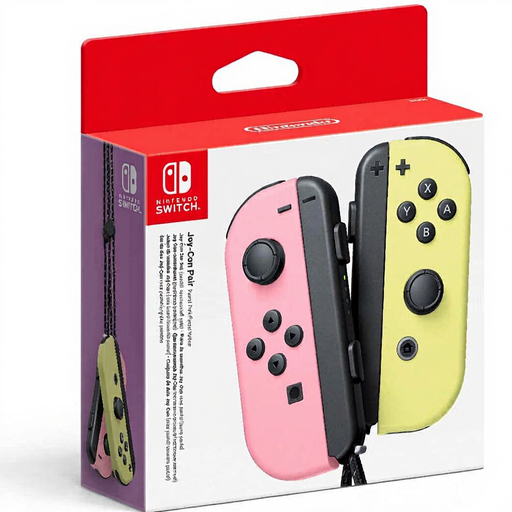
Nintendo Switch Joy-Con Controller Pair – Pastel Pink/Pastel Yellow
A pair of Joy-Cons that can be used separately for local co-op in a supported Switch game.
The product title specifies two Joy-Cons for Nintendo Switch. Nintendo describes using separate Joy-Cons for Overcooked! 2; check the controls for the edition you’re playing.
View at Joybuy
 No image available
GameSir T7 Wired Xbox Controller – Blue
A wired option if your system is supported and your seat is within cable reach.
The product information lists Xbox Series X|S, Xbox One, Windows 10/11 and Steam, along with a 3 m wired USB-C cable. Hall Effect joysticks and triggers are also mentioned.
View at Joybuy
Frequently asked questions
Can everyone use a separate Joy-Con for Overcooked! 2 on Switch?
Yes. For Overcooked! 2, Nintendo describes a team of four chefs, each using a Joy-Con. Check the rules again for a different game or edition; for Overcooked! 2 – Nintendo Switch 2 Edition, Nintendo says every multiplayer player needs a compatible controller.
Does a Switch 2 Pro Controller also work with the original Switch?
No. Nintendo says the Switch 2 Pro Controller and Joy-Con 2 don’t work with the original Nintendo Switch. So check that your console and controller are from the same generation.
How can you stop controllers running out of power during a gaming session?
Before you start playing, check how each model is powered. Nintendo lists a rechargeable built-in battery and an included USB charging cable for the Switch 2 Pro Controller; Xbox describes the Xbox Wireless Controller as using AA batteries, while a wired controller stays connected during use.
In the Netherlands, do I only get a two-year warranty on a controller?
No, two years isn’t a general limit for your statutory guarantee. According to ACM ConsuWijzer, a product should meet your reasonable expectations when used normally; if it breaks down too soon, the seller must offer an appropriate solution free of charge. A manufacturer’s warranty is separate from these statutory rights.
Can you always return a controller bought online within 14 days?
Not always. The Dutch government says that a 14-day cooling-off period applies in many cases to distance purchases, and lists exceptions. Check which terms apply to your purchase.


