
Players who need an extra controller
You want someone to join you on your console or PC. Check that the controller is compatible with your system, connection type and game.


First, choose a controller that works with your console or PC and suits the way you play your game. Then consider the lighting. PowerA lists four customisable RGB zones for the Lumectra 1522807-01, but that doesn’t mean the button labels themselves light up. For a Switch controller with different features, Nintendo lists HD Rumble and amiibo functionality, among others.
You want someone to join you on your console or PC. Check that the controller is compatible with your system, connection type and game.
You’re looking for lighting that helps you find the controls. A light effect on the controller’s casing doesn’t prove that the letters or symbols on the buttons are illuminated.
You want to know how many players can join in at once and which controllers you’ll need. Team17 states that Overcooked! 2 supports up to four players in local or online play.
First, check compatibility and how many controllers you need. Then consider whether the lighting will genuinely help you find the controls.
| What to consider | What should you check? | Who is this important for? |
|---|---|---|
| Compatibility | Check the full model name, connection type and compatibility with your system and game. A Windows version won’t necessarily work with a console. | I want to be sure the controller works with my console or PC and the version of the game I have. Around 33% of consumers put compatibility first. |
| Button visibility | Look for lighting on the button labels themselves. PowerA lists four RGB zones and three lighting modes for the Lumectra 1522807-01, but those specifications don’t show that the button labels light up. | If I want to find the right controls quickly in a dark room, I check whether the buttons themselves are visible. Around 27% of consumers give visibility top priority. |
| Number of controllers | Check how many local players the game supports and whether the controllers you already have can be used in the way you want. Nintendo notes that the supported Joy-Con orientation can vary by game. | I want to know how many people can play at once and which controllers we already have. Around 20% of consumers prioritise having enough usable controllers for the group. |
| Comfort and power | Compare the stated battery life and connection options under the conditions given. Nintendo estimates around 40 hours for the Switch Pro Controller, depending on use. | For a longer gaming session, I want a controller that feels comfortable in my hands and won’t run out of power unexpectedly. Around 20% of consumers put comfort, connection and power first. |
RGB zones can create light effects on a controller, but they don’t tell you whether you’ll be able to read the letters or symbols on the buttons.
If illuminated button labels are your main reason for buying, check specifically whether the labels themselves light up.
According to PowerA, the Lumectra 1522807-01 has RGB zones but doesn’t have HD Rumble, an IR camera or amiibo NFC. Nintendo lists HD Rumble and amiibo functionality, among other features, for the official Switch Pro Controller.
Think about which features you’ll use beyond this cooking game and compare the full specifications of each model.
Whether existing controllers can be used individually depends on the options available in the specific game when using Joy-Con.
First, check the local multiplayer options and try the controllers you already have.
An optional plan is separate from your statutory rights if a product doesn’t conform to the contract. The Dutch government states that there is no fixed statutory guarantee period in the Netherlands.
Read the terms and exclusions of any additional plan and compare them with the rights you already have.
The Switch Pro Controller is an option if you’re looking for a separate controller with Nintendo features.
The Lumectra 1522807-01 is a light-up controller for the Switch models specified by PowerA for this version.
The Xbox Wireless Controller is designed for the Xbox consoles and Windows PCs listed by Microsoft.
The DualSense is an additional official controller for a PS5 setup.
The Ultimate 2C Wireless is a Windows option that connects via a 2.4GHz receiver or wired USB.
These controllers are listed for Switch, PS5, Xbox or PC, and their product names mention different lighting effects or other features. Before buying, check that the exact model works with your system and game.
 No image available
The product name mentions Switch and wireless use; check that this version suits your system and game.
According to the product name: Bluetooth, 7-colour LED lighting, vibration feedback and a range of 10 m. The lighting doesn’t prove that the button labels light up.
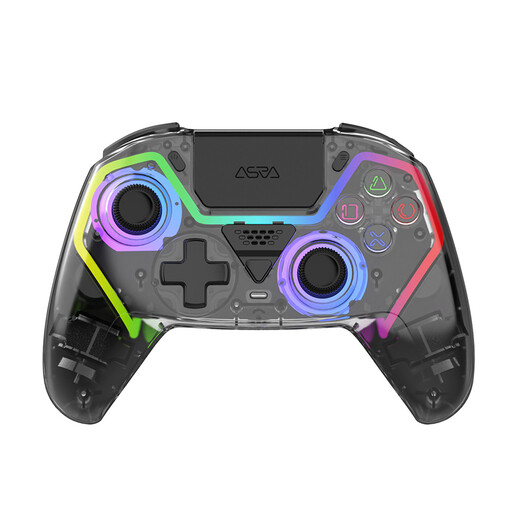 No image available
The product name mentions PS5; check that this version is compatible with your console and game.
According to the product name: Hall effect sticks, programmable buttons, RGB lighting and a 1000 mAh battery. RGB lighting doesn’t tell you whether the button labels light up.
 No image available
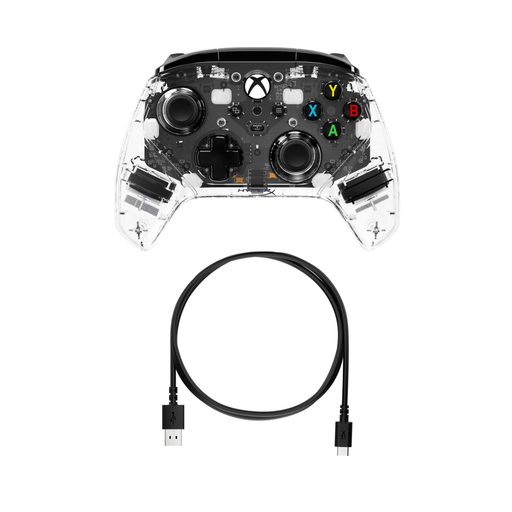
The product name mentions Xbox and PC. Check that the connection type suits your device.
The product name mentions RGB lighting; this specification doesn’t say whether the button labels light up.
 No image available
The product name mentions PC, Nintendo Switch and Switch 2; check that the specified version and connection suit your setup.
According to the product name: haptic triggers, adjustable joystick resistance and six programmable buttons.
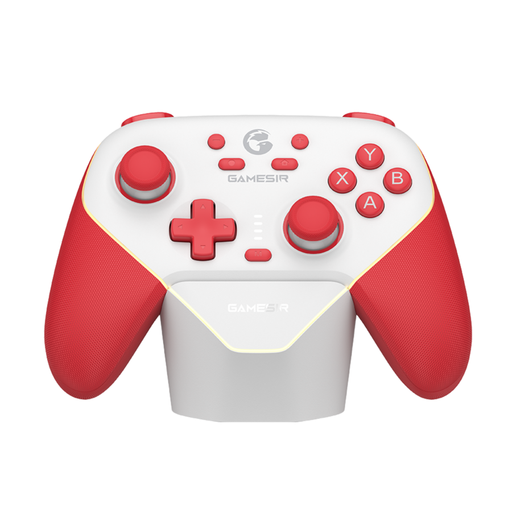 No image available
The product name mentions Switch and tri-mode connectivity. Check which connection types this version supports and whether they suit your device.
Not necessarily. Team17 states that Overcooked! 2 supports up to four local players. According to Nintendo, a pair of Joy-Con can act as separate controllers in some games, but the supported orientation depends on the specific game. Check the multiplayer options before buying extra controllers.
Nintendo explains that you can pair it using the USB cable supplied, or by selecting HOME > Controllers > Change Grip/Order and pressing the SYNC button. The system must be switched on.
Nintendo states that when Bluetooth audio is connected, no more than two wireless controllers can be connected. If this happens, disconnect the Bluetooth audio before trying to connect a third controller.
According to the Dutch government, you’re entitled to a product that works properly, and the seller must provide a solution if it’s faulty. The Netherlands has no fixed statutory guarantee period. For qualifying distance sales to consumers, you’ll also usually have a 14-day cooling-off period. This is separate from your rights if a product is faulty.