
Co-op player with one console
Wants to know before buying whether the available controllers can support two players in the game they have in mind. Nintendo Netherlands says that using Joy-Con 2 separately depends on the software and play style.


First, choose a controller that suits your system and the controls supported by the co-op game for each player: an extra gamepad doesn’t automatically give you an extra player slot. On Nintendo Switch 2, two Joy-Con 2 controllers can be used separately in supported games; a full-size gamepad has a different button layout. Consider screen reflections in a bright room separately from your controller, as the controller won’t change the screen’s properties.
Wants to know before buying whether the available controllers can support two players in the game they have in mind. Nintendo Netherlands says that using Joy-Con 2 separately depends on the software and play style.
For longer adventure sessions, consider the button layout, grip and power supply of the compatible model. Manufacturer information explains the features, but the best way to see how a controller feels in your hands is to try it yourself.
Wants to distinguish the buttons clearly while minimising distracting screen reflections. BenQ describes reflections as a matter of ambient light and the screen; a different controller won’t change the screen’s finish.
First, check your console and the game’s co-op controls. Then consider your preferred button layout, power supply and gaming setup.
| What to consider | What should you check? | Who should consider this? |
|---|---|---|
| System and game | Check the console version, local co-op support, player limit and controller layout required by the specific game. | If I want to make sure we can play together using the controllers we have, I check the game and system first. Around 42% of consumers put compatibility first. |
| Buttons and grip | Compare the actions required by the game with the button layout and grip of the exact compatible model. | If a full button layout and a secure grip matter to me for longer sessions, I compare the physical controls on each model. Around 25% of consumers prioritise these controls. |
| Power supply | Check how the model is charged or which batteries it needs; rechargeable AA batteries cannot be charged in the Xbox controller mentioned. | If I want both controllers ready for a gaming session, I check charging, batteries and any charging accessories. Around 17% of consumers put power supply first. |
| Visibility in bright light | Assess screen reflections and incoming light separately from the controller; the controller won’t change the screen’s finish. | When I play in a bright room, I want to see the screen clearly and distinguish the buttons in my own setup. Around 16% of consumers focus mainly on visibility in the room. |
According to Nintendo, using them separately depends on the software and supported play style; not every game lets you use a single Joy-Con as one player’s controller.
Before buying, check the controller requirements and player settings for the specific co-op game.
If the game requires a different layout, you may still need an additional compatible controller.
Nintendo says that Joy-Con 2 controllers don’t work with the original Switch.
Check the full generation of your console and compare it with the controller’s compatibility.
Reflections are caused by ambient light falling on the screen; a different controller won’t change the screen’s finish. BenQ describes screen reflections as a matter of the screen and incoming light.
Consider the room, incoming light and screen separately from your choice of controller buttons.
Xbox Support says that rechargeable AA batteries can’t be charged in the controller.
Decide in advance between replaceable batteries and a suitable charging solution. Rechargeable AA batteries need a separate charger.
Joy-Con 2 and full-size controllers for Nintendo Switch 2; check compatibility with the game and console version.
Xbox Wireless Controller for compatible Xbox consoles and Windows PCs.
DualSense as a full-size controller for PS5; Sony also lists support for PC, Mac and mobile devices.
According to PowerA, some Enhanced Wireless models are compatible with Switch 2; check the exact model.
According to 8BitDo, the Ultimate 2 Bluetooth Controller is compatible with Switch and Windows; a firmware update is required for Switch 2.
These models include full-size controllers for Nintendo Switch 2, Xbox or Windows PC, and PS5, as well as a separate Joy-Con 2 set for supported Switch 2 games.
 No image available
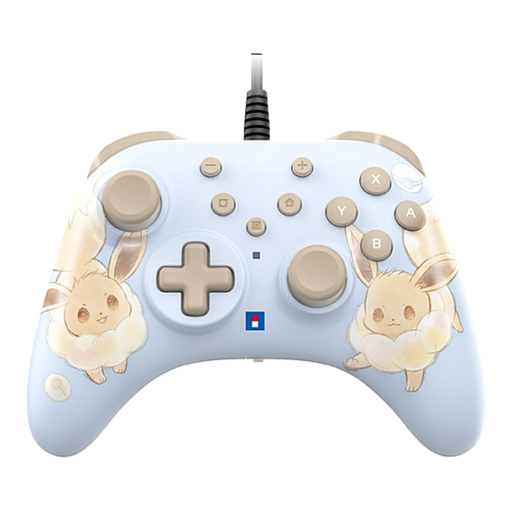
A full-size controller for wired gaming on Switch or Switch 2.
The product description lists USB connectivity and power, programmable rear buttons, a turbo function and a C button. It connects via a cable.
 No image available
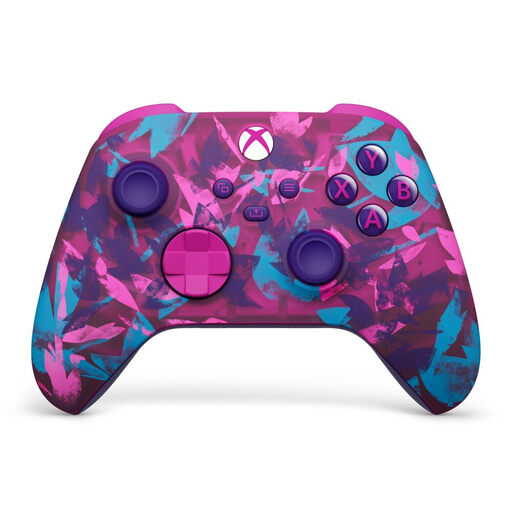
A full-size wireless controller for compatible Xbox consoles or Windows PCs.
The product description lists textured triggers, rubberised rear grips and two AA batteries included. Rechargeable AA batteries can’t be charged in the controller.
 No image available
A full-size wireless controller for PS5, with a built-in battery according to the product description.
The product description lists USB-C, haptic feedback and adaptive triggers. Sony says these features depend on game support and may sometimes require a USB connection.
 No image available
A full-size controller for Nintendo Switch 2 when the game supports a full-size gamepad.
The product description lists HD Rumble, motion controls, amiibo functionality and a rechargeable battery. According to the description, it can be charged via the console, dock or USB charger; a USB charging cable is included.
 No image available
A left and right controller for separate use in games and play styles that support it.
The product description lists HD Rumble 2, motion controls, a C button and included wrist straps. According to the description, they can be charged via the console or a separately sold charging grip; Nintendo says separate use depends on the software and play style.
No, it depends on the game and the supported play style. Nintendo recommends checking the controller requirements for the specific game.
On Switch 2, use the controller settings for play style and order. Nintendo says to press SL and SR on each Joy-Con 2 you want to use horizontally.
Nintendo says they can be charged while attached to Switch 2 under the specified power conditions, or with a Joy-Con 2 charging grip, sold separately.
For distance purchases, you usually have a 14-day cooling-off period; the Dutch government says that exceptions may apply. You’re also entitled to a legal guarantee when you buy a product: it must meet the standard you’re entitled to expect. This is separate from any manufacturer’s or seller’s guarantee.