If you have one spot with a weak signal, a wireless repeater could help, provided it can still receive a usable signal from the router. If you can run a cable to the workspace, compare a wired access point; for several workspaces, a suitable mesh system may be another option. TP-Link describes access point mode as an alternative when distance or obstacles make a stable wireless connection difficult.
Who is this guide for?
Club members on video calls at the same time
If several people are on calls during a club activity while others access the archive, the connection in the workspace matters. The capacity you need depends, among other things, on the video platform and picture quality you use; Zoom lists different bandwidth requirements for this.
Archive managers
If you open or manage files, you’ll want to check whether any delays are caused by the Wi-Fi, internet connection or archive service. The Consumentenbond describes tests of Wi-Fi using both wireless and wired connections.
Clubs with a workspace in a hard-to-reach area
If a room has a weak signal, you’ll need to choose between placing a repeater somewhere in between and running a network cable to the workspace. TP-Link describes access point mode as an option when distance or obstacles make a stable wireless connection unachievable.
What should you look for?
Wireless Wi-Fi repeater
Choose this option if: you want to improve the signal in one spot and can place the repeater somewhere it still receives a usable signal from the router.
Bear in mind: the wireless connection back to the router and where you place the repeater both matter. A stated maximum speed doesn’t tell you how well archive access and calls will work at the same time.
Wired access point
Choose this option if: you can run a network cable from the router or club network to the workspace, particularly if the wireless connection there isn’t stable.
Bear in mind: you’ll need to run a cable, and the device you choose must support access point mode.
Mesh system
Choose this option if: several workspaces need coverage and you’ve confirmed the mesh units are compatible with your existing router or with each other.
Bear in mind: you may need extra equipment. TP-Link pairs OneMesh on the RE605X with a compatible TP-Link OneMesh router; FRITZ! describes full mesh integration with a FRITZ!Box.
Test the connection where club members work, using the archive and making the video calls you need the solution for at the same time. A repeater won’t, on its own, speed up a slow internet connection or archive service.
| Consideration |
What should you check? |
Who is this most relevant to? |
| Video calls at the same time |
Test calls and archive access at the same time in the workspace; if you have problems, check both upload and download speeds. |
If I make calls during a club activity while others use the archive, I want to know how the connection performs in that spot. Around 31% of consumers prioritise calls happening at the same time. |
| Access to the archive |
Compare access to the same archive next to the router and in the workspace; check whether you access the archive locally or over the internet. |
I want to be able to open the club archive and, if there’s a delay, work out whether the problem lies with the Wi-Fi, internet or archive service. Around 25% of consumers prioritise archive access. |
| Signal range and placement |
Check whether there’s a spot in between with a usable signal and whether you can run a cable to the workspace. |
If the workspace has poor reception, I want to know whether a repeater can still receive a good signal from the router there. Around 25% of consumers focus mainly on signal range and placement. |
| Security and management |
Check the security settings available, how firmware is managed and which product marking the specific device must carry. |
When accessing club data, I want to be able to tailor the settings and management to the club’s requirements. Around 19% of consumers give security and management the most attention. |
Common mistakes
-
Placing a repeater in a dead zone
The repeater first needs to receive a usable signal from the router. If you put it where the signal has already dropped out, the underlying problem may remain.
Check possible spots in between and compare them with a wired access point setup.
Moving the repeater takes time. If it can’t receive a signal from an intermediate spot, you may still need to run a cable to the workspace.
-
Treating a stated peak Wi-Fi speed as a guarantee
A product’s maximum speed doesn’t tell you how it will handle archive access and video calls at the same time in the workspace.
Assess the connection under the same simultaneous usage you’re choosing the solution for.
-
Confusing router compatibility with mesh compatibility
A repeater may work with a router from another brand, while brand-specific mesh features have their own requirements.
Check both the standard repeater function and the specific mesh compatibility of the model and router.
Some mesh features may require extra compatible network equipment.
Brands to compare
TP-Link
According to TP-Link Netherlands, the RE605X is a Wi-Fi 6 repeater with gigabit Ethernet, a signal indicator and access point mode.
- TP-Link says OneMesh works with this model when paired with a compatible TP-Link OneMesh router.
- The stated AX1800 speeds are product specifications, not a measure of how video calls perform in a club room.
FRITZ!
FRITZ! says the FRITZ!Repeater 1200 AX has a gigabit LAN port and can be used as a repeater or connected via LAN behind a router from another manufacturer.
- A wired connection is an option when the model is connected to the network via LAN.
- FRITZ! describes full mesh integration with a FRITZ!Box; check this requirement if you specifically need that feature.
devolo
devolo describes the WiFi 6 Repeater 3000 as having gigabit LAN and access point mode.
- devolo lists WPA2/WPA3 for this model.
- devolo describes mesh functionality with other devolo Wi-Fi products. Check separately whether the integration you want will work with the club’s existing network.
NETGEAR
NETGEAR describes the EAX15 as a Wi-Fi 6 mesh extender with a gigabit Ethernet port.
- The Ethernet port gives you the option of a wired connection.
- NETGEAR’s claims about video calls and use with multiple devices aren’t an independent test of a club room.
Joybuy products
This selection includes wired access points for a fixed network connection, Deco mesh systems for several workspaces and a Wi-Fi extender for one spot with a weak signal.
 No image available
TP-Link Omada EAP653
A good fit for a club workspace with an Ethernet connection; this is an access point, not a wireless repeater.
The product information lists Wi-Fi 6, WPA3, QoS, Ethernet and PoE. The model is designed for ceiling or wall mounting.
View at Joybuy
 No image available
TP-Link Omada EAP613
A wired access point to compare if a network cable can be run to the club room.
The product information lists Wi-Fi 6, WPA3, QoS, Ethernet, PoE or DC power, and ceiling or wall mounting.
View at Joybuy
 No image available
TP-Link Deco BE68 2-pack
A mesh option to compare if several areas of the club need coverage.
The product information lists Wi-Fi 7, tri-band, multi-gigabit ports, and wired and wireless backhaul.
View at Joybuy
 No image available
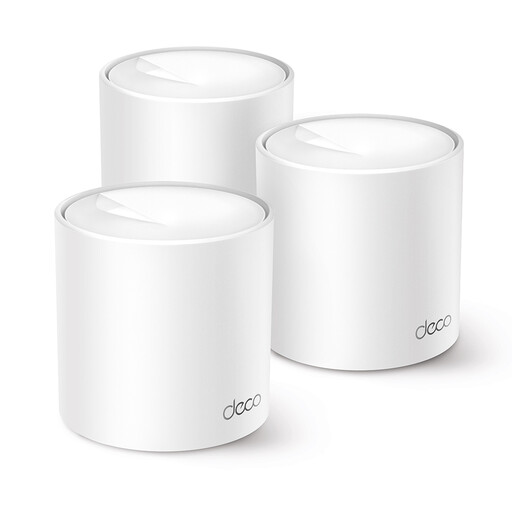
TP-Link Deco X10 dual-band
A mesh option for clubs comparing Wi-Fi coverage across several workspaces.
The product information lists Wi-Fi 6, 2.4 GHz and 5 GHz, OFDMA and MU-MIMO. It also mentions one network name and roaming between Deco units.
View at Joybuy
 No image available
TP-Link TL-WA801N
An option to compare if you want to look at extender and access point modes for a workspace.
The product information lists 2.4 GHz 802.11n up to 300 Mbit/s, Ethernet, Passive PoE and two antennas. This model doesn’t list Wi-Fi 6.
View at Joybuy
Frequently asked questions
How can you tell whether a repeater is in the right place?
Place the repeater somewhere it can still receive a usable connection from the router, rather than right in the middle of the dead zone. Then check the connection in the workspace where club members access the archive and make video calls.
Is a gigabit port enough for reliable access to the club archive?
No, the port alone doesn’t tell you how reliable archive access will be. Check whether the port is intended for connecting a device or for connecting the access point to the club network by cable; this depends on the mode.
What product rules apply to a Wi-Fi repeater in the Netherlands?
Radio equipment placed on the market in the Netherlands must meet the applicable European requirements and carry the required CE marking to show that it complies, as described by the Rijksinspectie Digitale Infrastructuur. The additional cybersecurity requirements under RED 3.3 have applied since 1 August 2025 to designated categories; which requirements apply depends on the device.
What extra costs and rights should you consider when buying online?
Factor in any cabling work and the power consumption of network equipment when considering running costs. For a typical online product purchase, ACM ConsuWijzer says you generally have a statutory 14-day cooling-off period after delivery.


