
Managing an existing Excel rota
If you’re taking over a club’s rota file, first check whether the features you need work in a browser. Microsoft Support explains that macros in an Excel workbook don’t run in a browser.


Start with the rota file and the software you use to manage it. If you need Excel features that don’t work in a browser, choose a laptop that can run the desktop version you need. A Chromebook may be enough for a simple online rota, while a MacBook is an option if you want macOS and have checked that your software and peripherals are compatible. Then weigh up screen space, ports and portability against your usual workspace.
If you’re taking over a club’s rota file, first check whether the features you need work in a browser. Microsoft Support explains that macros in an Excel workbook don’t run in a browser.
When comparing names and time slots, screen size and the option to connect an external monitor may be important. Check the ports on the exact laptop configuration and your monitor.
If several volunteers are coordinating changes, consider how you can share files and who will have access. The Dutch Data Protection Authority stresses that organisations must keep personal data secure.
A good fit if: you need to edit an existing rota that uses desktop Excel features. Check the Windows version, Excel licence and file features you use.
Bear in mind: Excel isn’t included automatically, and specifications and ports vary by configuration.
A good fit if: you mainly create and share a simple online rota in a browser, without relying on desktop-specific features.
Bear in mind: you can access Microsoft 365 on Chromebooks via the web, but macros in Excel workbooks won’t run there, according to Microsoft Support.
A good fit if: you want to use macOS and have checked that your rota file and chosen software work with it.
Bear in mind: check the ports on the configuration you choose and whether you’ll need an adapter for your external monitor.
| What to consider | What to look for | Who is this most relevant to? |
|---|---|---|
| File compatibility | Test a sample file and check macros and other features. Decide whether you need desktop Excel. | If I need to update an existing rota, I want the features I use to keep working. Around 36% of consumers say file compatibility is their main consideration. |
| Workspace visibility | Compare the screen size and resolution of the exact configuration. Check that its port is compatible with your external monitor. | When entering and checking time slots, I want a clear view of the rota. Around 29% of consumers prioritise a clear screen layout. |
| Collaboration and access | Check who can view or edit files, and agree how you’ll handle personal data. | If other volunteers are helping, I want to share files without losing sight of access management. Around 21% of consumers say collaboration and careful sharing are their top priority. |
| Size and portability | Compare the size and stated weight of the configuration you’ve chosen with how often you plan to take your laptop with you. | If I’ll sometimes take my laptop with me, I want to balance its size against the screen space I need at home. Around 14% of consumers prioritise portability. |
Macros in an Excel workbook don’t run in a browser, according to Microsoft Support. So an online setup may not support the features your existing file needs.
Test a representative rota file and the features you need before choosing an operating system.
An external monitor needs a compatible port. For extended screen work, Arboportaal recommends setting up a suitable workspace and limiting laptop use without accessories.
Check the ports on the exact configuration and think about how you plan to use the laptop at home.
ACM ConsuWijzer distinguishes between statutory guarantees and any warranty offered by the manufacturer or retailer.
Check what an extra warranty package covers, and remember that a commercial warranty doesn’t replace your statutory rights.
The Acer configurations reviewed offer both a Windows and a ChromeOS option.
The IdeaPad Slim 3 15IRH10 series is worth considering if you want to connect an external monitor at home.
The MacBook Air M5 gives you a macOS option, with a choice of 13.6-inch and larger 15-inch configurations.
These laptop options are suited to creating and updating a rota at a home workspace, with Windows configurations and a choice of screen sizes.
 No image available
Windows 11 Home is listed for this configuration, making it a relevant option if you’re looking for a Windows laptop to manage your rota.
13.3-inch IPS Full HD screen, HDMI, 16 GB RAM and a stated weight of 1.46 kg. Check which version of Excel you need.
 No image available
Windows 11 Home is listed for this model, which suits a Windows-based setup. Check which Excel features and licence your rota requires.
15.6-inch Full HD IPS screen, HDMI, 16 GB RAM, 512 GB SSD and a numeric keypad. This configuration has an AZERTY keyboard.
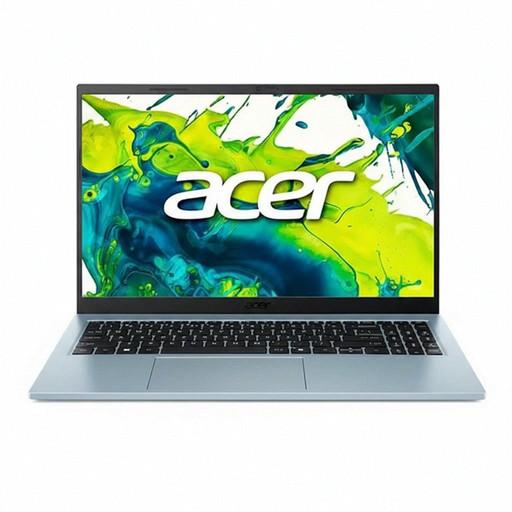 No image available
This configuration lists Windows 11 Home. Check that your required rota features work with the software you choose.
15.6-inch Full HD IPS screen, 8 GB DDR4 memory and 512 GB SSD. The keyboard is QWERTY.
 No image available
Windows 11 Home is listed for this configuration, making it a relevant choice if you want to manage your rota using Windows software.
15.6-inch Full HD IPS screen, 16 GB DDR4 memory, 512 GB SSD and a numeric keypad. The keyboard is QWERTY.
 No image available
The 16-inch screen may suit a regular home workspace where you want to view the rota on the laptop’s built-in display.
16-inch WUXGA screen, 16 GB LPDDR5X, 512 GB SSD and Windows 11 Home. The stated weight is 1.70 kg. Check that your rota software works with this configuration.
Not before checking the rota file. You can create and share a simple online rota using the web version of Excel, including on a Chromebook. If the workbook uses features such as macros that don’t work in a browser, check which desktop environment and software licence you need.
Yes, with Google Sheets, if you’ve set up offline access in advance and made the file available offline. Check this before relying on it: editing offline and collaborating online are different situations.
Check that the ports on the exact laptop configuration are compatible with your monitor and other peripherals. For extended screen work, Arboportaal recommends setting up a suitable workspace and limiting laptop use without accessories.
If a rota contains names or other information that could identify people, the club must manage access carefully and keep the data secure. The Dutch Data Protection Authority stresses that organisations must protect personal data. The right approach will depend on the rota’s contents and purpose.
No. Standard support for Windows 10 ended on 14 October 2025. Microsoft describes a separate Extended Security Updates programme with specific conditions, so don’t assume an older laptop is automatically protected.