
Narrator staying in one place
You’re recording the documentary narration on your own and can stay close to your phone, computer or recorder. The right connector and a practical cable setup will determine your choice.


If you’re recording a single narrator who can stay close to the recording device, choose a wired clip-on microphone with a connector that matches your device. A wireless set is a better choice if the narrator will move around the classroom or you want to record two speakers. Check what’s included in the set, how long each transmitter lasts and how it sounds in a test recording.
You’re recording the documentary narration on your own and can stay close to your phone, computer or recorder. The right connector and a practical cable setup will determine your choice.
You want to speak while moving around, without a cable running to the camera or phone. Check which receiver is included, how long the transmitter lasts and how it performs in a test recording on location.
You might also be recording an interview alongside the narration. Choose a version with enough transmitters and check how it records both voices.
For a classroom voice-over, your choice comes down to speech clarity, compatibility with your recording device, freedom to move and, if needed, support for a second speaker.
A good choice if: you’re recording one narrator with a device that supports USB-C audio and can stay close to the speaker.
Bear in mind: the cable limits where you can position yourself. Sennheiser lists a 2 m cable for the XS Lav USB-C.
A good choice if: your camera or recorder has a compatible microphone input, or your phone works with the connector you’ve chosen.
Bear in mind: TRS and TRRS are not automatically interchangeable. The BOYA BY-M1 uses an LR44 battery.
A good choice if: the narrator will move around the classroom or you want to mic up two speakers separately.
Bear in mind: you’ll need to set up the transmitters and receiver. The receiver and number of transmitters vary by version, so test the connection in the classroom.
| What to consider | What should you check? | Who is this important for? |
|---|---|---|
| Speech clarity | Attachment and positioning; make a test recording and listen back to it. | If I want the voice-over to be clear, I pay attention to positioning and to clothing rubbing against the microphone or cable. Around 34% of consumers put speech clarity first. |
| Connection | Check the input, connector type, any adapter you might need and whether the recording app recognises the microphone. | If I want to use my existing phone, computer, camera or recorder, I check that the microphone is compatible. Around 33% of consumers prioritise a working connection to their device. |
| Freedom to move | Check that the receiver is compatible with your device and how long each transmitter lasts. | If I want to record while walking around, I don’t want a cable between me and the recording device. Around 20% of consumers put freedom to move first. |
| Two speakers | Check how many transmitters are included and how both audio signals are recorded. | If I want to record a second person alongside the narrator, I check that each person has their own transmitter and how the voices are captured. Around 13% of consumers prioritise recording two speakers. |
A microphone designed for a compatible phone input won’t necessarily work straight away with a transmitter that expects TRS.
Check the exact input on your recording device or transmitter before ordering.
Total usage time, including the charging case, isn’t the same as the length of one uninterrupted recording on a single charge.
Compare the stated battery life per transmitter with the length of your planned session, and charge the set beforehand.
The number of transmitters and the type of receiver can vary between versions, even within the same product range.
Check the exact version and what’s in the box, especially if you want to record two speakers at once.
The XS Lav USB-C is a wired option for a compatible mobile device or computer.
The BY-M1 offers a wired analogue option for a compatible phone, camera or recorder setup.
The smartLav+ and Lavalier GO offer different wired connection options for devices with a compatible input.
The LARK M2 range is a wireless option. Choose a version with the receiver you need.
The Mic Mini 2S is a wireless option if you also want to factor internal recording into your choice.
These Joybuy products are wireless clip-on microphones for voice-overs where the speaker needs to move around, or for recordings with one or two speakers. Check that the receiver in your chosen version is compatible with your recording device.
 No image available
Suitable for wireless recording when you want to use two transmitters.
This version includes 2 transmitters, 1 receiver and a charging case. DJI lists internal recording for the Mic Mini 2S.
 No image available
Suitable for wireless recording with two speakers on a compatible USB-C Android phone.
The product name lists 2 transmitters and 1 receiver. This version is marked as suitable for USB-C Android phones.
 No image available
Suitable for wireless recording with one speaker using one of the iPhone models listed in the product name.
The product name lists 1 transmitter, 1 receiver and USB-C. The version is listed as compatible with iPhone 18/17/16.
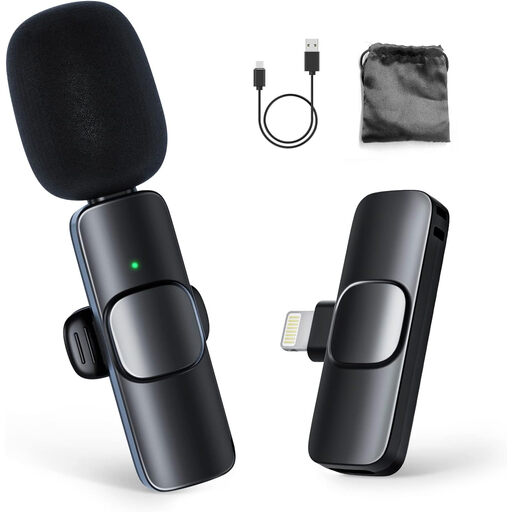 No image available
Suitable for wireless recording with one speaker on a compatible iPhone or iPad.
The product name lists 1 transmitter and 1 receiver. This version is marked as suitable for iPhone and iPad.
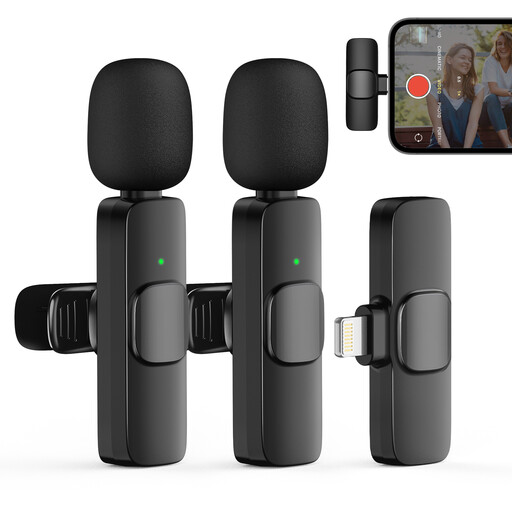 No image available
Suitable for wireless recording when you want to mic up two speakers.
The product name lists 2 transmitters and 1 receiver. This version is marked as suitable for iPhone and iOS devices.
Attach the microphone to your collar or lapel and make a test recording. Sennheiser suggests around 25 cm from the mouth as a starting point; Shure warns that clothing or cable rubbing can be audible. Adjust the position to suit your voice and clothing.
No, it depends on the connector type and input. RØDE distinguishes the smartLav+’s TRRS connection for compatible phones from the TRS connection required by the Wireless GO II transmitter. RØDE specifies an adapter for that combination. Also check that your device has a compatible microphone input.
Check whether your setup needs an adapter, battery or extra transmitter. Consumer purchases in the Netherlands are covered by a legal guarantee; according to the Dutch government, there is no fixed statutory time limit. If a product is faulty, contact the seller.
It depends on what you record, who makes the recording and how it is used. The Dutch Data Protection Authority considers identifiable audio recordings to be personal data, and processing them requires a legal basis under the GDPR. For schools making and publishing identifiable images of pupils, the Authority says consent is required; for pupils under 16, this must come from a parent. This specific rule about images does not automatically answer questions about audio-only recordings or recordings containing only your own voice.