
Performer moving around the classroom
You want clear speech while the recording camera is at a distance. Consider how the microphone is attached, which receiver and connection you need, and whether the equipment has enough power.


If the performer moves around the classroom while the camera stays at a distance, a microphone close to their voice, such as a wireless clip-on mic, is an obvious choice. If they stay in one place, a microphone or recorder positioned closer to them may be simpler. Check the connection and make a test recording in the actual performance space: no type of microphone will eliminate echo by itself.
You want clear speech while the recording camera is at a distance. Consider how the microphone is attached, which receiver and connection you need, and whether the equipment has enough power.
You record pupils one after another and want a set-up that you can check in the same way each time. A microphone or recorder close to the performance space can be practical.
You want to connect the microphone to your phone or camera and check the sound during a test recording.
Choose this when: the performer moves around and the camera or phone stays at a distance.
Bear in mind: charging, a suitable way to attach it and possible clothing rustle; the stated range under ideal conditions does not necessarily reflect the range in a classroom.
Choose this when: the performer stays within a predictable area and you do not want to attach a microphone to their clothing.
Bear in mind: the distance from the voice and the input on the recording device; directionality does not eliminate echo.
Choose this when: you want to record audio without a phone or camera and can place the recorder close to a performer who stays mostly still.
Bear in mind: for video, the audio is saved as a separate file and you will need to sync it with the footage later; also check storage and power requirements.
Choose this when: you are recording the monologue at a computer from a fixed position.
Bear in mind: the stand and cable limit movement; a recording pattern is no substitute for suitable positioning.
| What to consider | What should you check? | Who is this important for? |
|---|---|---|
| Clear speech while moving | Check the transmitter, receiver, attachment and connection for the set. Test it with the movements in the monologue. | If the performer walks around the classroom, I want the microphone to move with their voice. Around 29% of consumers say freedom of movement is their main consideration. |
| Echo and microphone distance | Test it in the actual performance space and listen back; consider how close the microphone can be to the performer. | In an echoey classroom, I want to be able to hear the words clearly from the performance space. Around 29% of consumers prioritise clear speech in that space. |
| Connection and monitoring | Check the exact recording device, its input and the cables or receiver included. Make a short recording and play it back. | If I use my own phone or camera, I want to make sure the connection works and that I can check the sound. Around 24% of consumers say connectivity is their main consideration. |
| Components and repeated use | Check what is included in the box and plan for storage and power; charge wireless equipment in good time. | When recording several pupils, I want a set-up that is easy to use again and has all the necessary components ready. Around 18% of consumers prioritise ease of management and repeated use. |
A microphone positioned at a distance cannot reliably separate direct speech from reflections. As a result, a monologue can still sound hollow in an echoey classroom.
Make a test recording from the actual performance space. If the words sound hollow, try moving the microphone closer to the performer.
Sets in the same product range can differ in their transmitters and included components. A suitable microphone will not help if the receiver or connection is not compatible with your recording device.
Check everything included in the set and the connection on your own phone or camera.
Fabric touching the microphone or cable can cause handling noise in the recording.
Record a short passage in the actual costume, using the actual movements, and listen back before recording begins.
A standalone recorder creates a separate audio file. For a video, you will need to sync the audio with the footage later.
Before each recording, create a clear sync point and check that both the camera and recorder are actually recording.
The Wireless ME is a wireless option for one performer recording with a phone, computer or camera.
The Mic Mini range includes clip-on wireless sets; DJI describes the version with one transmitter and one receiver as being for one speaker.
The H1essential is a standalone audio recorder for recording in a space where you do not want to rely on a phone.
The MKE 400 is a directional camera microphone for a defined performance space.
The AT2020USB-X is a USB microphone for monologues recorded at a fixed computer set-up.
These products are designed for wireless or wired clip-on recording, standalone audio recording and monologues recorded at a fixed computer set-up.
 No image available
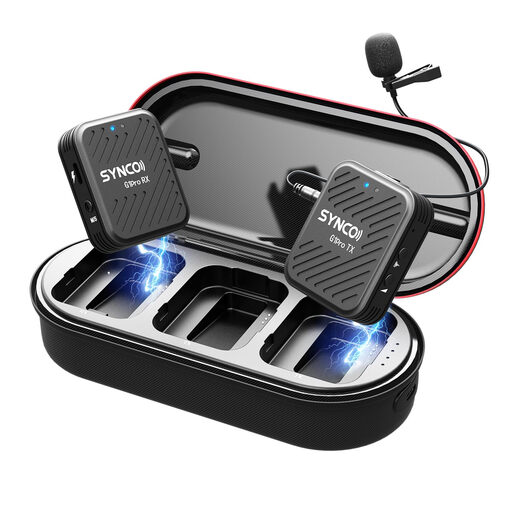
The two clip-on microphones can move with the performer while recording with a camera or USB-C smartphone.
The set includes a camera receiver, a USB-C smartphone receiver and a charging case.
 No image available
This wireless lavalier set is designed for recording with an SLR camera when you want to monitor the audio.
The product title specifies a 2.4 GHz system with audio monitoring; check that the connection is compatible with your recording device.
 No image available
A standalone recorder is a good choice for audio recording when you do not want to rely on a phone or camera; for video, you will need to sync the audio and footage later.
The product name specifies 128 GB. The description mentions WAV and MP3 recording, A-B repeat playback and file transfer via USB-C.
 No image available
A clip-on microphone close to the performer may suit a recording space where some freedom to move is needed, without a wireless transmitter.
The product name specifies a 6 m cable and a 3.5 mm connection. The description mentions use with smartphones, cameras and recording devices; check the connection on your own device.
 No image available
This desktop microphone is suited to a monologue recorded at a fixed computer set-up, not to a performance that moves around the classroom.
The description lists a USB connection, a supercardioid polar pattern and a mute function. It also mentions compatibility with PC and Mac.
No. If the performer stays within a small performance area, you could try a fixed microphone or recorder close to that space. If they move around while the camera stays at a distance, a microphone worn by the performer can help keep the distance from the voice more consistent.
Attach a clip-on microphone so that clothing does not touch the capsule or cable, and test it with the actual costume and movements. Listen back to a short test recording and also check that a fixed microphone is not too far from the voice.
Check which receiver and cables are included and whether the connection is compatible with your recording device. If you are using a standalone recorder, also check its storage and power requirements. For consumer purchases, ACM ConsuWijzer says that statutory guarantee applies if a product does not meet what you could reasonably expect when used normally; the seller is responsible. This guidance does not determine the position of a school buying as a business.
According to the Dutch Data Protection Authority, a sound recording that makes someone identifiable counts as personal data. A school must have an appropriate legal basis under the GDPR for processing it and must inform the people concerned. Do not assume that a legal basis for recording a lesson also covers publication. For creating and publishing identifiable images of pupils, the Dutch Data Protection Authority sets out specific consent requirements, including parental consent for pupils under 16. The legal basis for audio used solely within the school depends on the specific circumstances.